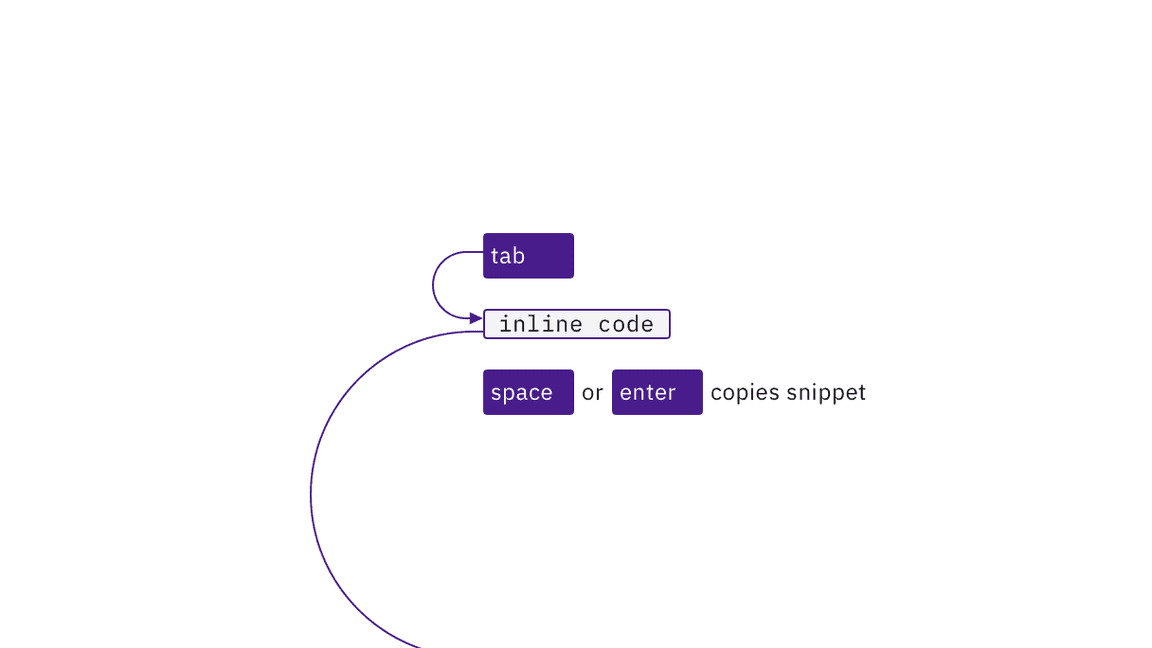
By default, each inline code snippet is reachable by Tab and copied with Space or Enter.
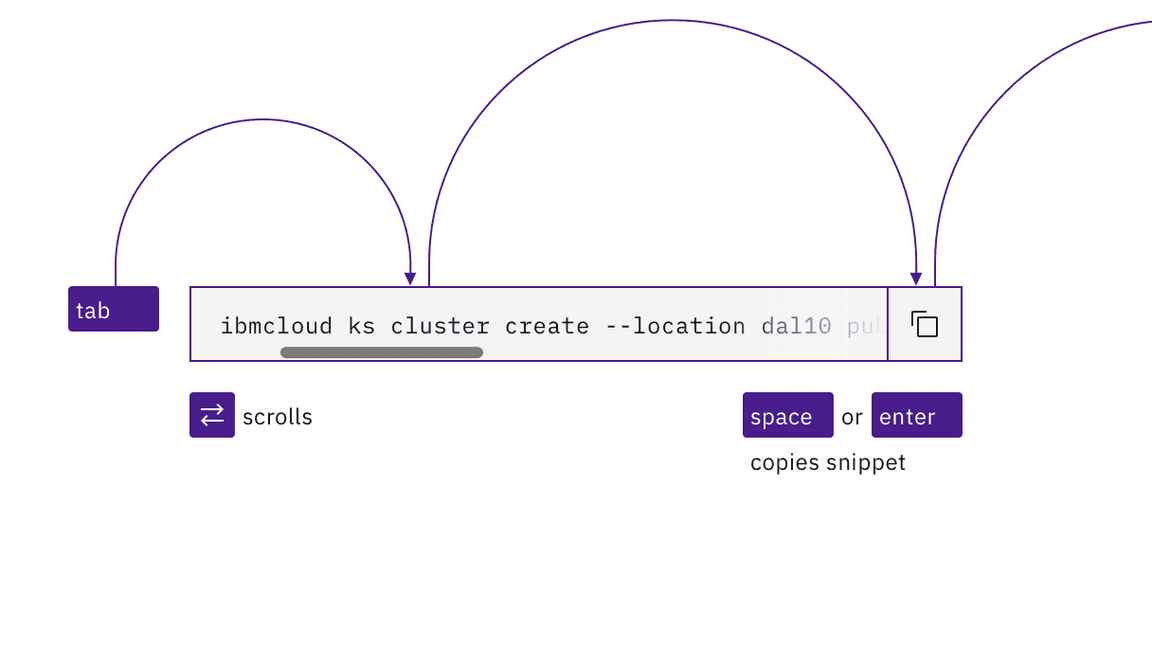
The single line code snippet tabstop supports left and right arrow key scrolling.
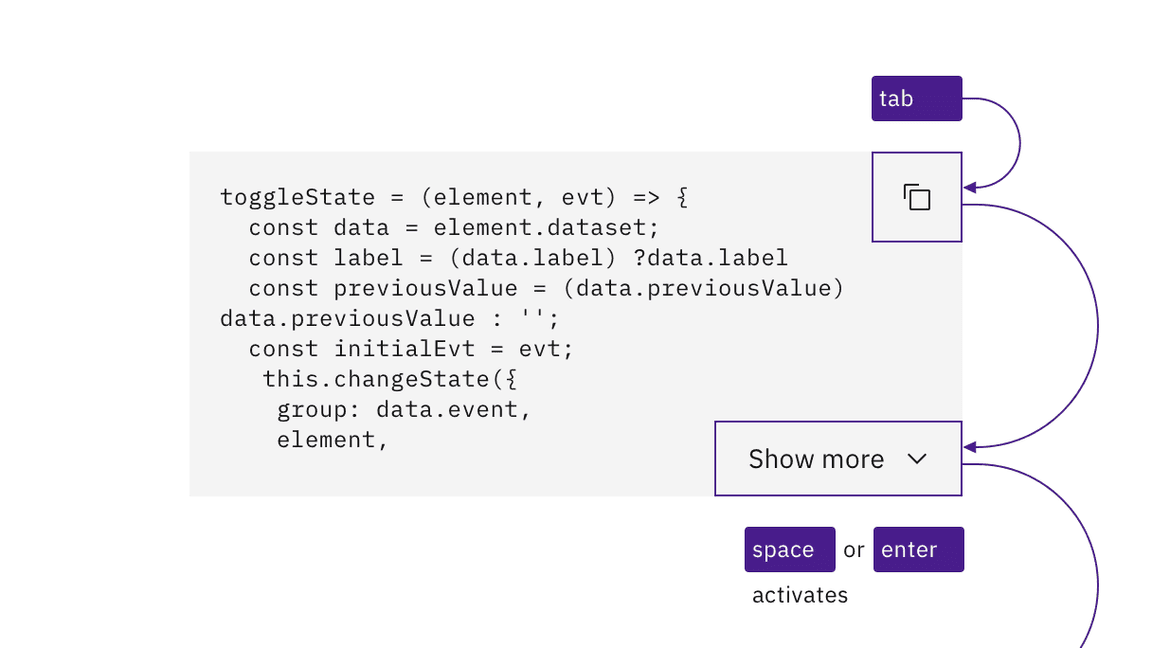
The multi-line's buttons are reachable by Tab and activated with Space or Enter.
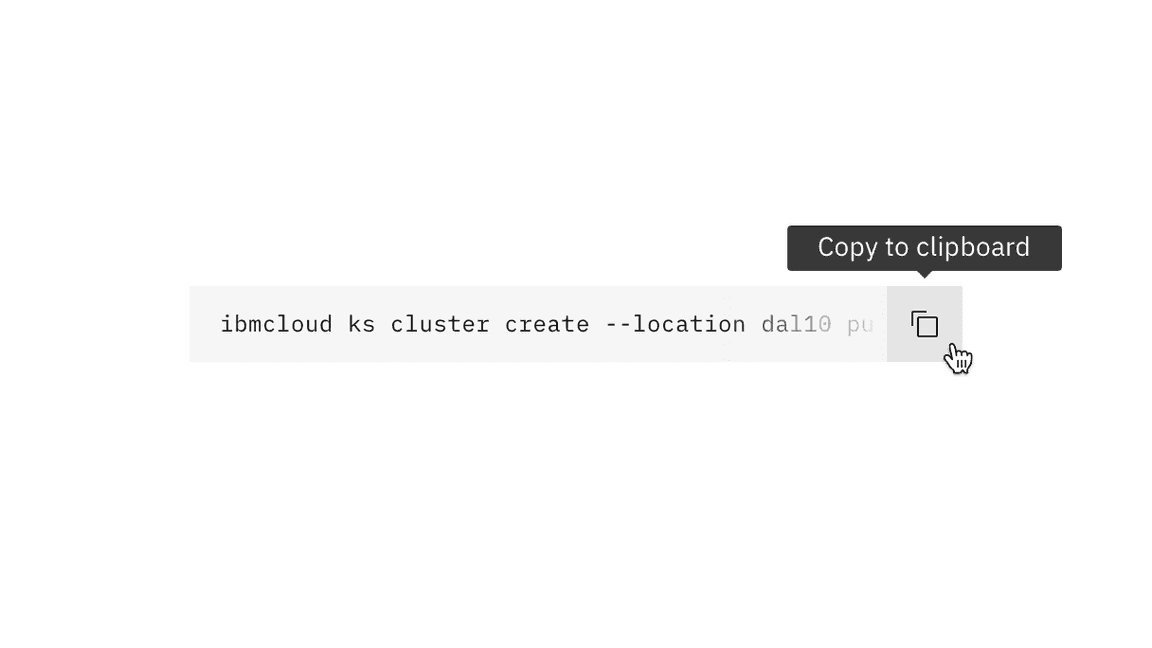
The code snippet's buttons expose their labels on hover or focus.
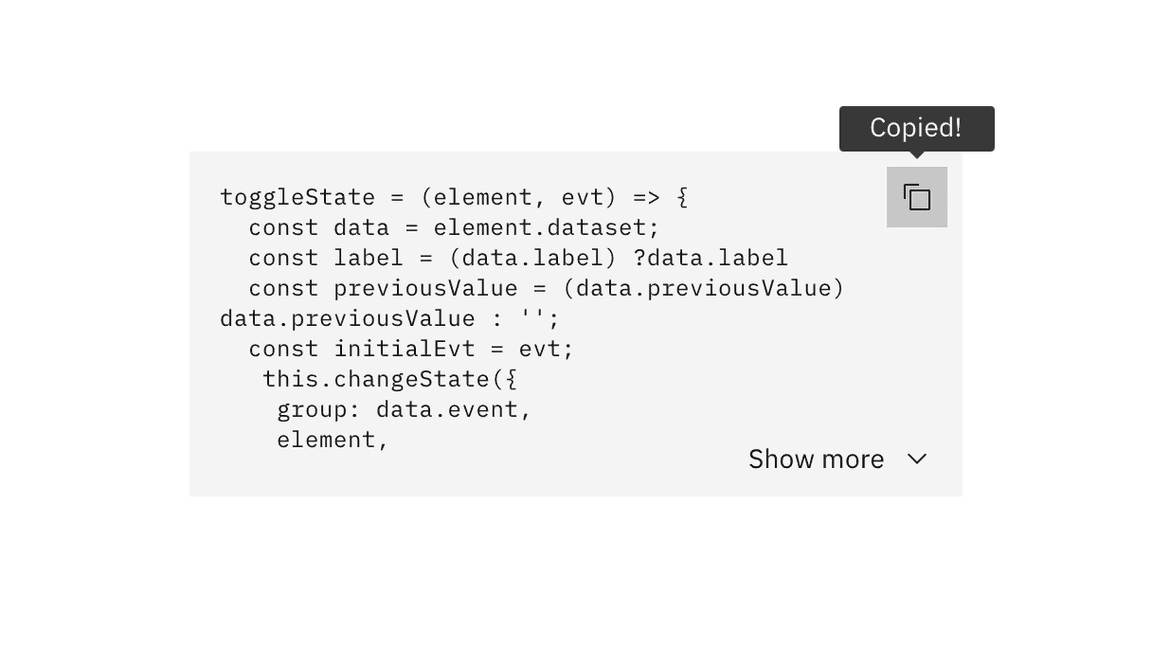
The results of activating buttons are provided in text.
Accessibility testing status
Latest version: 1.112.0 | Framework: React (@carbon/react)
| Component | Accessibility test | Status | Link to source code |
|---|---|---|---|
| Code snippet | Test(s) that ensure the initial render state of a component is accessible. | Some tests are incomplete, in progress, invalid, or temporarily skipped. | GitHub link |
| Tests that ensure additional states of the component are accessible. This could be interactive states of a component or its multiple variants. | Passes all automated tests with no reported accessibility violations. | ||
| Tests that ensure focus is properly managed, and all interactive functions of a component have a proper keyboard-accessible equivalent. | Passes all automated tests with no reported accessibility violations. | ||
| This manual testing ensures that the visual information on the screen is properly conveyed and read correctly by screen readers such as JAWS, VoiceOver, and NVDA. | A human has manually tested this component, e.g. screen reader testing. |
Feedback
Help us improve by providing feedback, asking questions, requesting features, or leaving any other comments on GitHub.