This live demo contains only a preview of functionality and styles available for this component. View the full demo on Storybook for additional information such as its version, controls, and API documentation.
Overview
Contained lists are commonly used inside of containers like cards, sidebars, and disclosure situations. These lists have one header column of information with multiple list item rows. Contained lists help you organize related content within smaller spaces within a user interface and allow you to include inline actions and interactive elements.
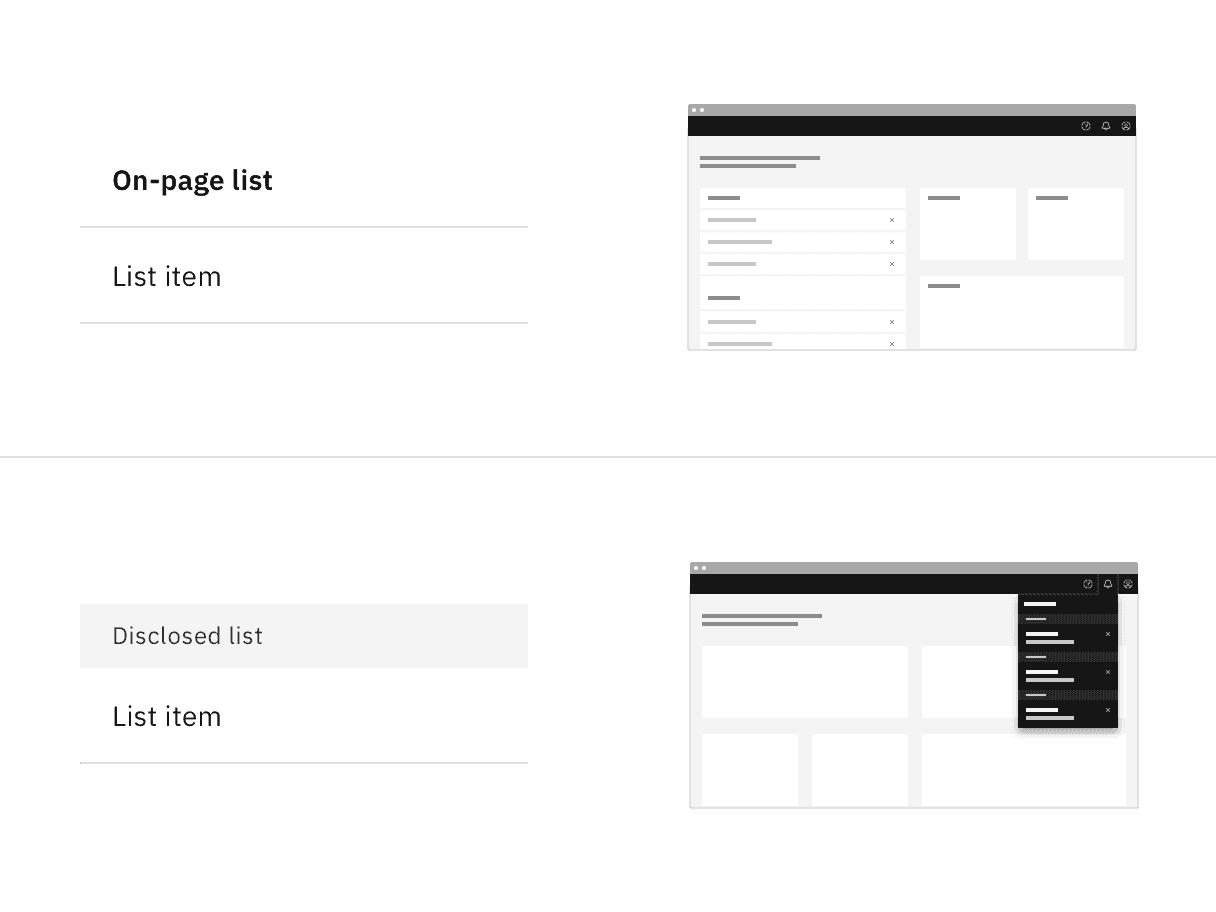
Contained list variants
Use on a page inside of small spaces or in disclosure situations.
Use when including interactive elements or inline actions in a list.
To logically group items that follow the same content structure.
- Do not use if the list content needs to be nested more than one level deep and becomes overly complex and lengthy. For these situations, use the data table component instead.
- Do not use if the list needs to contain multiple column headers, instead use the structured list component.
Variant | Purpose |
|---|---|
Use this variant when placing the list in a persistent context like the main area in the user interface, such as on a card or in a sidebar. | |
Use this variant when the list is shown within a temporary context, for example within a popover or layer that is elevated by a drop shadow or border. |
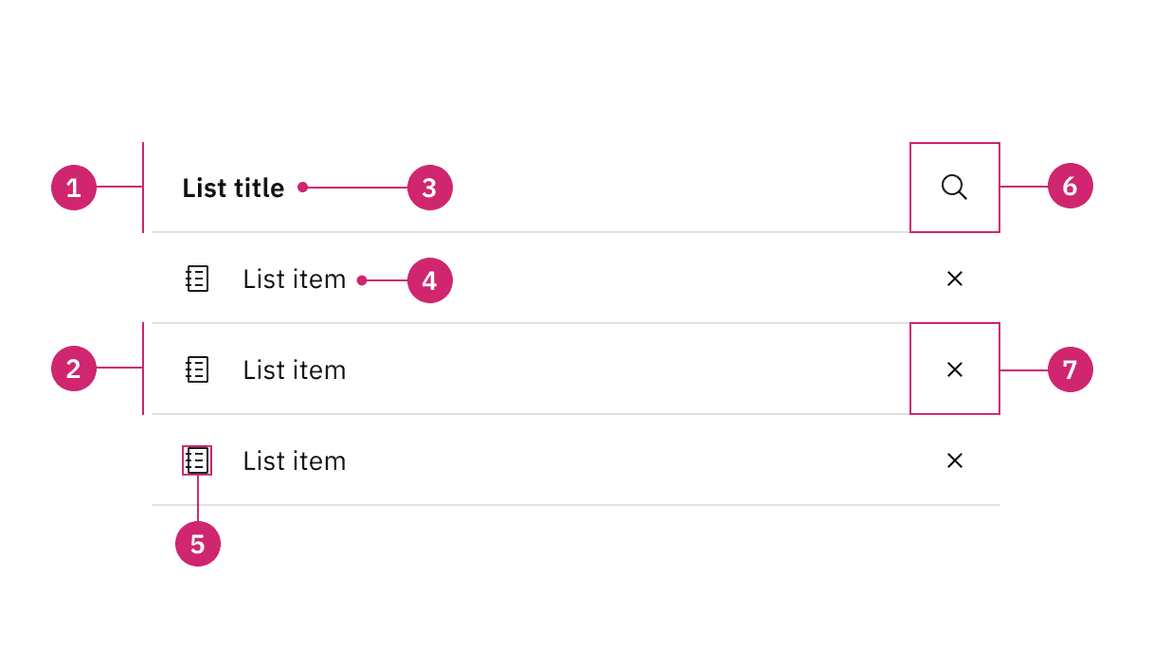
List header area: Area to group the succeeding list items.
List item area: Area to group text and elements in a list row.
List title: Descriptive name for the group of list items.
List item: The content in a list item row.
Non-interactive icon (optional): A decorative icon to help visually describe a list item.
Search icon button (optional): An icon button for search or filtering functionality in the contained list.
Interactive element (optional): An interactive element in the header or row such as a button, link, icon, tag, or toggle.
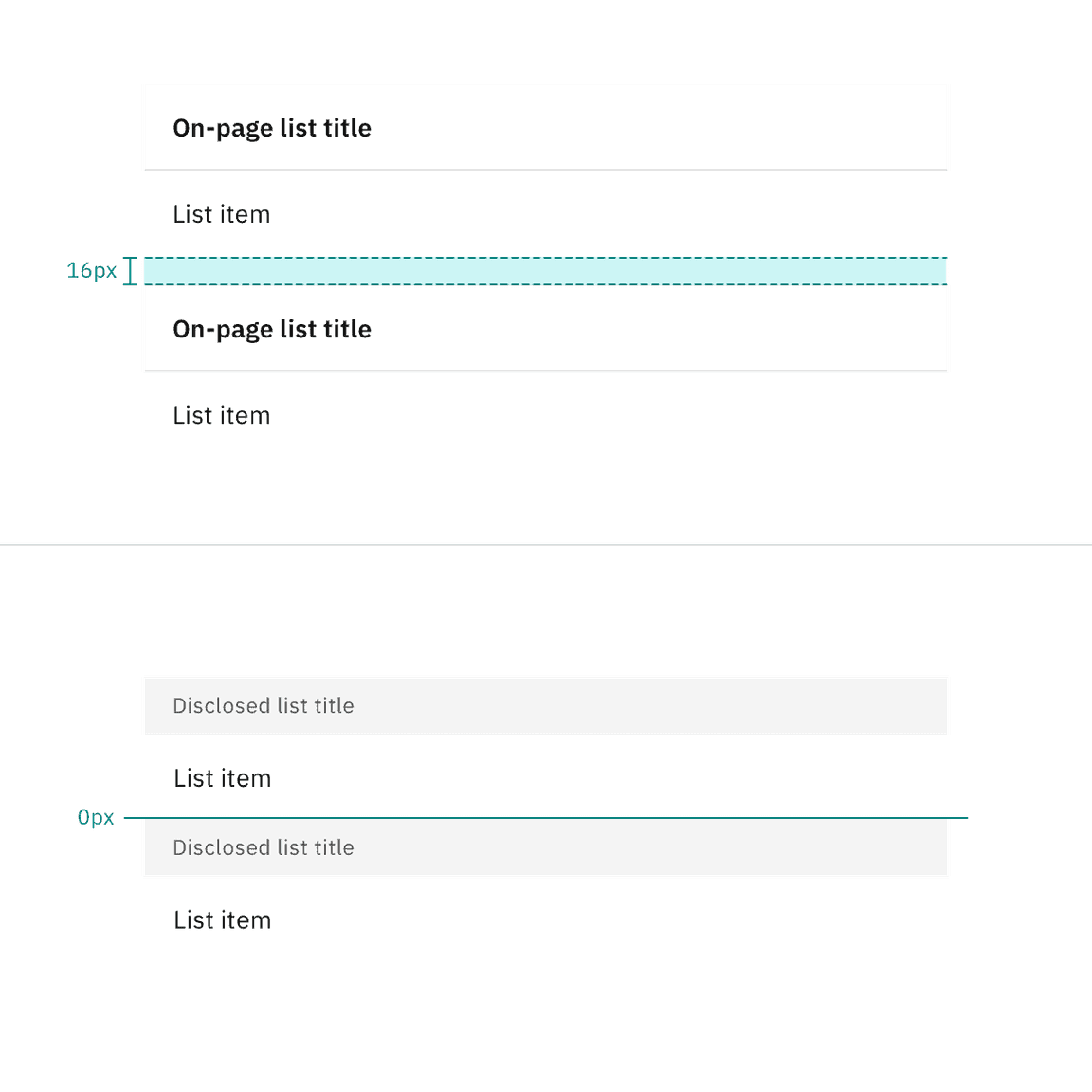
Alignment of on-page list and disclosed list
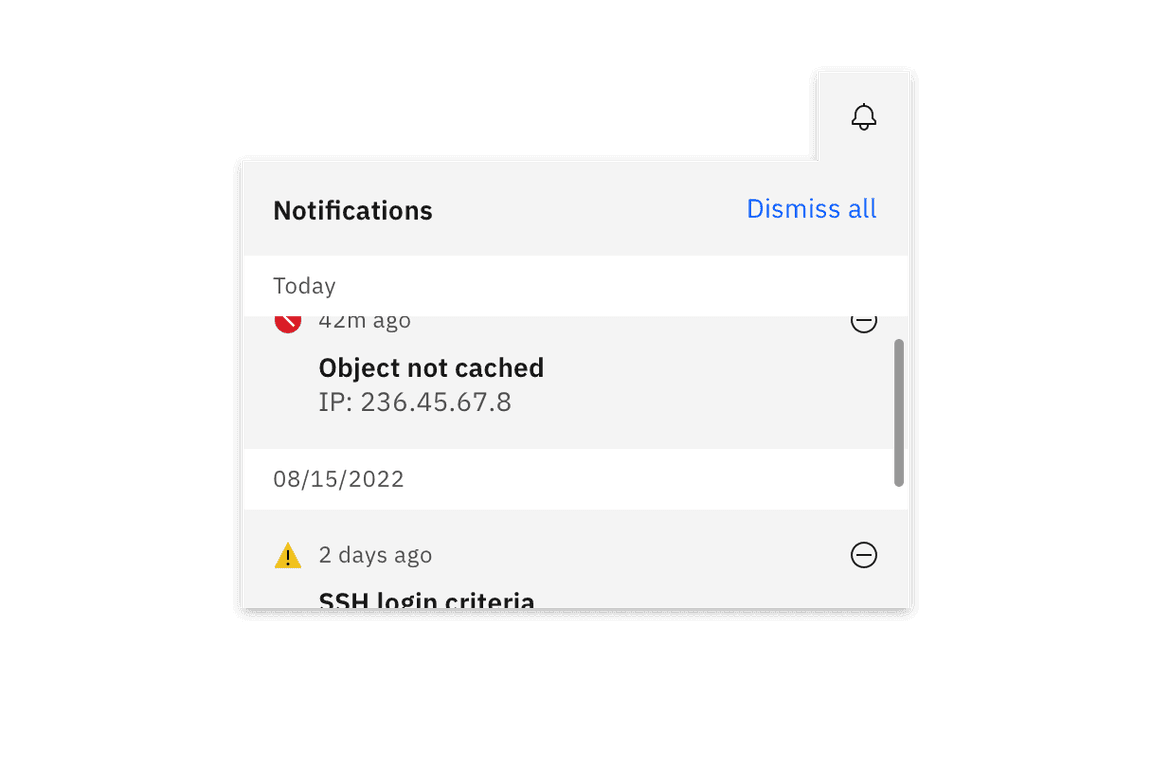
Contained list scrolling
A list title is a descriptive name for the group of list items.
List titles should be short and clear, ranging from one to three words to describe the list group.
Use sentence case capitalization.
List item text can vary but the structure of the content should be similar per row in the same contained list.
List item text can have multiple lines of concise content, but should not contain multiple paragraphs of lengthy information.
Use sentence case capitalization.
On-page list
Use the on-page list variant when placing the list on the general page of a user interface. On-page lists typically appear in smaller spaces, like in a card or sidebars. The on-page list styling has no visible background header with fixed information. If there are scrolling capabilities, the header will remain sticky and have a background layer to differentiate it from the list item rows scrolling beneath it.
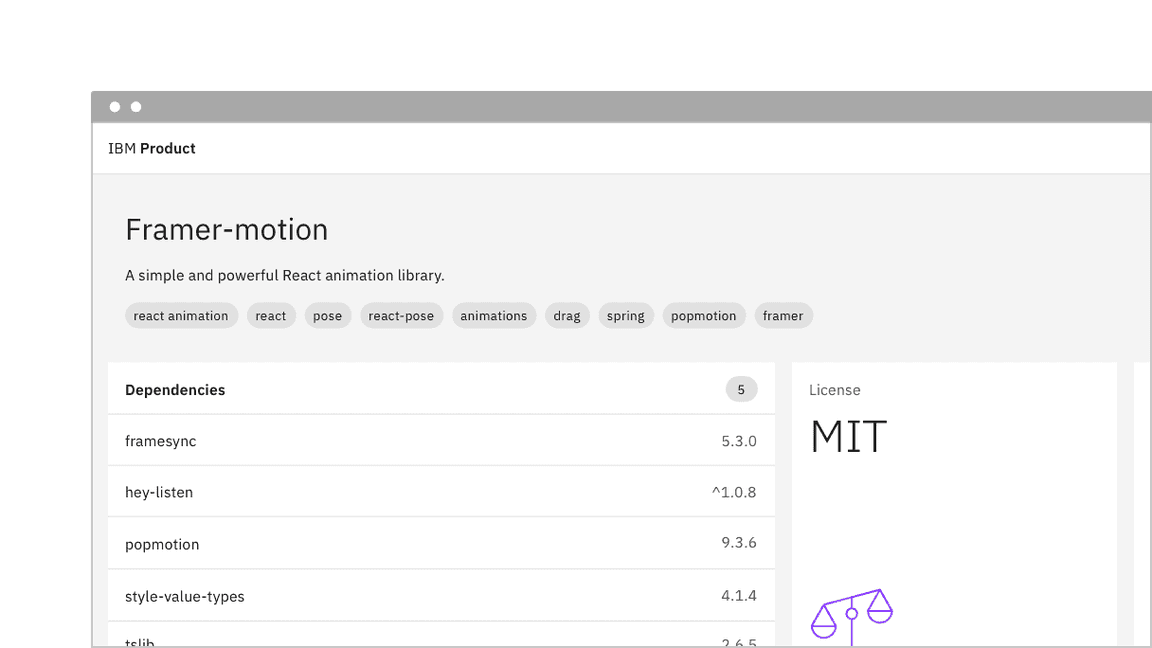
Example image of contained list on-page variant in context image
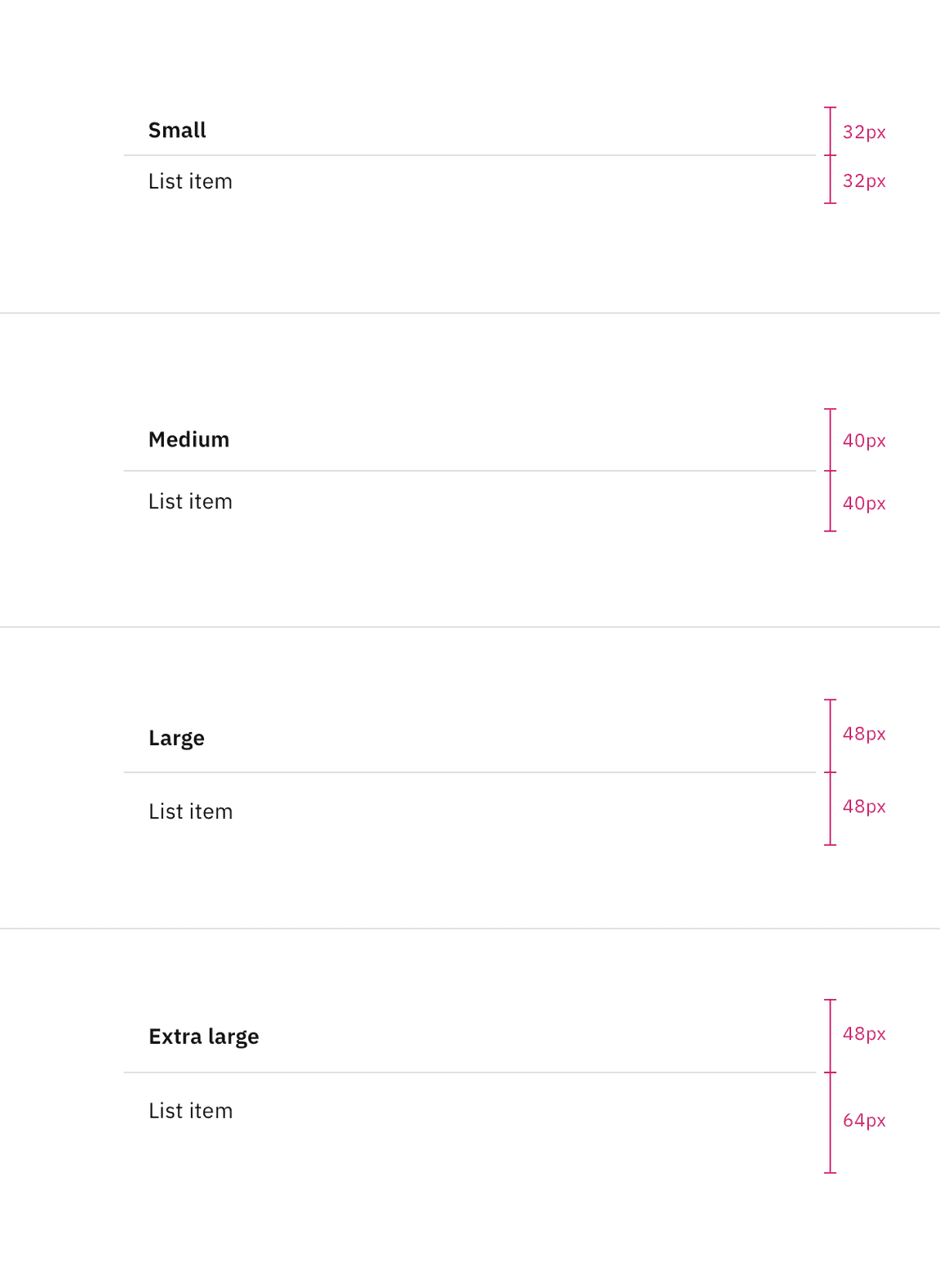
On-page list shown in small, medium, large and extra large sizes.
The list header height is always fixed, while list item row heights can vary based on the amount of content in each row. The content in each row is flexible, but by default each list item row height follows the extra large, large, or small height size for one line of content.
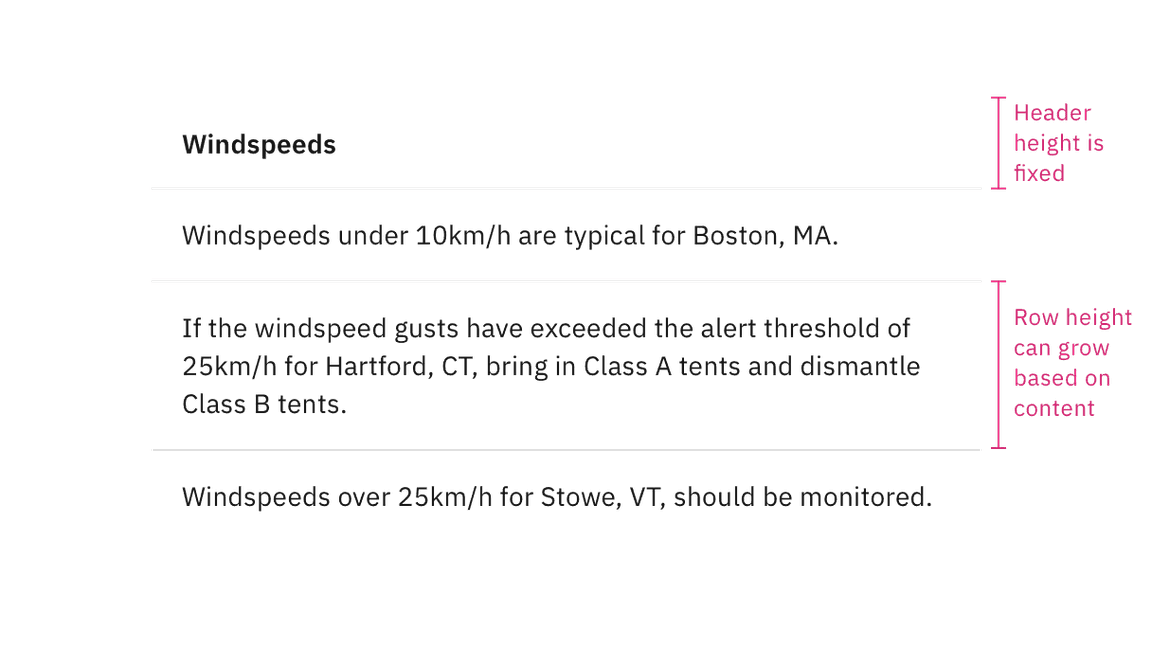
Row content size for on-page variant
Disclosed list
Use the disclosed list variant when placing the list within a temporary context, like a popover or disclosure, which is typically accompanied by an enclosed border or drop shadow. The disclosed list styling has a background layer underneath the header. Each header has a smaller height than the on-page list styling to take up less real estate in the smaller and scrollable spaces it usually appears in.
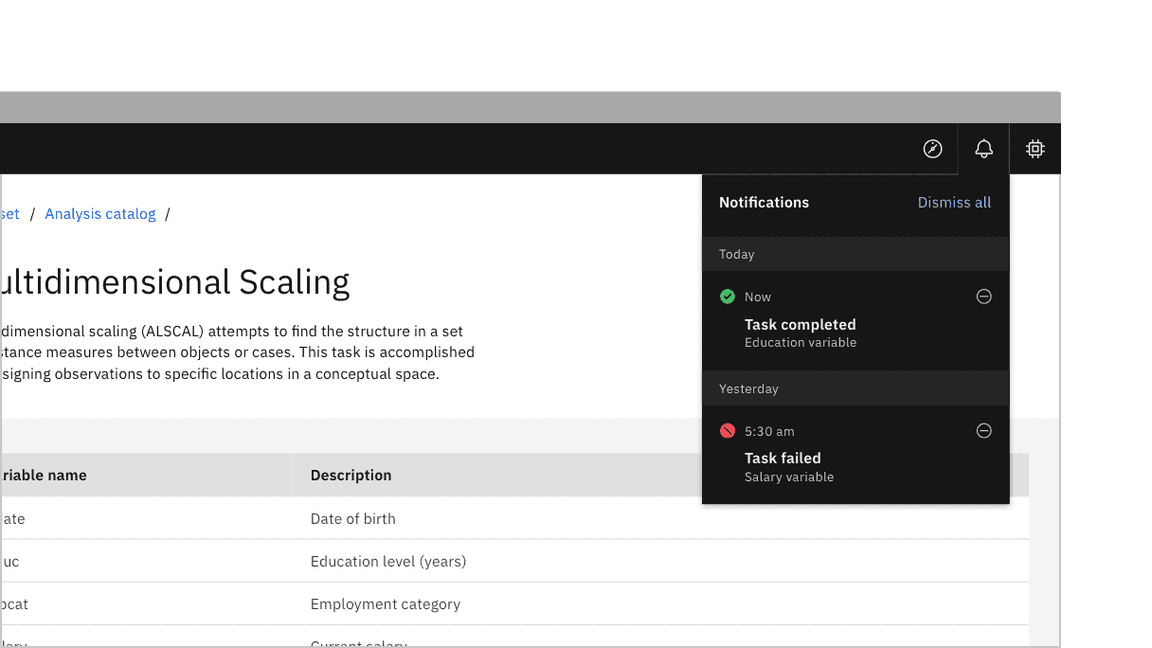
Example image of contained list disclosed variant in context image
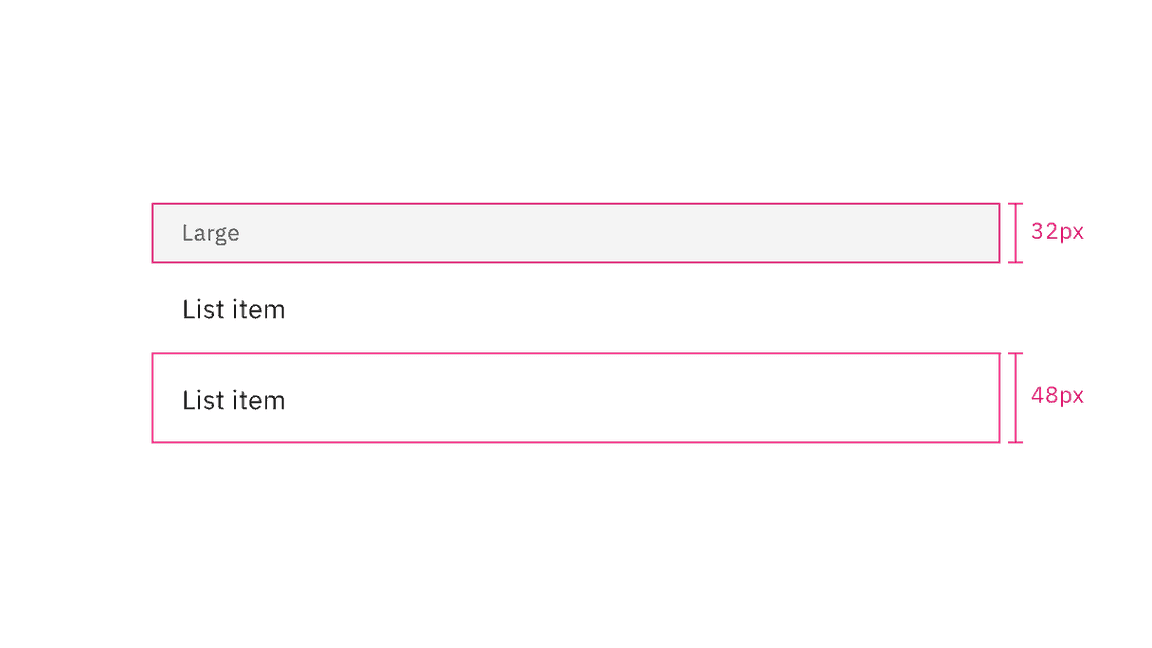
Height sizes for disclosed variant
Similarly to the on-page list variant, the list header height is always fixed, while list item row heights can vary based on the amount of content in each row. The content in each row is flexible, but by default each list item row height follows a 48px height for one line of content.
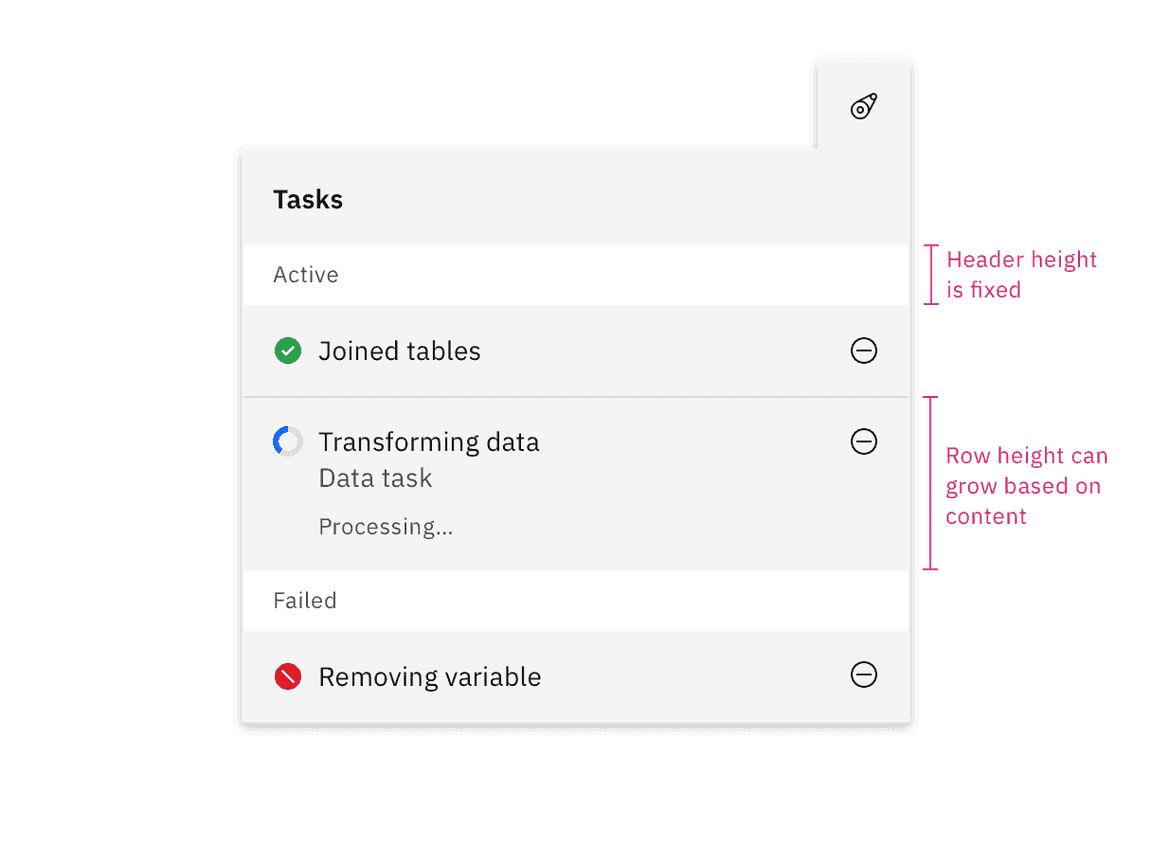
Row content size for disclosed variant
Inset row dividers
Depending on the use case you can inset contained list row dividers. By default, use extended row dividers for row items. Typically indented row dividers are used when placed close to other components that also contain row dividers so they do not collide with each other and create visual tension.
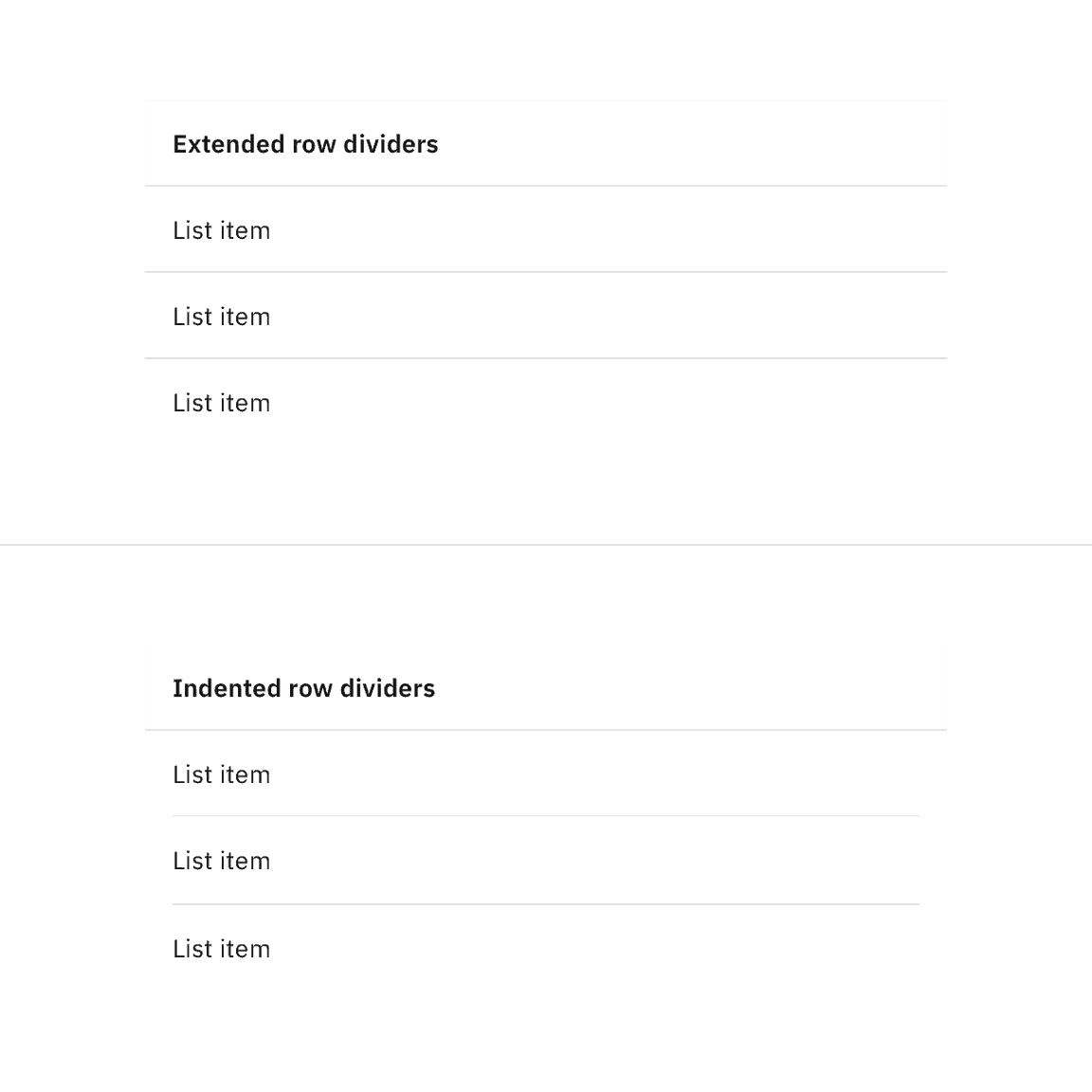
Contained list row dividers
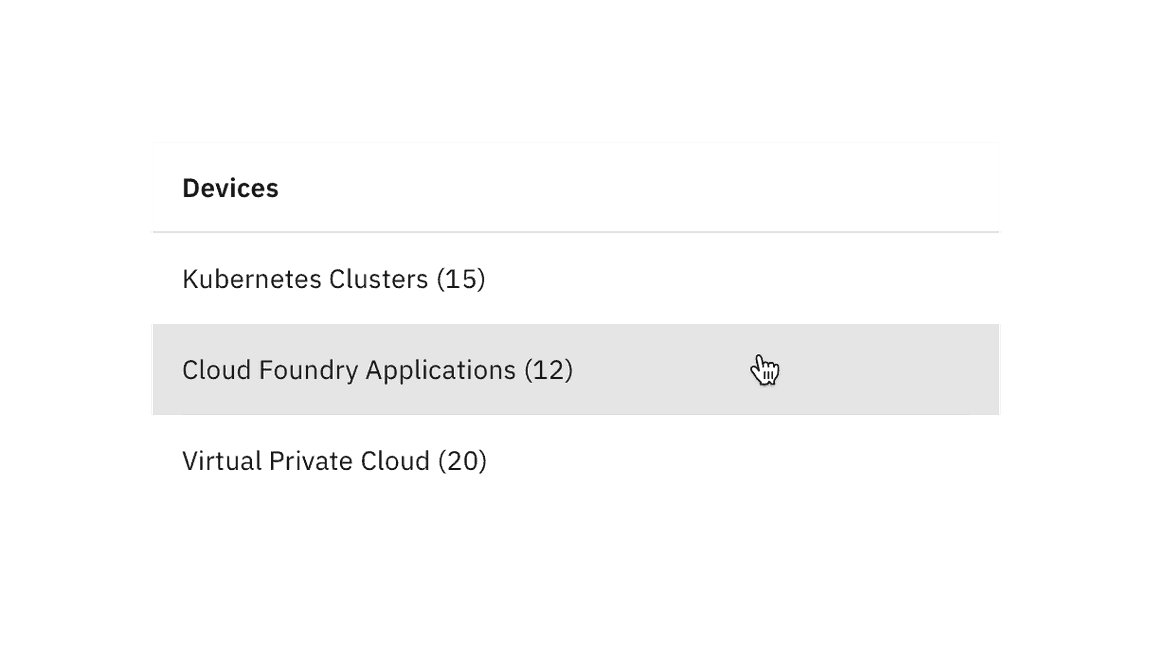
Contained list clickable rows
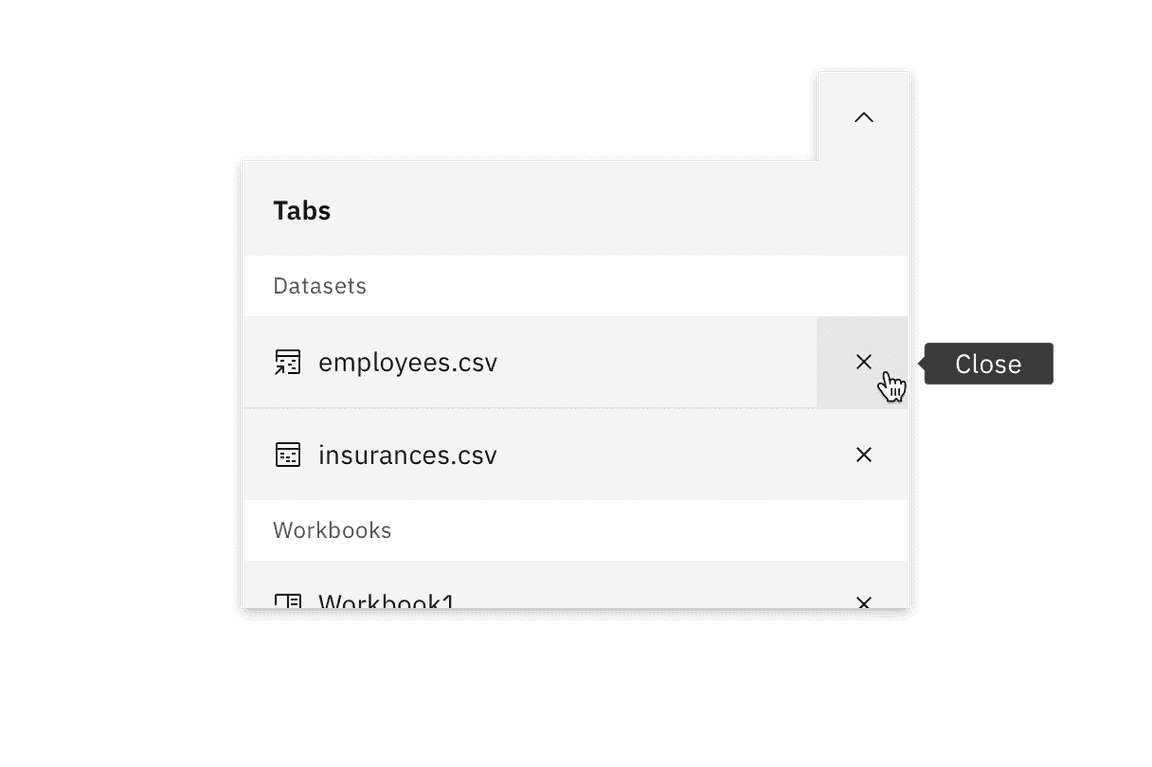
Contained list inline actions
Interactive elements
Contained lists can have interactive elements in headers and rows, such as links, icon buttons, and toggles. Contained lists can also have multiple row columns. Additional row columns act as list item details pertaining to the first list item in the row. If your list has an excess of row columns and needs multiple column headers, we recommend using a data table instead.
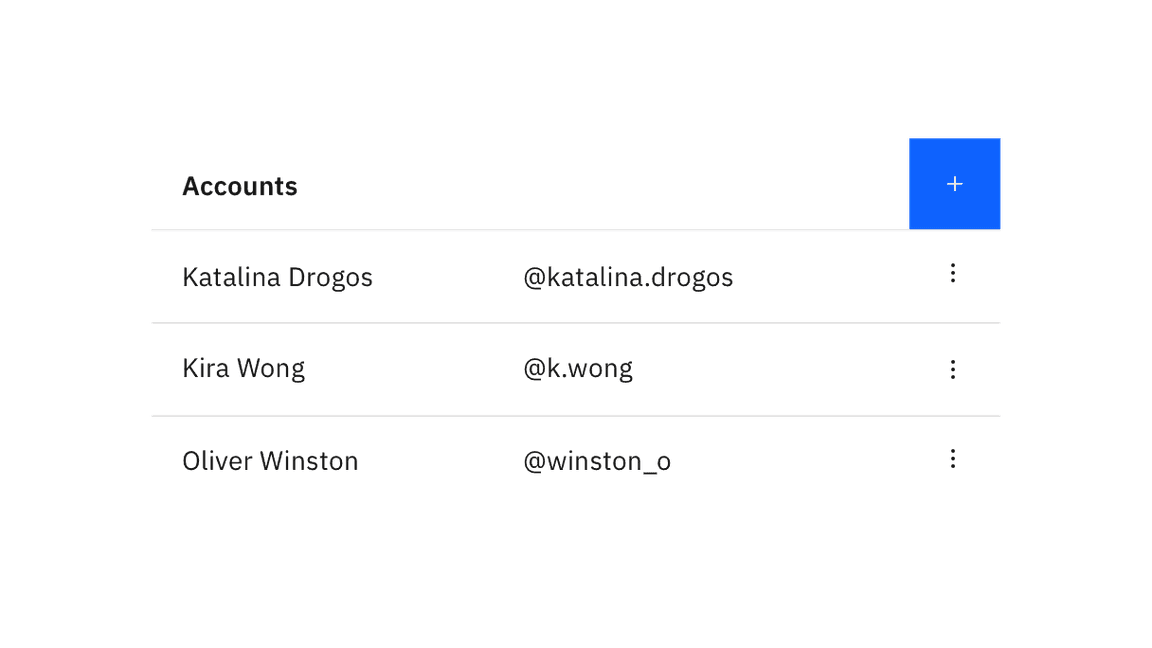
Contained list interactive elements
Non-interactive icons
Contained lists can have non-interactive icons positioned before the text in each row to help visually describe the list item, category, or status. These icons are decorative elements and are used for visual purposes only. Icons should typically be the same color as the text in the row unless they are status indicators.
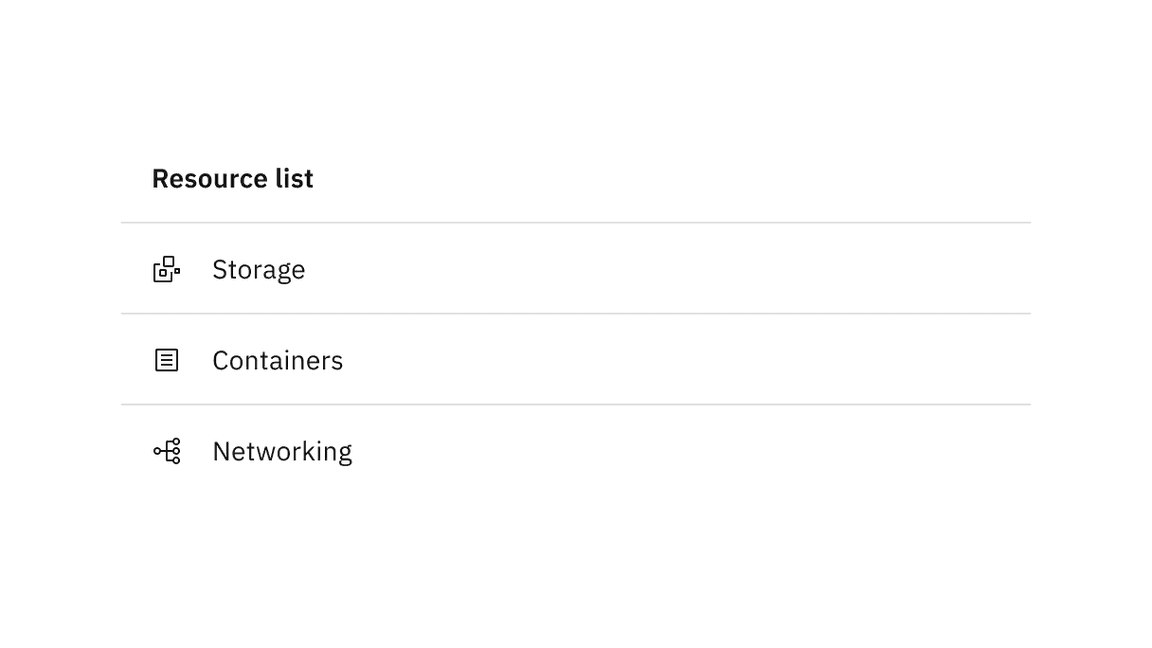
Contained list non-interactive icons
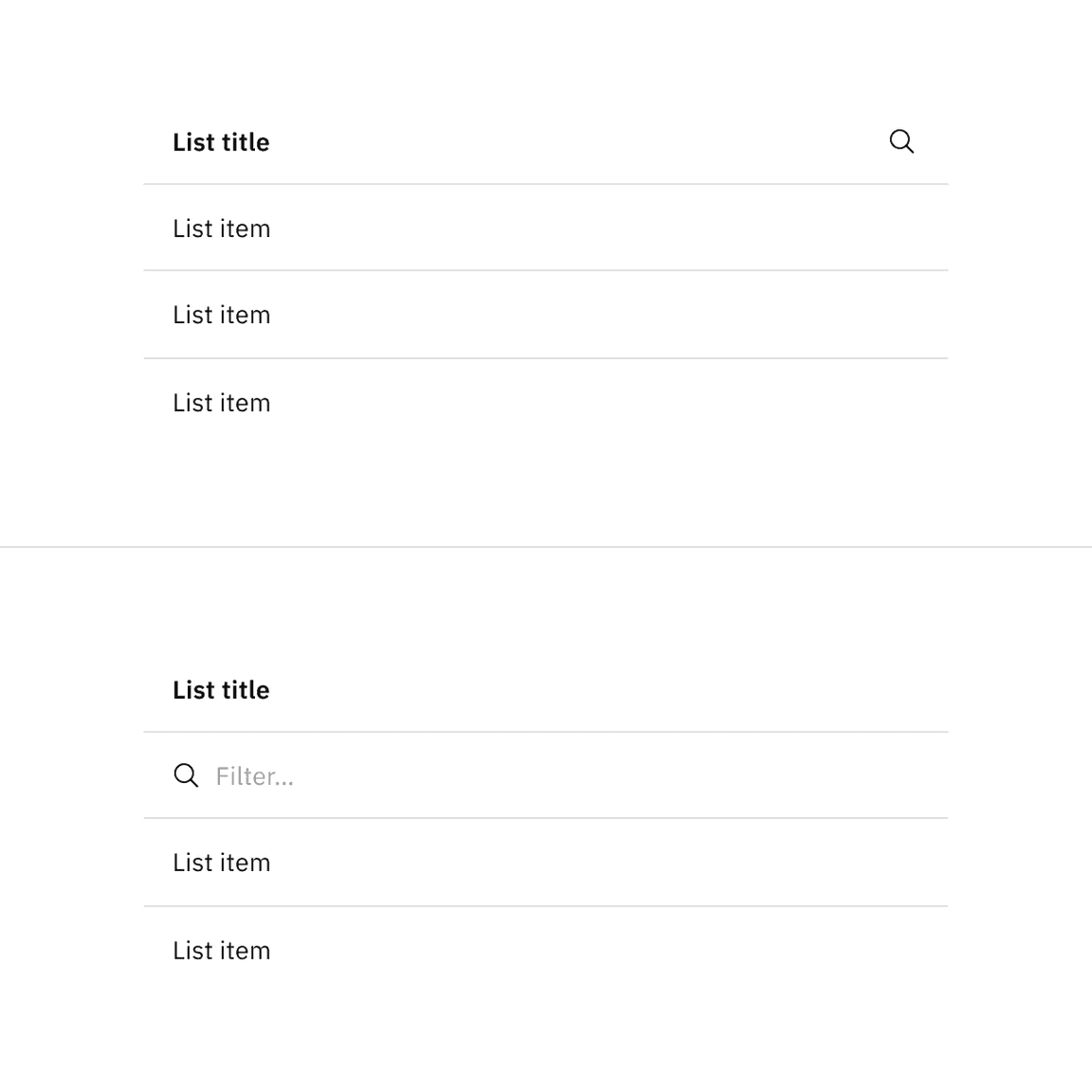
Contained list search and filtering functionality
Feedback
Help us improve by providing feedback, asking questions, requesting features, or leaving any other comments on GitHub.