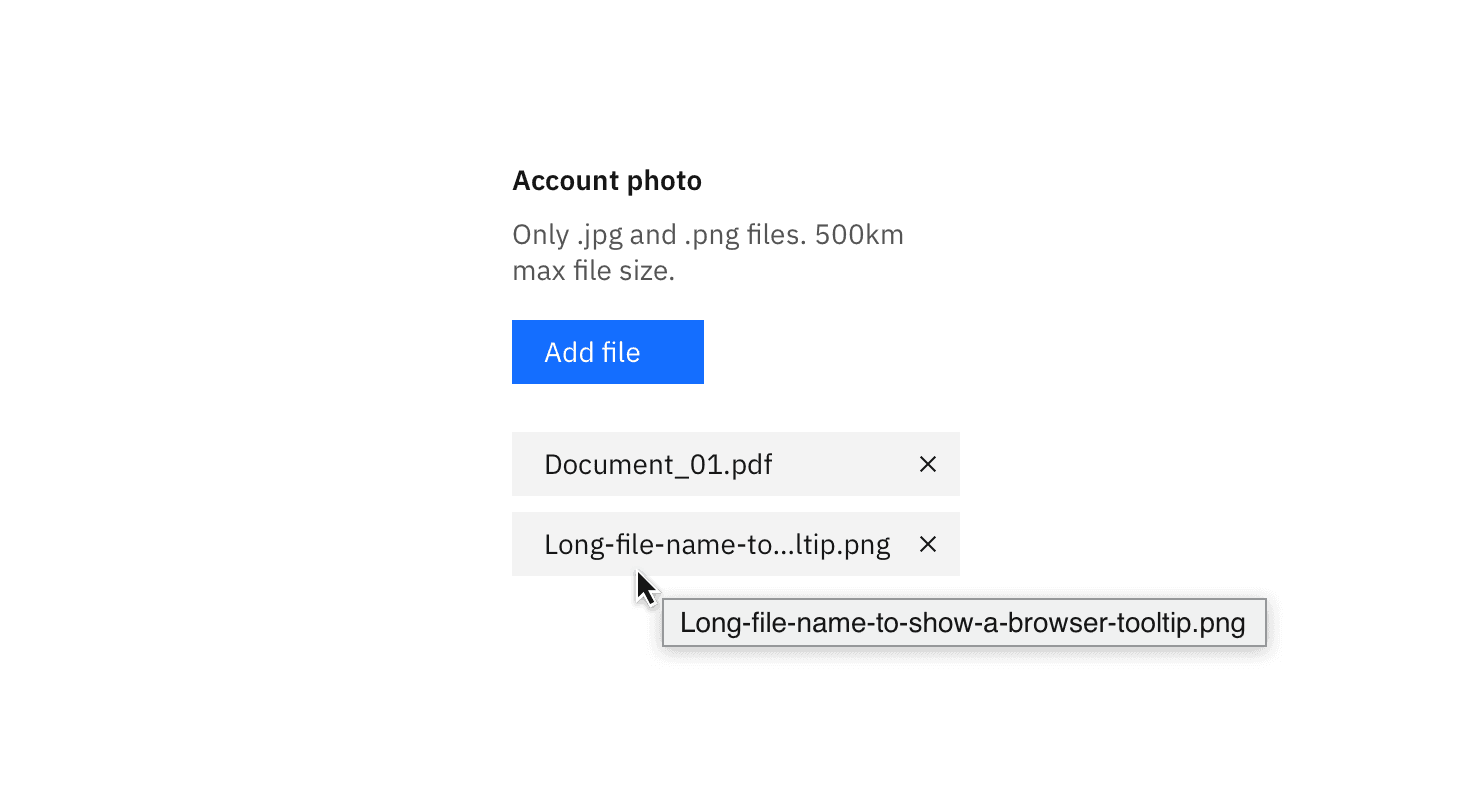
Example of a browser tooltip being used for truncation.

Example of end-line truncation for a paragraph.
Breadcrumbs
Pagination
Long URL links
Paragraph of text (i.e. a description paragraph)
Shortening of a long item name (user- or platform-generated)
Truncation should not be used on page headers, titles, labels, error messages, validation messages, or notifications.
Type | Purpose | Default | Truncated | |
|---|---|---|---|---|
Front-line | Used at the beginning of a text string to indicate the text is continued from a previous location. |
|
| |
Mid-line | Used when several text strings have different beginnings and/or endings but the exact same middle characters. Can also be used to shorten a phrase or text string when the end of a string cannot be truncated by an ellipsis. |
|
| |
End-line | Used at the end of a character string or paragraph to indicate that there is more content in another location, to show that the pattern in a sequence continues, or to shorten a long text string. |
|
|

Example of a truncated breadcrumb utilizing an ellipsis with an overflow menu.
Code
To use front- and end-line truncation, enter the appropriate class below and add title to populate the browser tooltip that appears when truncated text is hovered. The width of the container (or the text element itself) also needs to be configured in order to calculate where the truncation will start.
Type | Class |
|---|---|
Frontline |
|
End-line |
|
Mid-line truncation
Mid-line truncation does not have its own class as it requires JavaScript. This example in CodePen shows how it is implemented.
“Show more” buttons
The "Show more" button is used when there is a significant amount of overflow content. Implementing a "Show more" button gives a user the ability to see the content in more digestible chunks, as opposed to all at once.
A "Show more" button is used in place of scrolling, gradients, or fades as they are more prominent and actionable. If needed, a "Show less" can be used to again hide the content the user opened. "Show more" can also be presented as "Load more" in cases where performance is a concern. See the Loading section for additional details.
Feedback
Help us improve by providing feedback, asking questions, requesting features, or leaving any other comments on GitHub.