Color
A toggletip has two states: open and closed. The open state occurs when a user clicks on or enter the trigger button, while the closed state means the toggletip is hidden.
Element | Property | Color token |
|---|---|---|
Trigger button | svg |
|
Container | background-color |
|
Text | color |
|
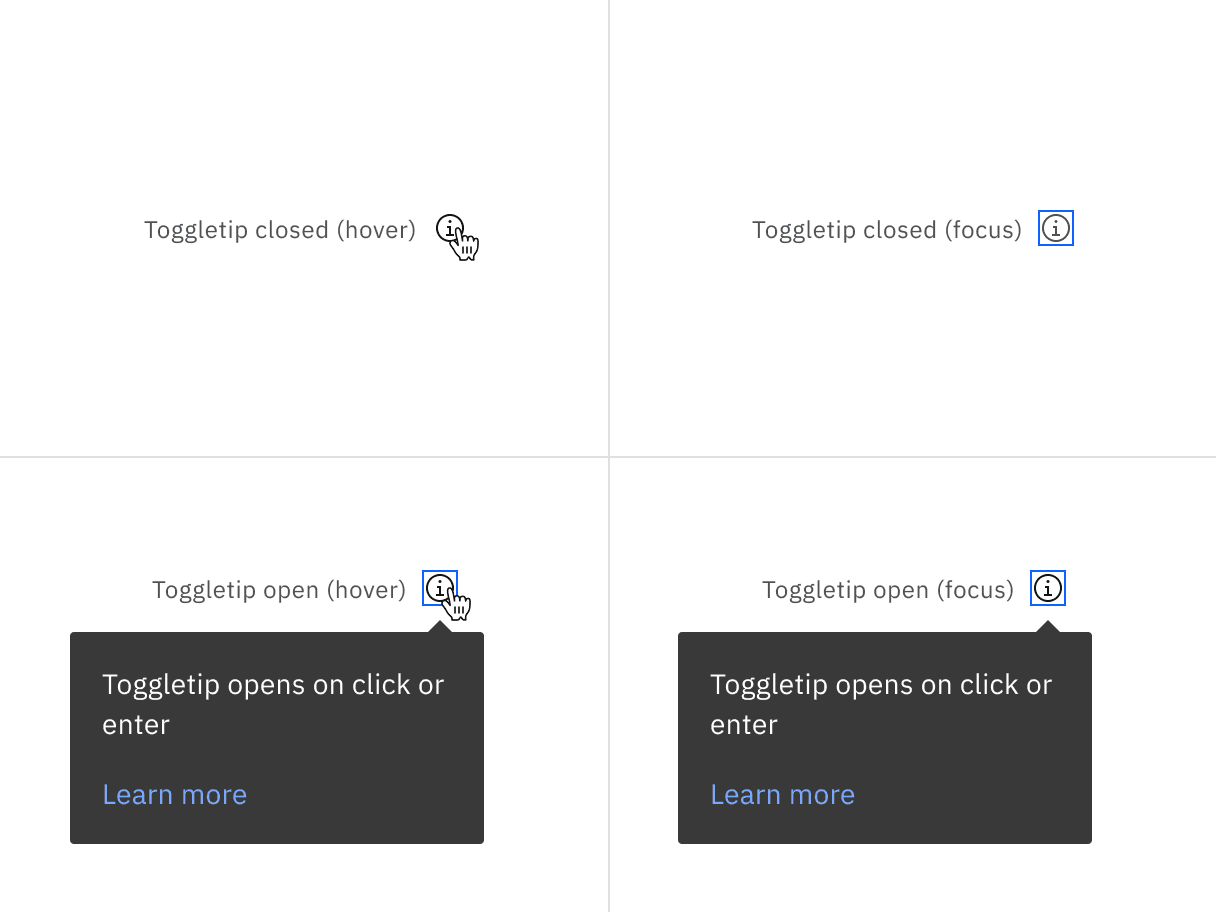
Toggletip in the closed and open states with mouse and keyboard interactions
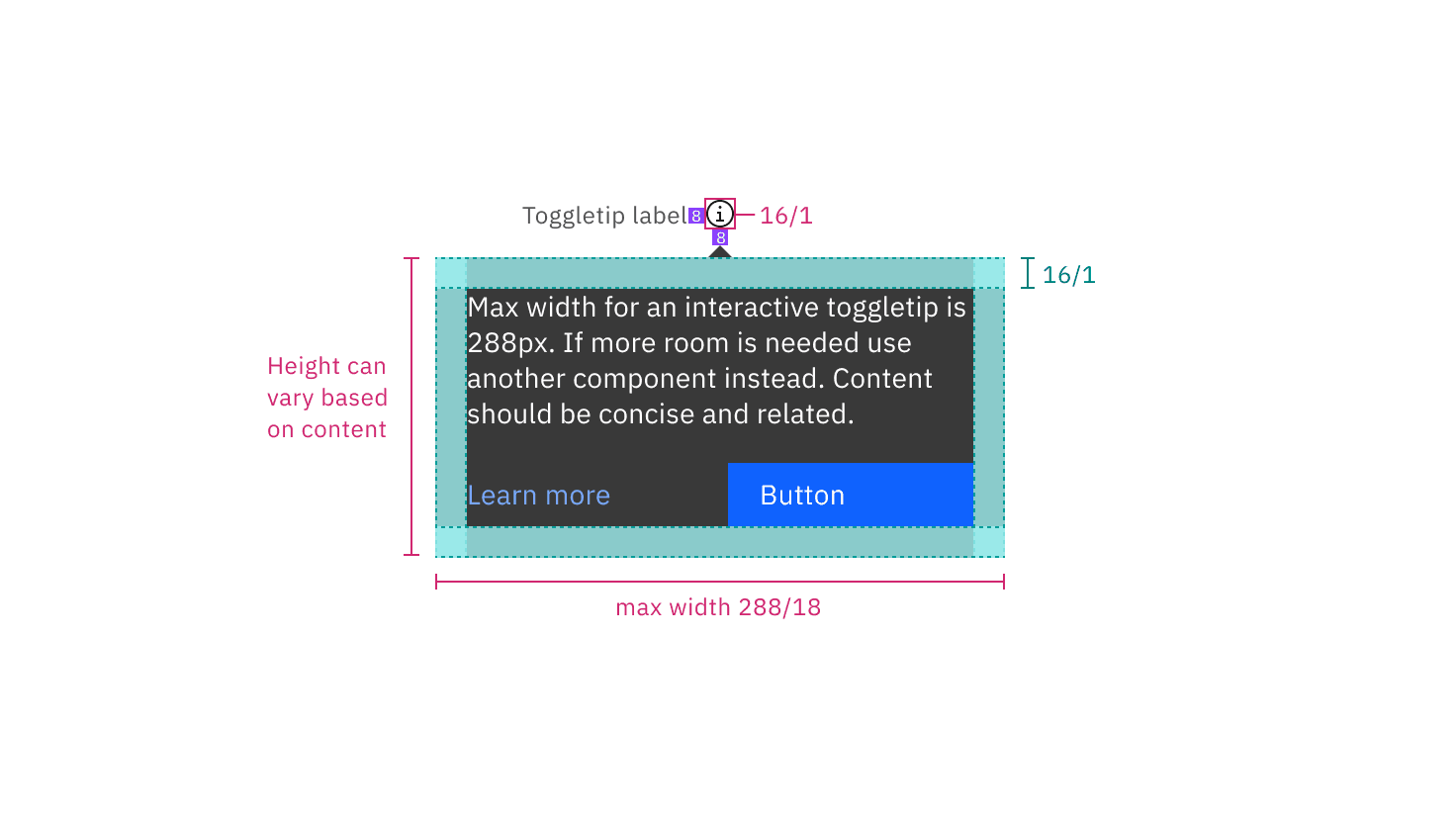
Structure and spacing measurements for toggletip | px / rem
Placement
Toggletip directions by default are set to auto. Upon opening, toggletips can detect the edges of the browser to properly be placed in view so the container does not get cutoff. Toggletips can instead use specific directions and may be positioned top, right, bottom, or left to the trigger item. Toggletips should be placed at least 16px / 1rem off of the bottom of the page and not bleed off page or behind other content. On mobile, toggletips can only appear below the toggletip UI trigger.
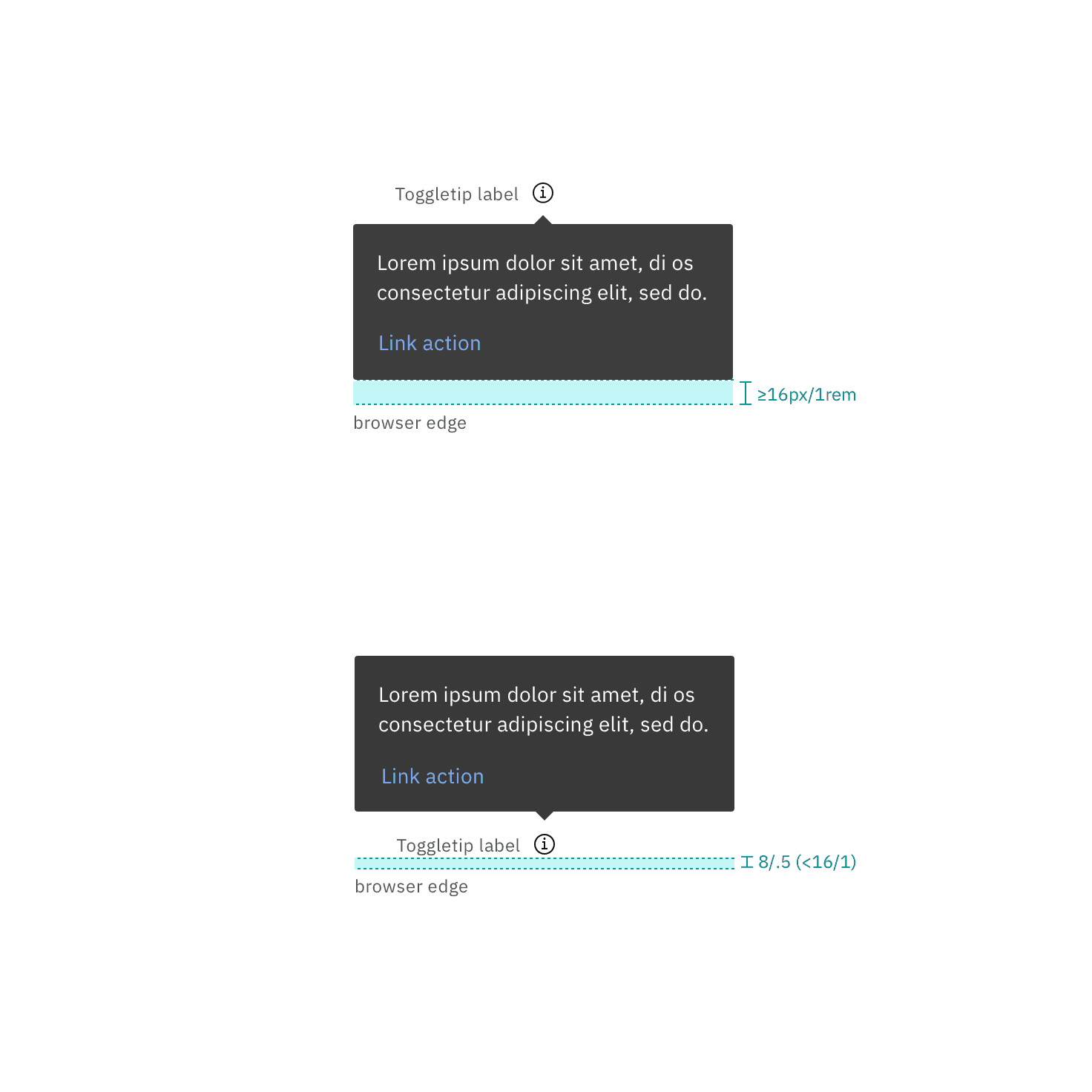
Placement examples for toggletip
Feedback
Help us improve by providing feedback, asking questions, requesting features, or leaving any other comments on GitHub.