Keyboard interactions
Toggletips use an information icon button for the trigger. These buttons are in the tab order and are activated by pressing Enter or Space. The activation toggles the tip open and closed, and focus remains on the trigger.
When the toggletip contains interactive elements, pressingTab will move focus to the first component in the toggletip. When the toggletip only has non-interactive text, or when the focus is on the last component in the toggletip, pressing Tab will close the toggletip and move focus to the next tab stop on the page. Pressing Esc also closes an open toggletip and returns focus to the trigger if the focus is inside the tooltip.
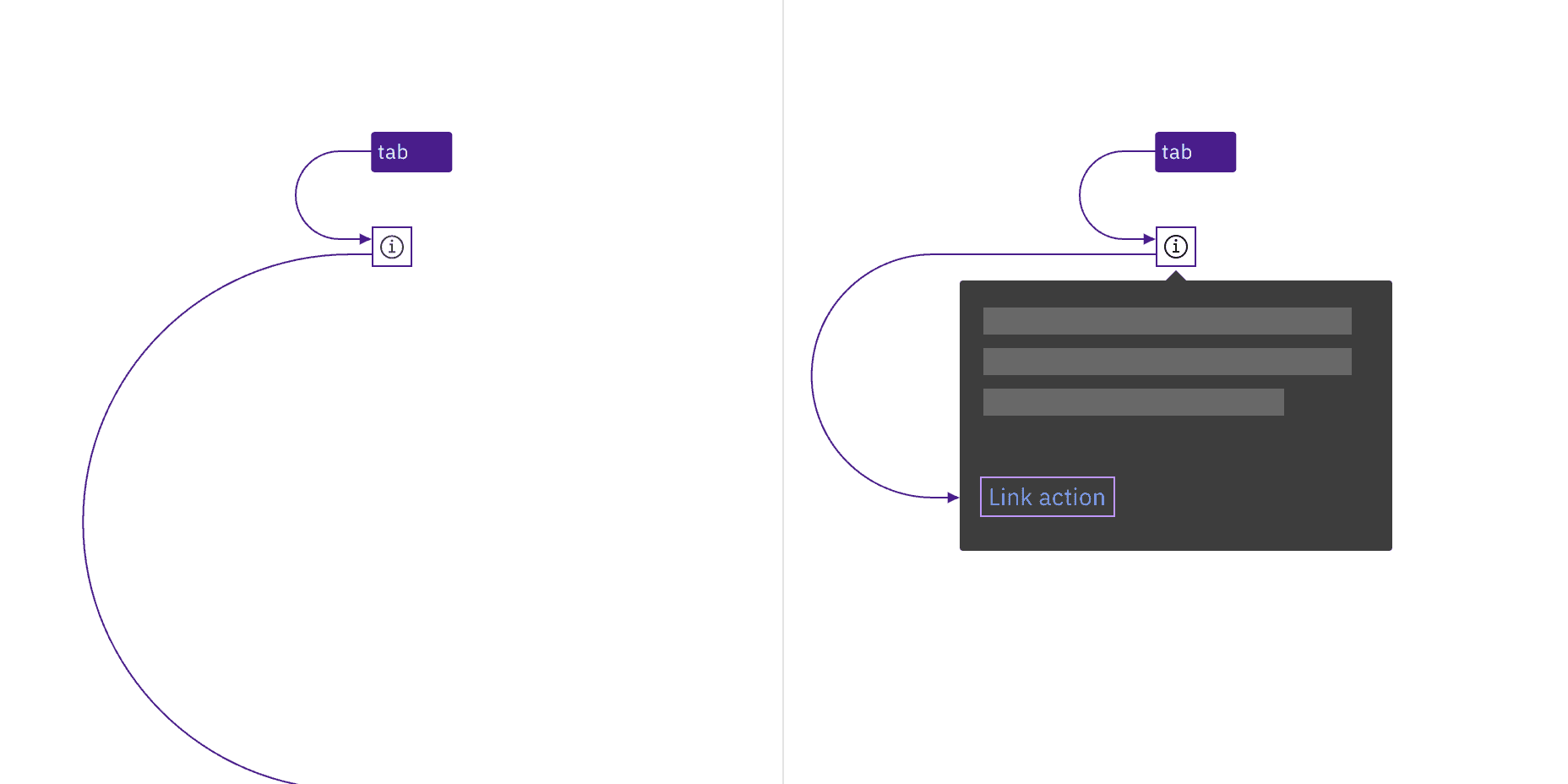
The information icon button that triggers the toggletip is in the page tab order, as are interactive elements inside an open toggletip.
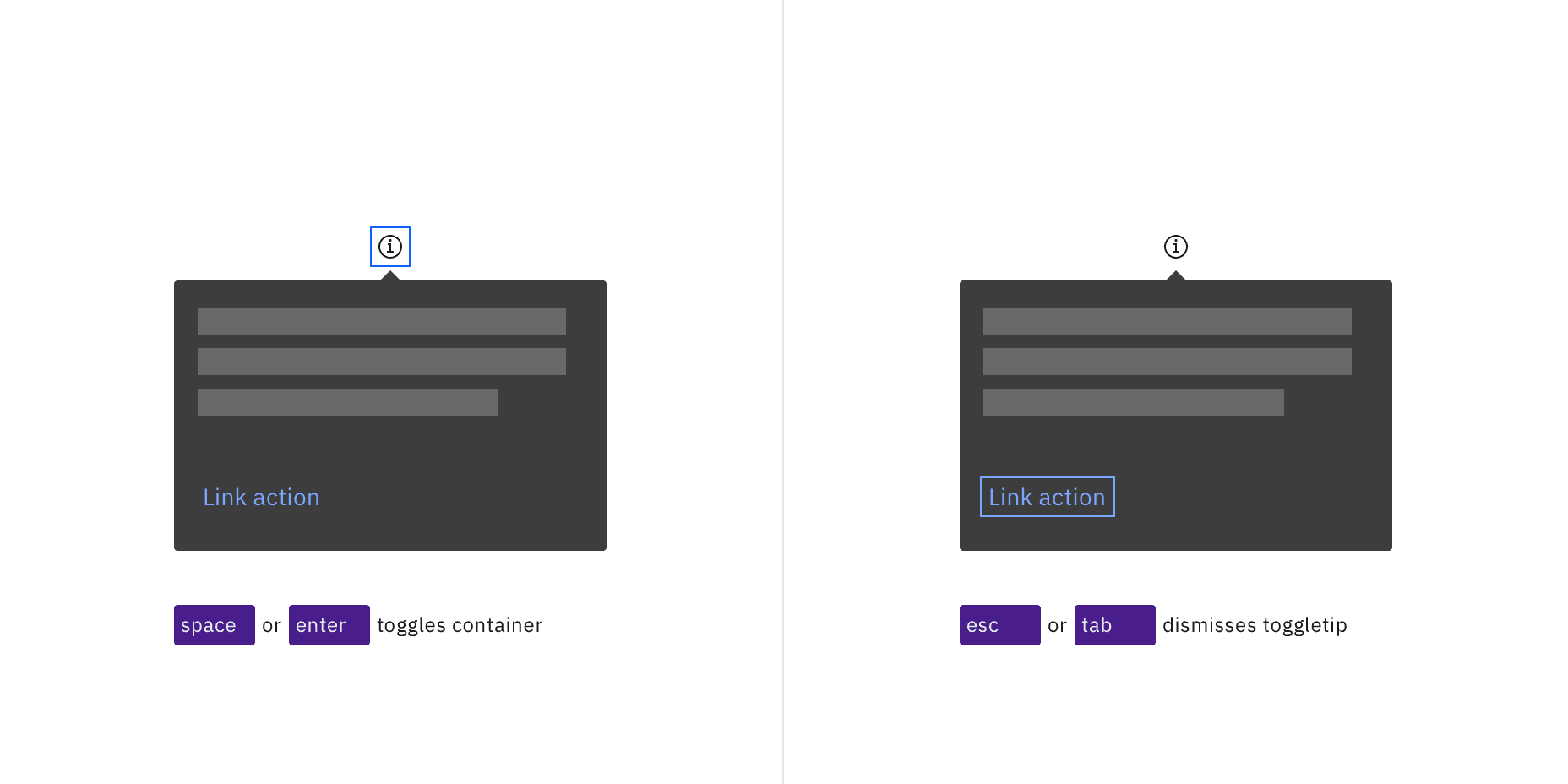
Toggletips appear when the information icon button is activated and disappear by activating the icon again, pressing Esc, or tabbing away from the toggletip.
Feedback
Help us improve by providing feedback, asking questions, requesting features, or leaving any other comments on GitHub.