* Denotes a contextual color token that will change values based on the layer it is placed on.
Type | Element | Property | Color token |
|---|---|---|---|
Unselected | Tab | background-color | transparent |
border-bottom |
| ||
Label | text-color |
| |
Icon | svg |
| |
Selected | Label | text-color |
|
Icon | svg |
| |
Tab | border-bottom |
|
* Denotes a contextual color token that will change values based on the layer it is placed on.
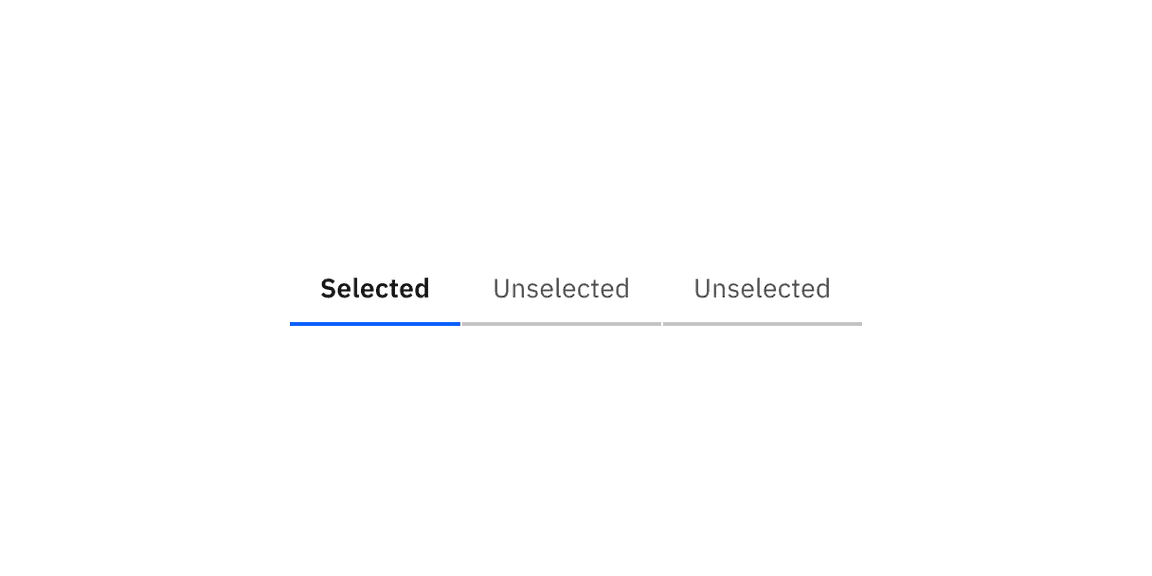
Example of selected and unselected line tabs.
State | Element | Property | Color token |
|---|---|---|---|
Hover | Label | text-color |
|
Icon | svg |
| |
Tab | border-bottom |
| |
Focus | Tab: unselected | border |
|
Tab: selected | border |
| |
Disabled | Label | text-color |
|
Icon | svg |
| |
Tab | background-color | transparent | |
border-bottom |
|
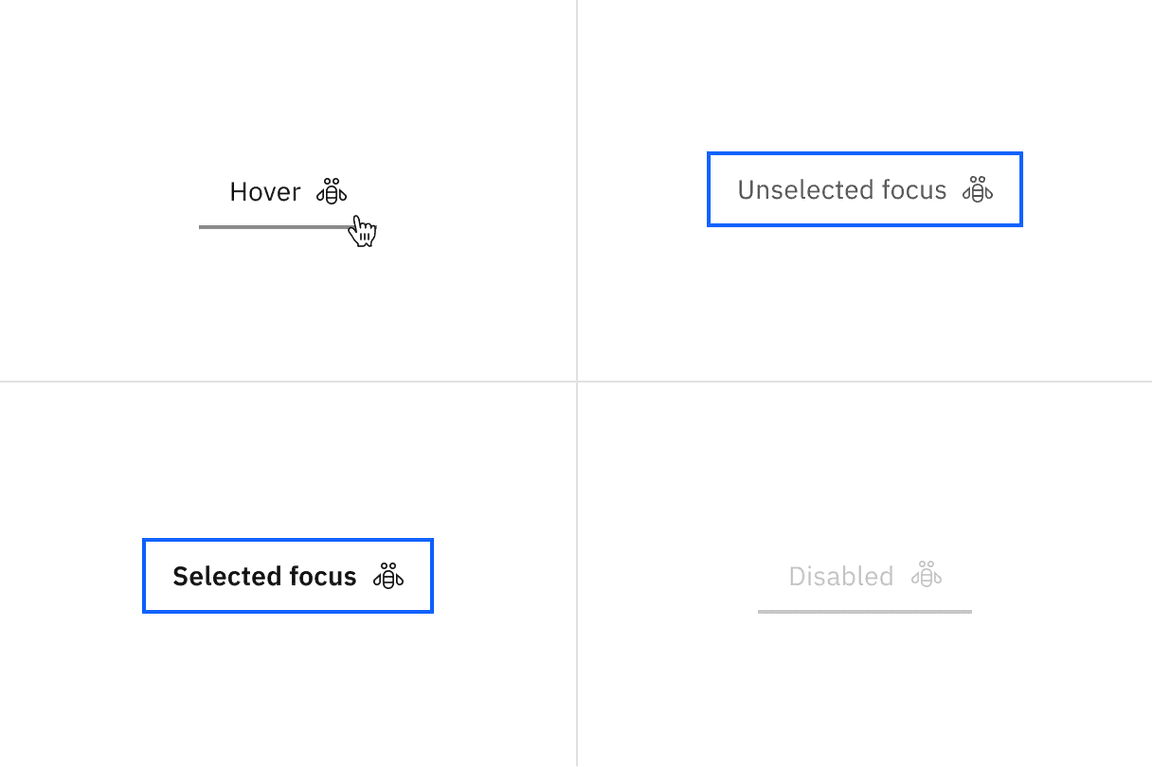
Examples of hover, unselected focus, selected focus, and disabled states for line tabs.
State | Element | Property | Color token |
|---|---|---|---|
Enabled | Icon | svg |
|
Button | linear-gradient |
| |
background-color |
| ||
Hover | Button | background-color |
|
Active | Button | background-color |
|
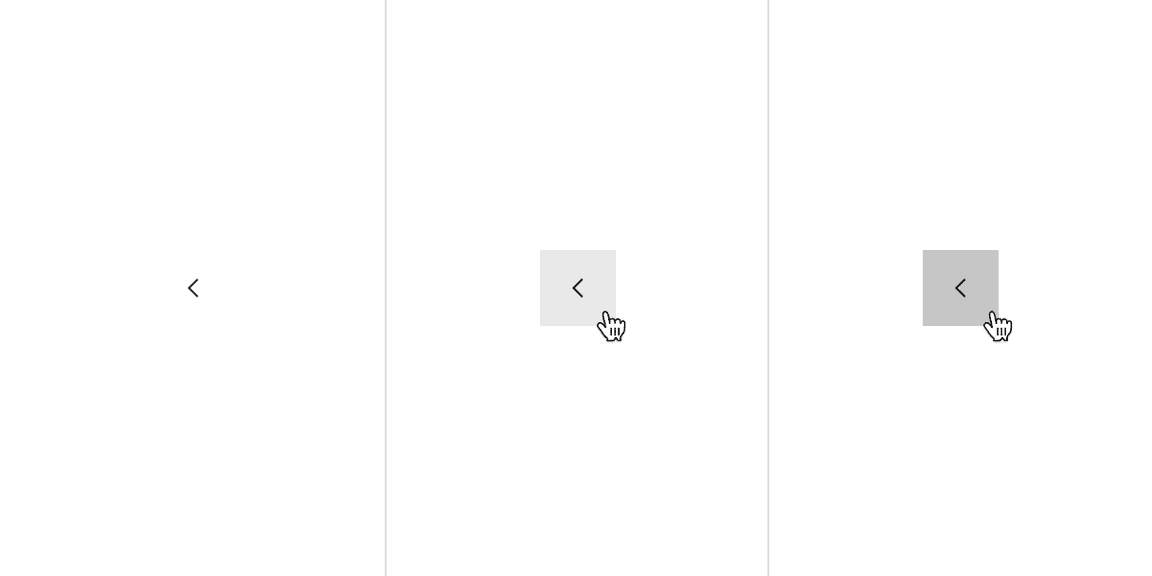
Examples of enabled, hover, and active states for scrollable line tabs.
Type | Element | Property | Color token |
|---|---|---|---|
Unselected | Tab | background-color | transparent |
border-bottom |
| ||
Label | text-color |
| |
Icon | svg |
| |
Selected | Label | text-color |
|
Icon | svg |
| |
Tab | border-bottom |
|
* Denotes a contextual color token that will change values based on the layer it is placed on.
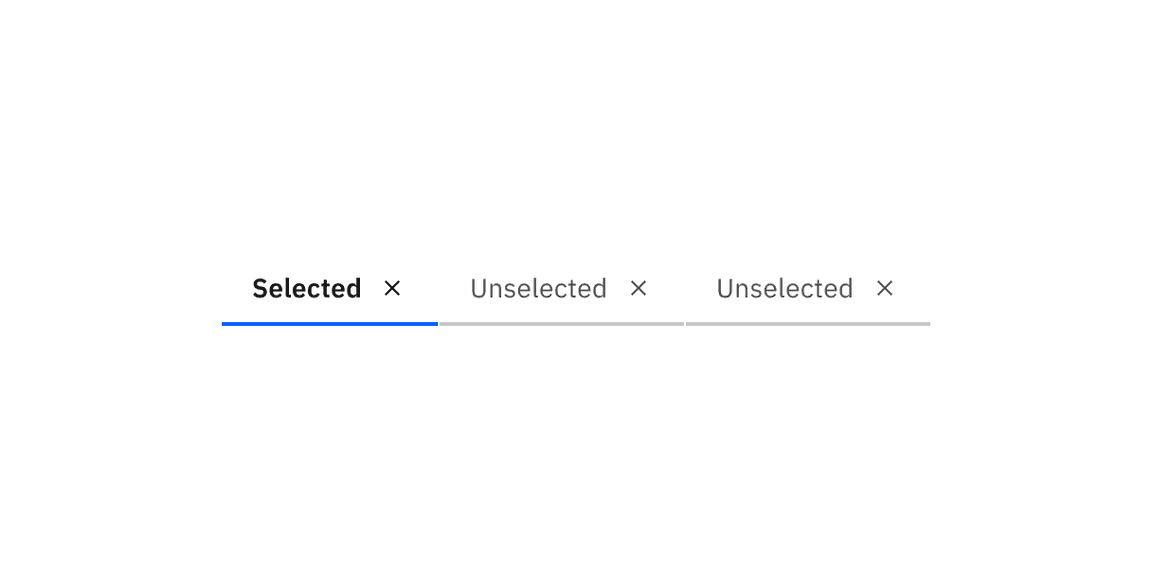
Example of selected and unselected dismissible line tabs.
State | Element | Property | Color token |
|---|---|---|---|
Hover | Label | text-color |
|
Icon | svg |
| |
background-color |
| ||
Tab | border-bottom |
| |
Focus | Tab: unselected | border |
|
Tab: selected | border |
| |
Disabled | Label | text-color |
|
Icon | svg |
| |
Tab | background-color | transparent | |
border-bottom |
|
* Denotes a contextual color token that will change values based on the layer it is placed on.
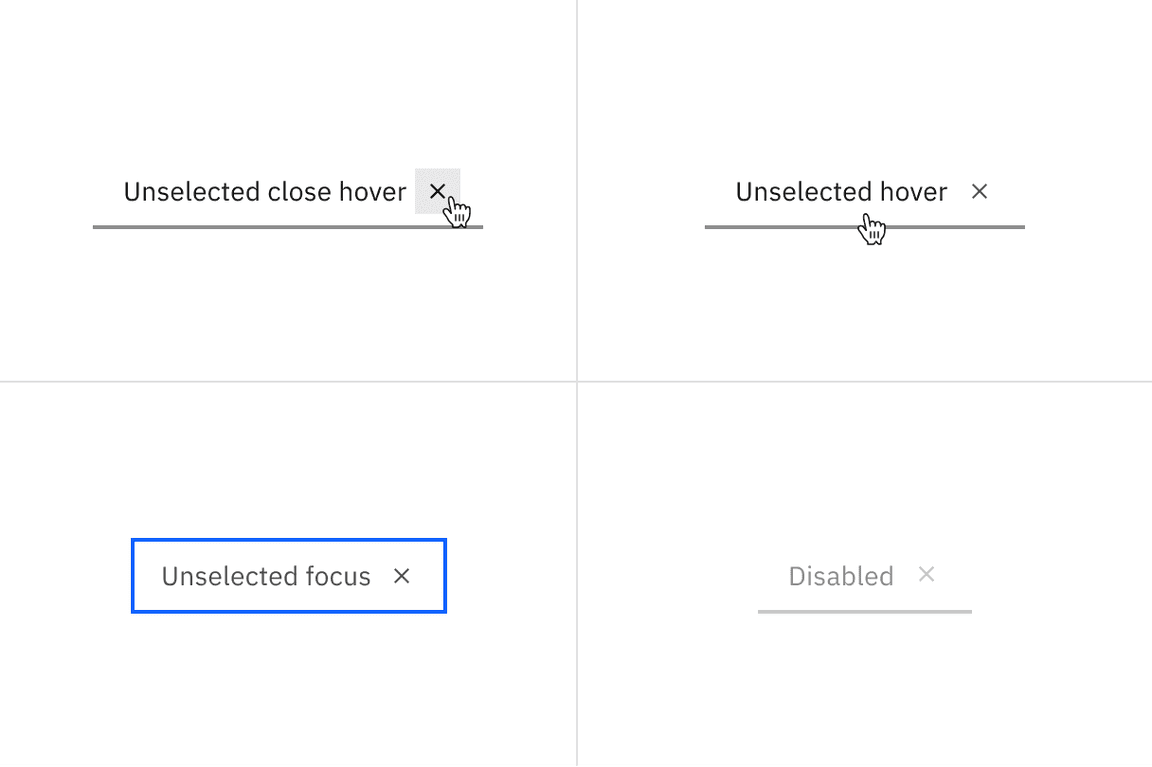
Examples of unselected close hover, unselected hover, unselected focus, and disabled states for dismissible line tabs.
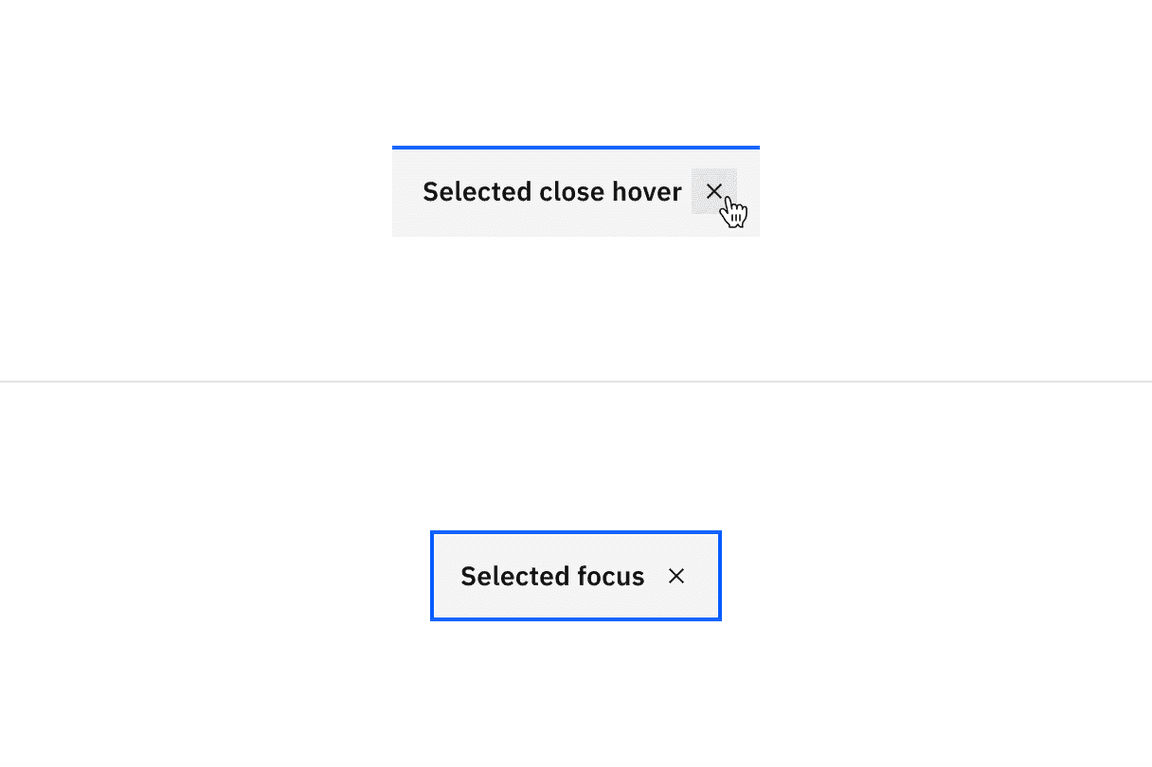
Examples of selected close hover and selected focus states for dismissible line tabs.
* Denotes a contextual color token that will change values based on the layer it is placed on.
Type | Element | Property | Color token |
|---|---|---|---|
Unselected | Tab | background-color |
|
border-right |
| ||
Label | text-color |
| |
Secondary label | text-color |
| |
Icon | svg |
| |
Selected | Tab | background-color |
|
border-top |
| ||
Label | text-color |
| |
Secondary label | text-color |
| |
Icon | svg |
|
* Denotes a contextual color token that will change values based on the layer it is placed on.
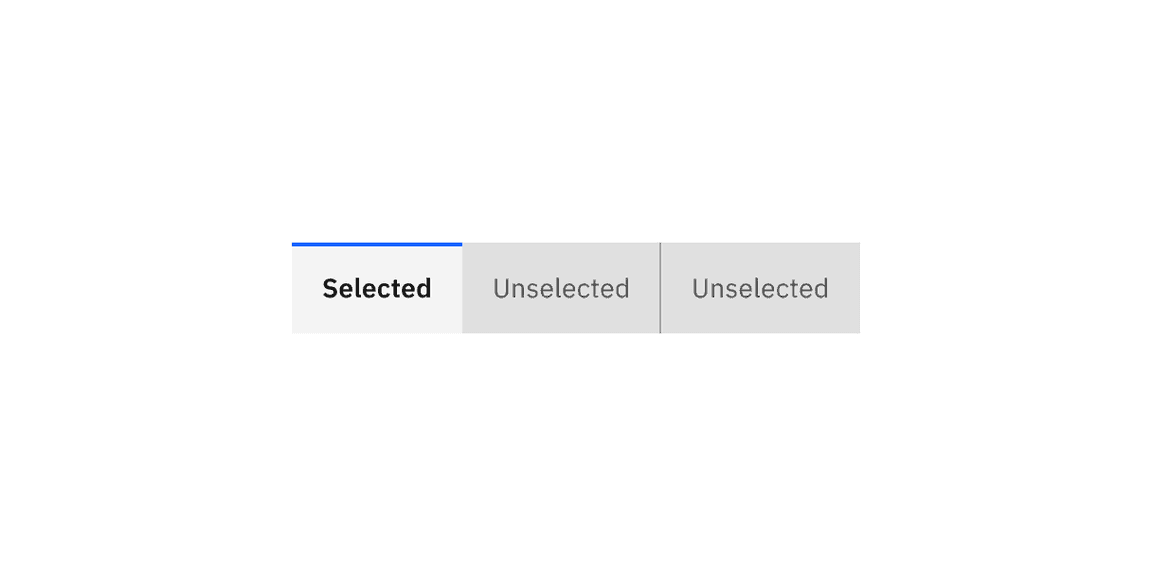
Examples of selected and unselected contained tabs.
State | Element | Property | Color token |
|---|---|---|---|
Hover | Tab | background-color |
|
Label | text-color |
| |
Secondary label | text-color |
| |
Icon | svg |
| |
Focus | Tab | border |
|
Disabled | Label | text-color |
|
Secondary label | text-color |
| |
Icon | svg |
| |
Tab | background-color |
|
* Denotes a contextual color token that will change values based on the layer it is placed on.
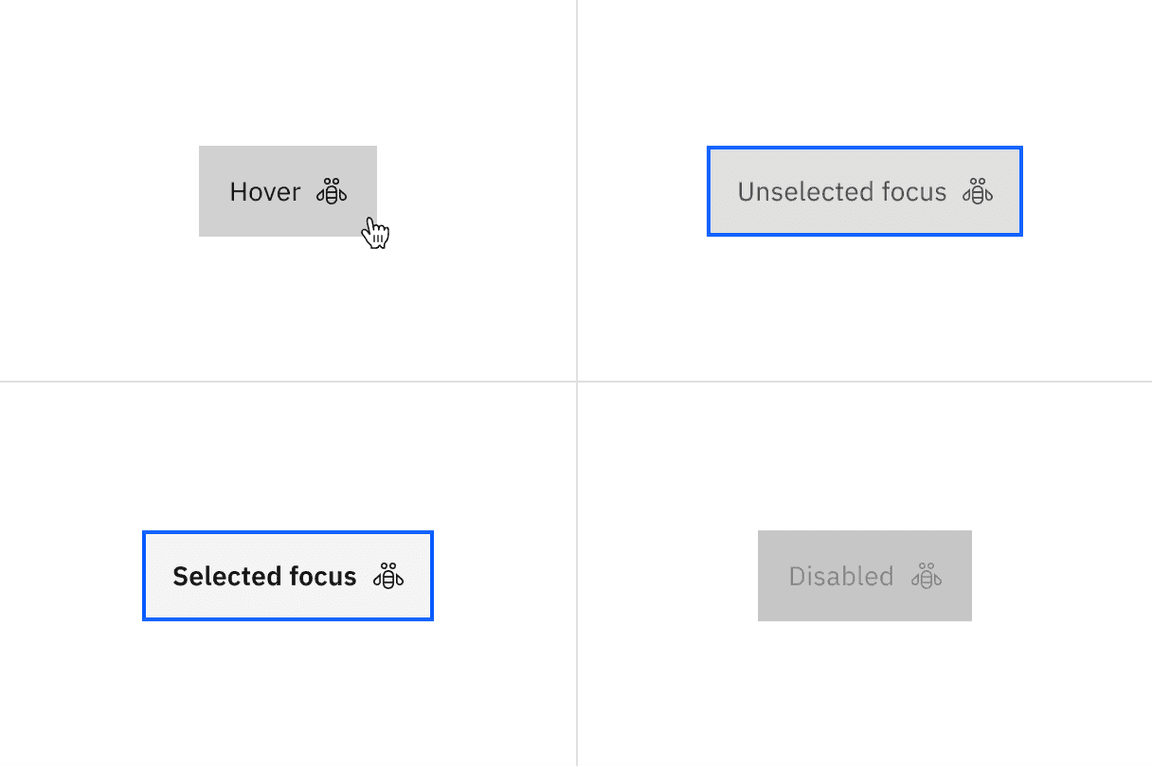
Examples of hover, unselected focus, selected focus, and disabled states for contained tabs.
State | Element | Property | Color token |
|---|---|---|---|
Enabled | Icon | svg |
|
Button | background-color |
| |
Hover | Button | background-color |
|
Icon | svg |
| |
Active | Button | background-color |
|
* Denotes a contextual color token that will change values based on the layer it is placed on.
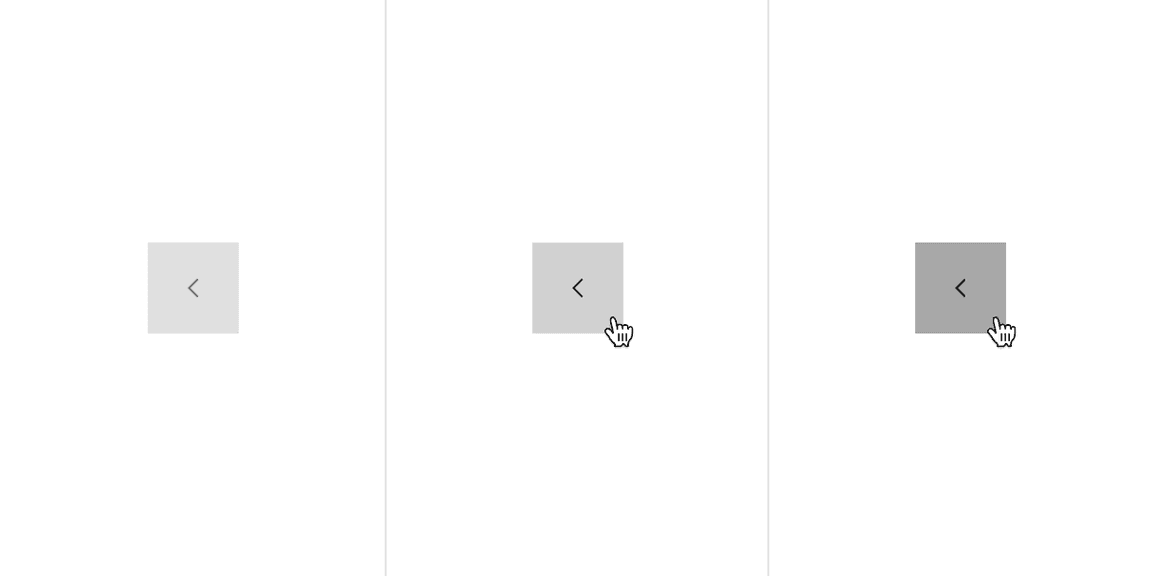
Examples of enabled, hover, and active states for contained scrollable tabs.
Type | Element | Property | Color token |
|---|---|---|---|
Unselected | Tab | background-color |
|
border-right |
| ||
Label | text-color |
| |
Icon | svg |
| |
Dismissible icon | svg |
| |
Selected | Tab | background-color |
|
border-top |
| ||
Label | text-color |
| |
Icon | svg |
| |
Dismissible icon | svg |
|
* Denotes a contextual color token that will change values based on the layer it is placed on.
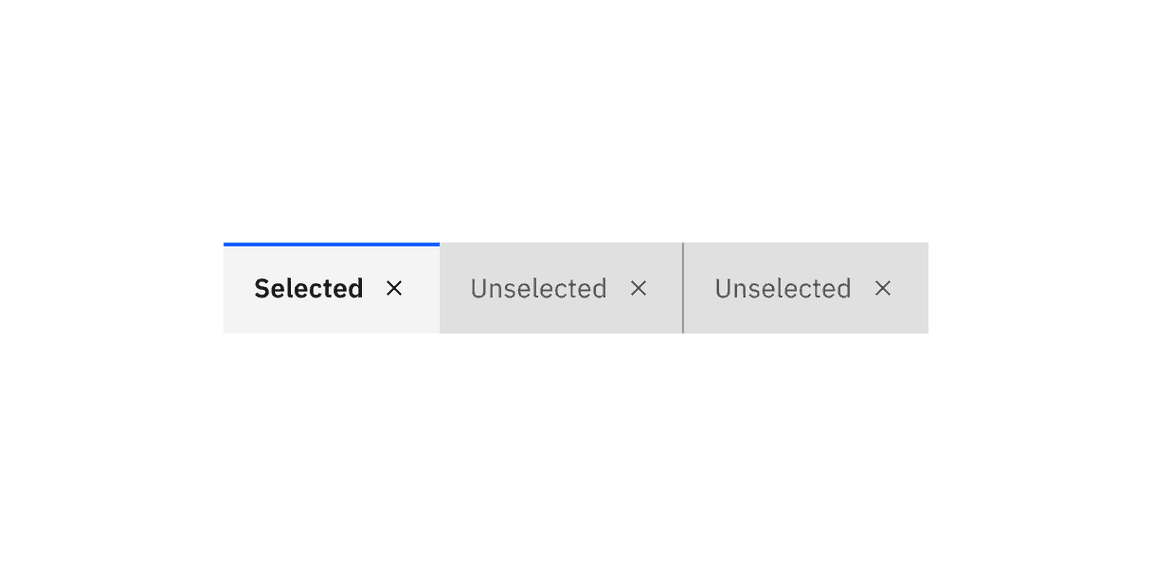
Examples of selected and unselected dismissible contained tabs.
State | Element | Property | Color token |
|---|---|---|---|
Hover | Tab | background-color |
|
Label | text-color |
| |
Icon | svg |
| |
Dismissible icon | svg |
| |
Dismissible icon: selected | background-color |
| |
Dismissible icon: unselected | background-color |
| |
Focus | Tab | border |
|
Disabled | Label | text-color |
|
Icon | svg |
| |
Tab | background-color |
|
* Denotes a contextual color token that will change values based on the layer it is placed on.
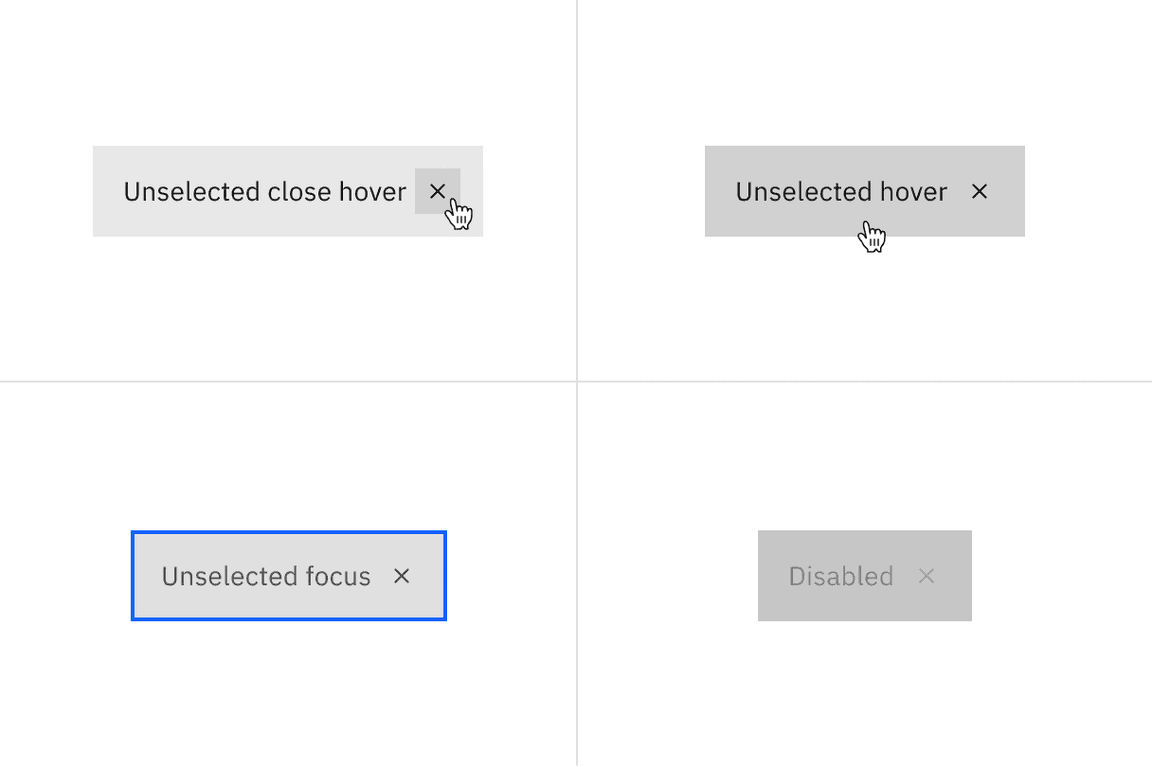
Examples of unselected close hover, unselected hover, unselected focus, and disabled states for dismissible contained tabs.
Examples of selected close hover and selected focus states for dismissible contained tabs.
Type | Element | Property | Color token |
|---|---|---|---|
Unselected | Tab | background-color |
|
border-bottom, border-right, border-left |
| ||
Label | text-color |
| |
Extended background | background-color |
| |
border-right |
| ||
Selected | Tab | background-color |
|
border-bottom |
| ||
border-left |
| ||
Label | text-color |
| |
tab panel | background | background-color |
|
* Denotes a contextual color token that will change values based on the layer it is placed on.
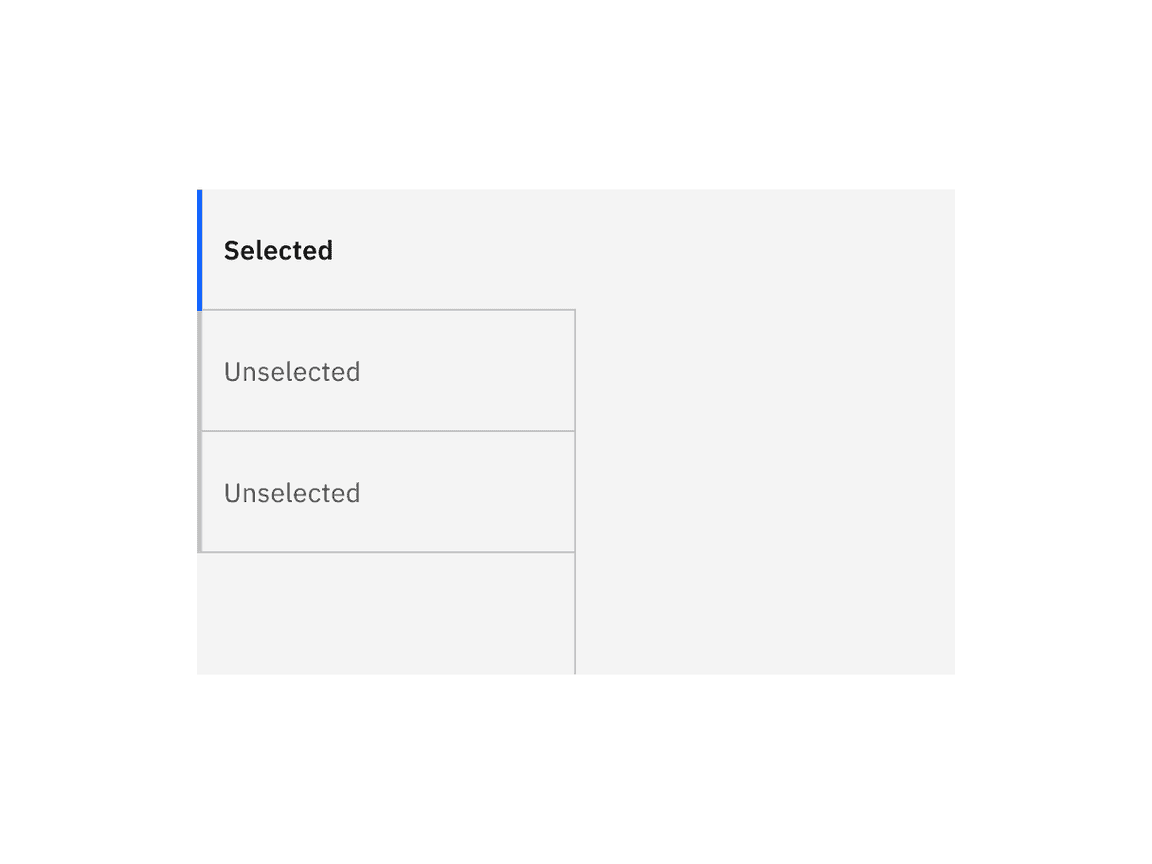
Examples of selected and unselected vertical tabs.
State | Element | Property | Color token |
|---|---|---|---|
Hover | Label | text-color |
|
Tab | background-color |
| |
Focus | Tab: unselected | border |
|
Label: unselected | text-color |
| |
Tab: selected | border |
| |
Label: selected | text-color |
| |
Disabled | Label | text-color |
|
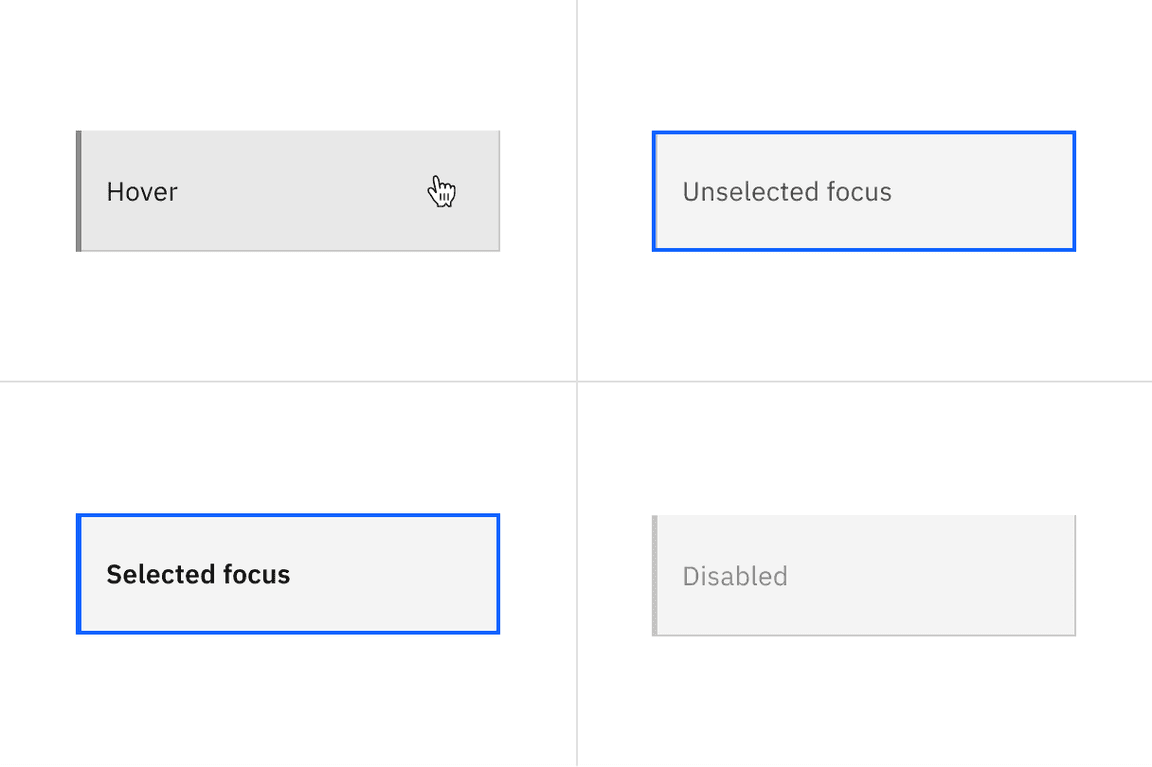
Examples of hover, unselected focus, selected focus, and disabled states for vertical tabs.
Element | Property | px / rem | Spacing token |
|---|---|---|---|
Tab | height | 40 / 2.5 | – |
border-bottom | 2px | – | |
width | auto-width | – | |
margin-left | 1px | – | |
Label | padding-left, padding-right | 16 / 1 |
|
padding-top, padding-bottom | 8 / 0.5 |
| |
Icon | padding-right | 16 / 1 |
|
padding-left | 8 / 0.5 |
| |
svg | 16 x 16 | – | |
Scrollable icon | svg | 16 x 16 | – |
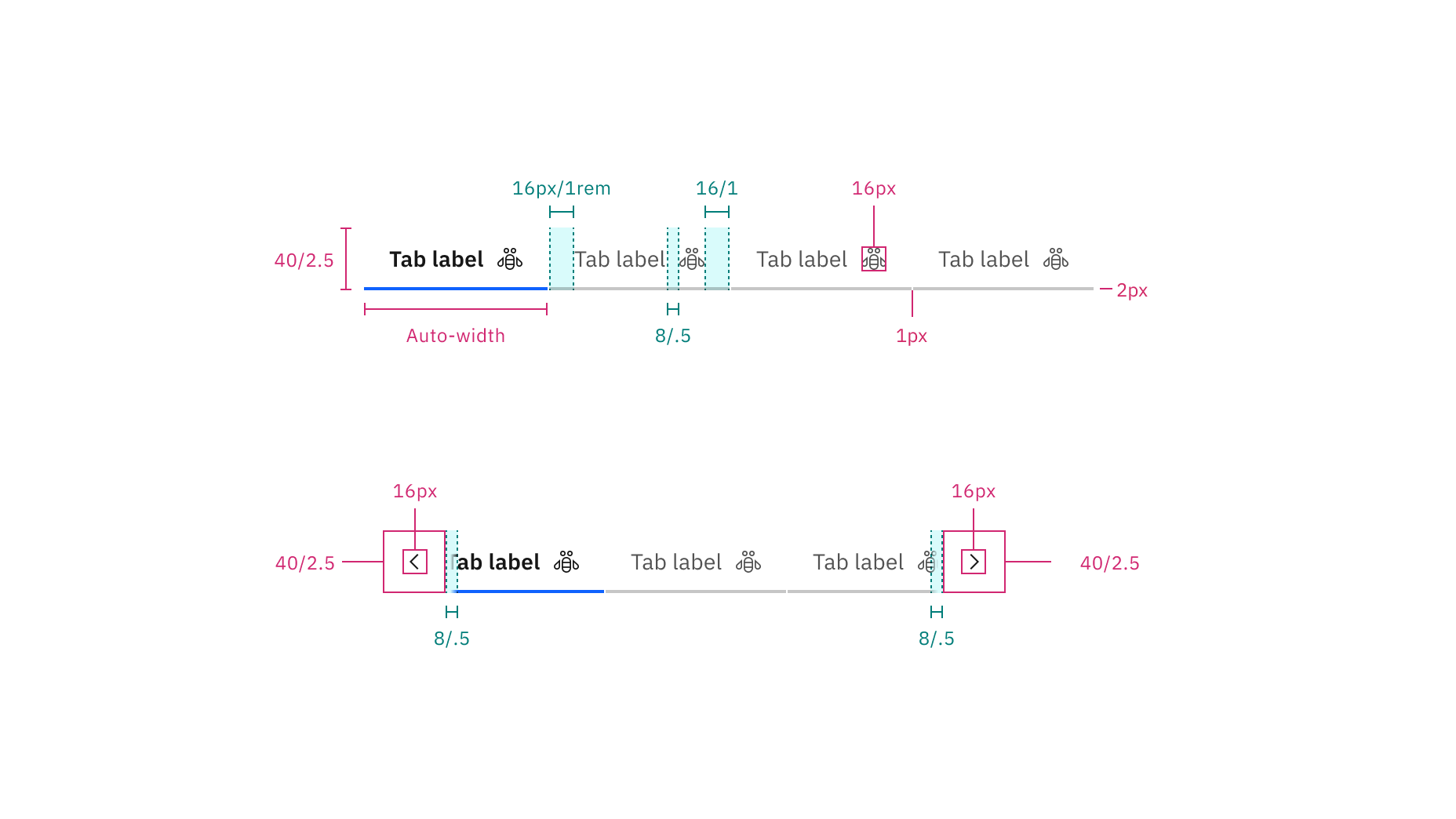
Structure and spacing measurements for line tabs | px / rem
Element | Property | px / rem | Spacing token |
|---|---|---|---|
Tab (sm) | height, width | 32 / 2 | – |
svg | 16 x 16 | – | |
Tab (md) | height, width | 40 / 2.5 | – |
svg | 16 x 16 | – | |
Tab (lg) | height, width | 48 / 3 | – |
svg | 20 x 20 | – |
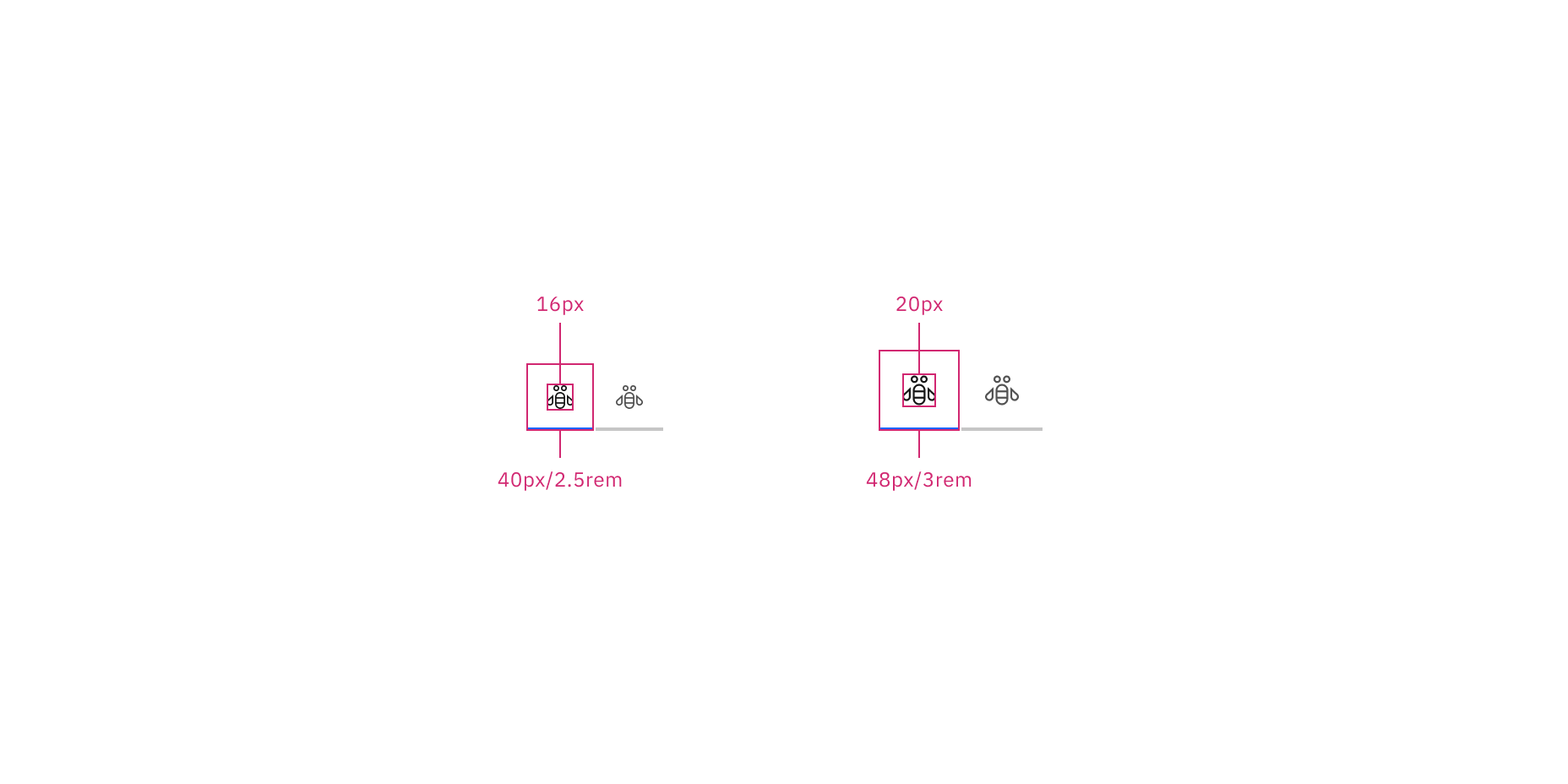
Structure and spacing measurements for icon-only line tabs | px / rem
Element | Property | px / rem | Spacing token |
|---|---|---|---|
Tab | height | 40 / 2.5 | – |
border-bottom | 2px | – | |
width | auto-width | – | |
margin-left | 1px | – | |
Label | padding-left, padding-right | 16 / 1 |
|
padding-top, padding-bottom | 8 / 0.5 |
| |
Dismissible icon | padding-right | 16 / 1 |
|
padding-left | 8 / 0.5 |
| |
svg | 16 x 16 | – | |
Icon | padding-right | 8 / 0.5 |
|
padding-left | 16 / 1 |
| |
svg | 16 x 16 | – |
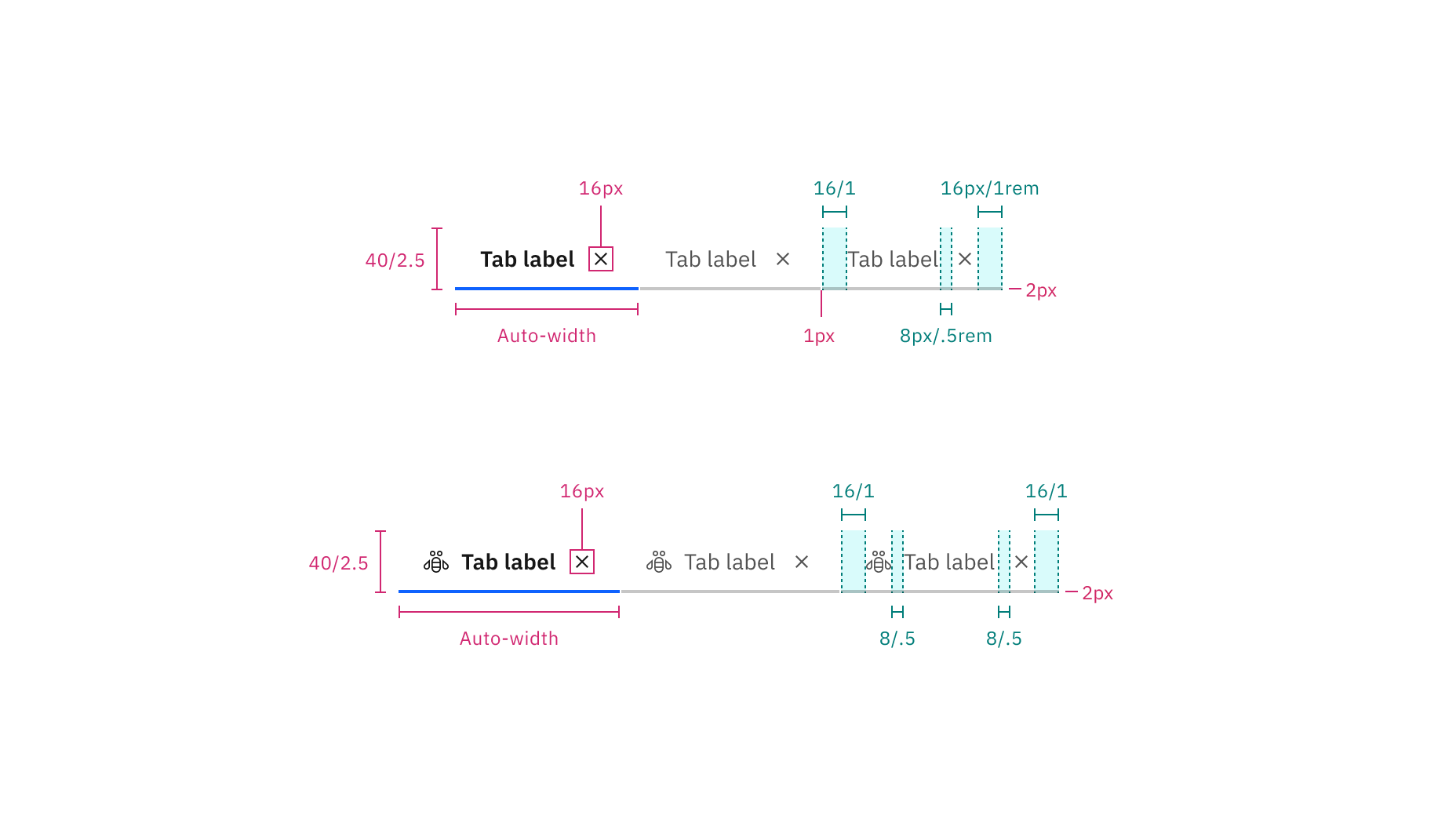
Structure and spacing measurements for dismissible line tabs without icons (top) and with icons (bottom) | px / rem
Element | Property | px / rem | Spacing token |
|---|---|---|---|
Tab | height | 40 / 2.5 | – |
border-top | 2px | – | |
width | auto-width, grid | – | |
Label | padding-left, padding-right | 16 / 1 |
|
Icon | padding-right | 16 / 1 |
|
padding-left | 16 / 1 |
| |
svg | 16 x 16 | – | |
Tab | border-right | 1px | – |
Scrollable icon | svg | 16 x 16 | – |
Scrollable button | border-right, border-left | 1px | – |
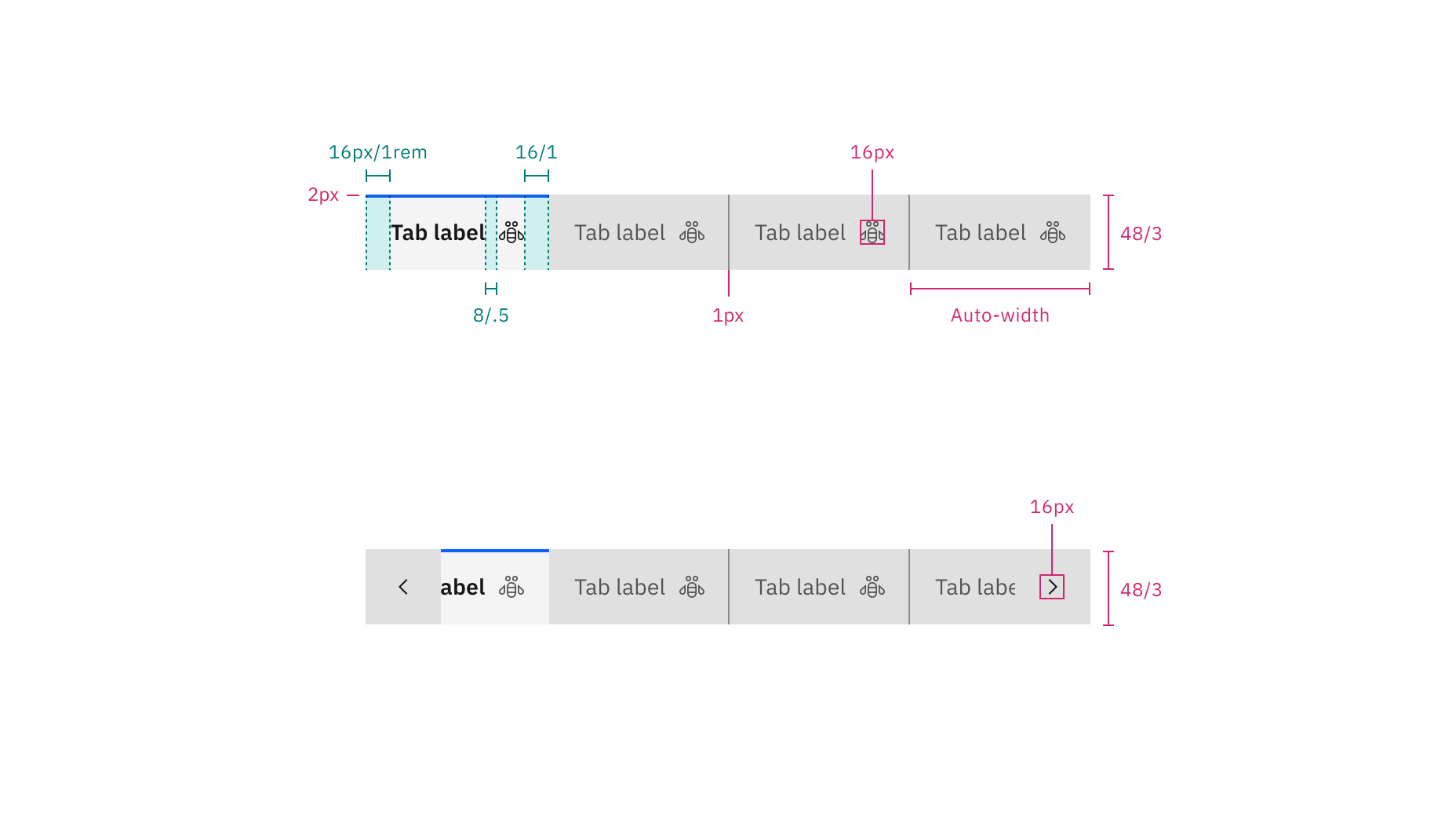
Structure and spacing measurements for contained tabs | px / rem
Element | Property | px / rem | Spacing token |
|---|---|---|---|
Tab (lg) | height, width | 48 / 3 | – |
svg | 20 x 20 | – |
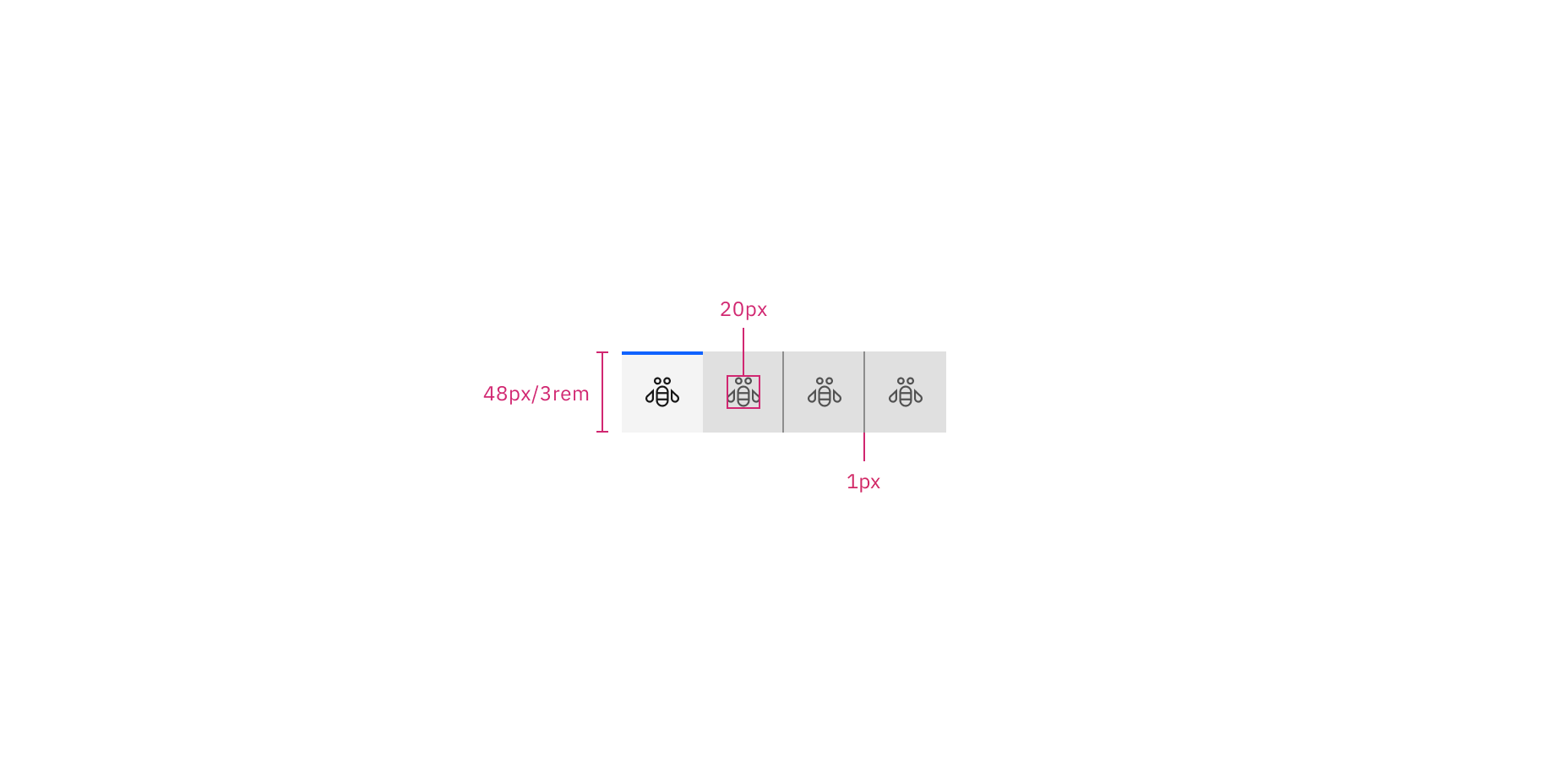
Structure and spacing measurements for icon-only contained tabs | px / rem
Element | Property | px / rem | Spacing token |
|---|---|---|---|
Tab | height | 40 / 2.5 | – |
border-top | 2px | – | |
width | auto-width, grid | – | |
Label | padding-left, padding-right | 16 / 1 |
|
Dismissible icon | padding-right | 16 / 1 |
|
padding-left | 8 / .5 |
| |
svg | 16 x 16 | – | |
Icon | padding-right | 8 / .5 |
|
padding-left | 16 / 1 |
| |
svg | 16 x 16 | – | |
Tab | border-right | 1px | – |
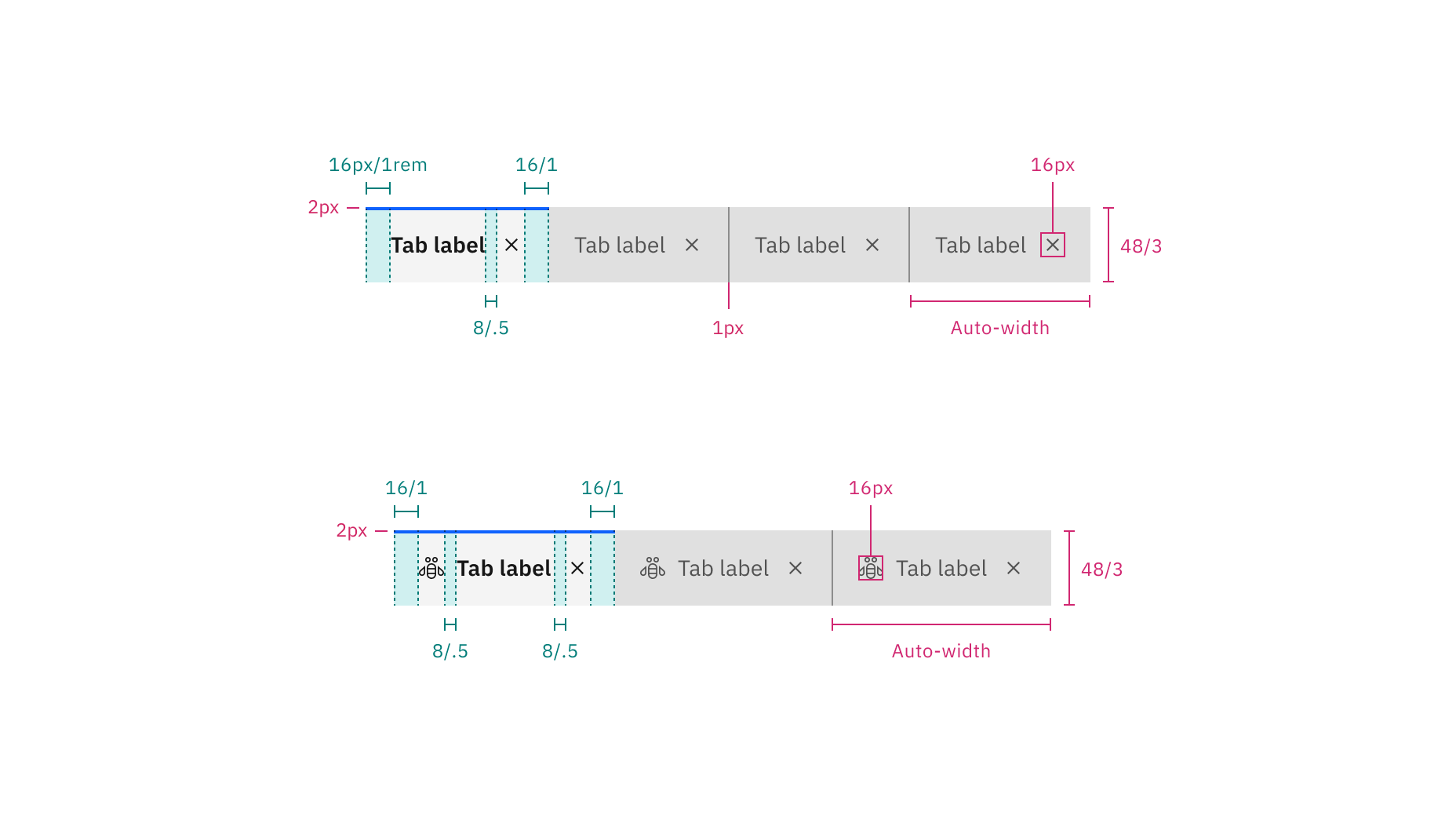
Structure and spacing measurements for dismissible line tabs without icons (top) and with icons (bottom) | px / rem
Element | Property | px / rem | Spacing token |
|---|---|---|---|
Tab | height | 64 / 4 | – |
border-left | 3 px | – | |
Tab: unselected | border-bottom, border-right | 1 px | – |
Tab: selected | border-bottom | 1 px | – |
Label | padding-left, padding-right | 16 / 1 |
|
Extended background | border-right | 1 px | – |
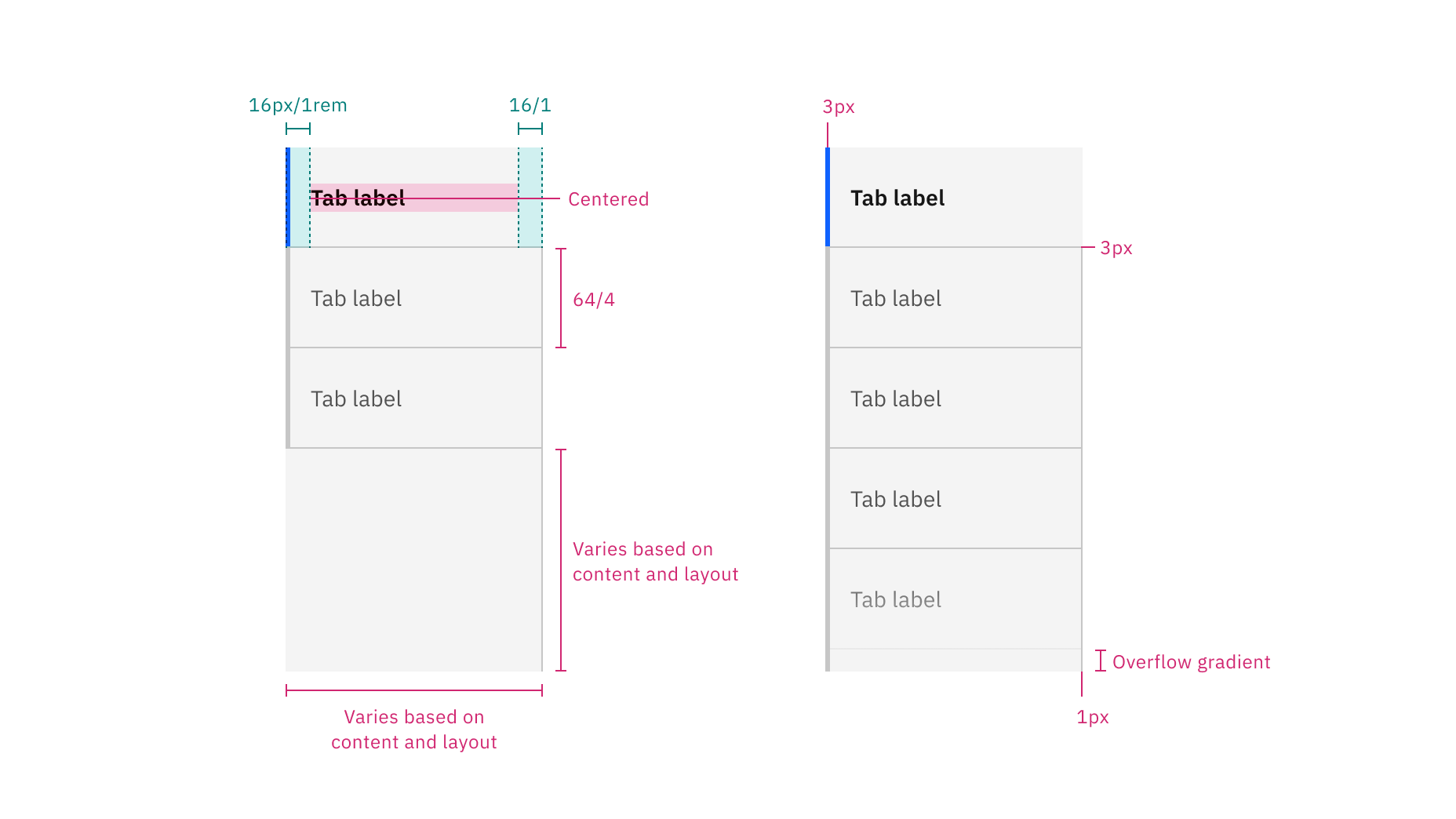
Structure and spacing measurements for vertical tabs without overflow (left) and with overflow (right) | px / rem
Element | Size | Height (px/rem) |
|---|---|---|
Container | Small (sm) | 32 / 2 |
Medium (md) | 40 / 2.5 | |
Large (lg) | 48 / 3 |
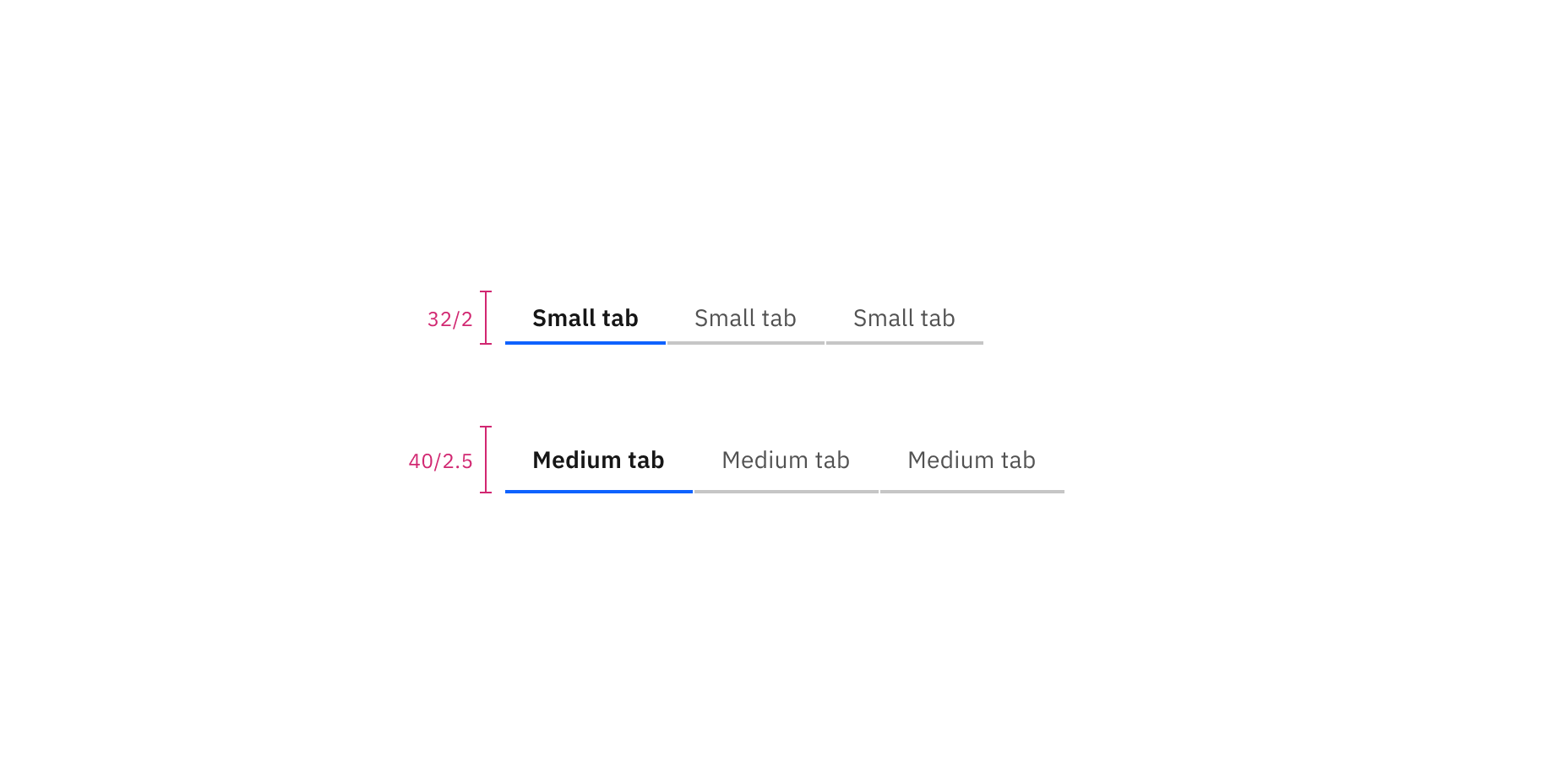
Sizes for line tabs with text: small and medium | px / rem
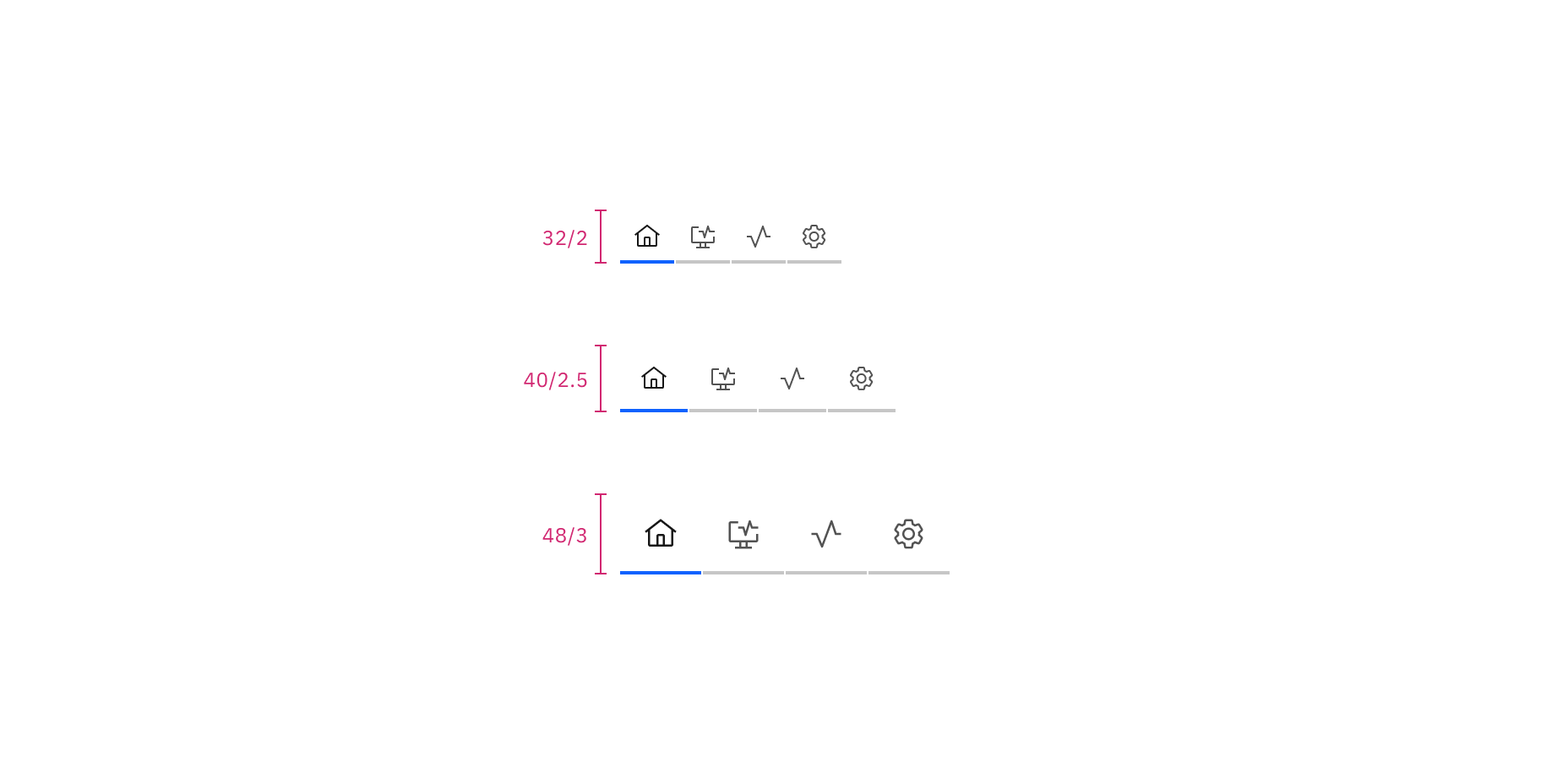
Sizes for icon-only line tabs: small, medium, and large | px / rem
Element | Size | Height (px/rem) |
|---|---|---|
Container | Small (sm) | 32 / 2 |
Medium (md) | 40 / 2.5 | |
Large (lg) | 48 / 3 |
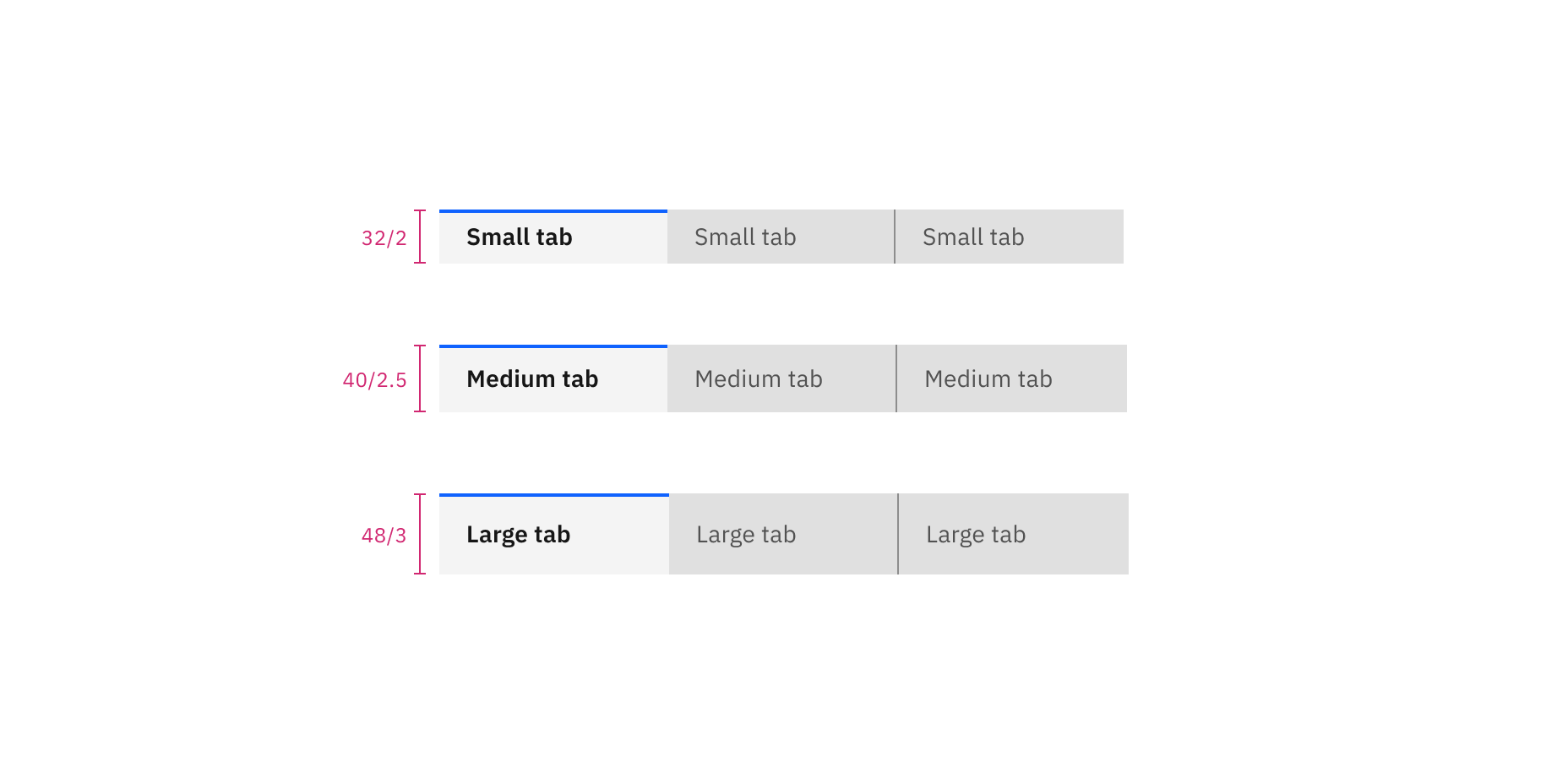
Sizes for contained tabs with text: small, medium, and large | px / rem
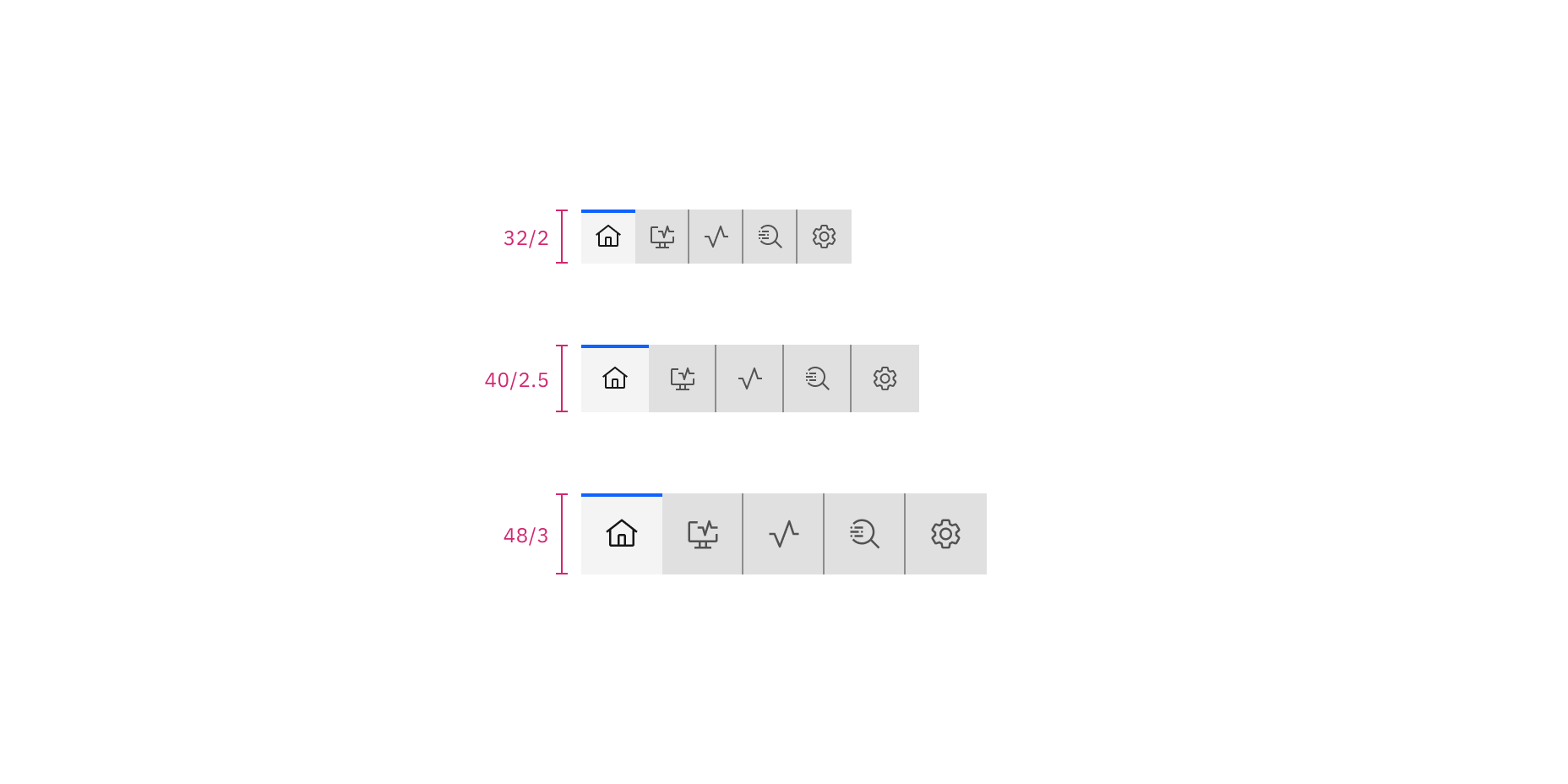
Sizes for icon-only contained tabs: small, medium, and large | px / rem
Element | Size | Height (px/rem) |
|---|---|---|
Container | Small (sm) | 32 / 2 |
Medium (md) | 40 / 2.5 | |
Large (lg) | 48 / 3 | |
Extra large (xl) | 64 / 4 |
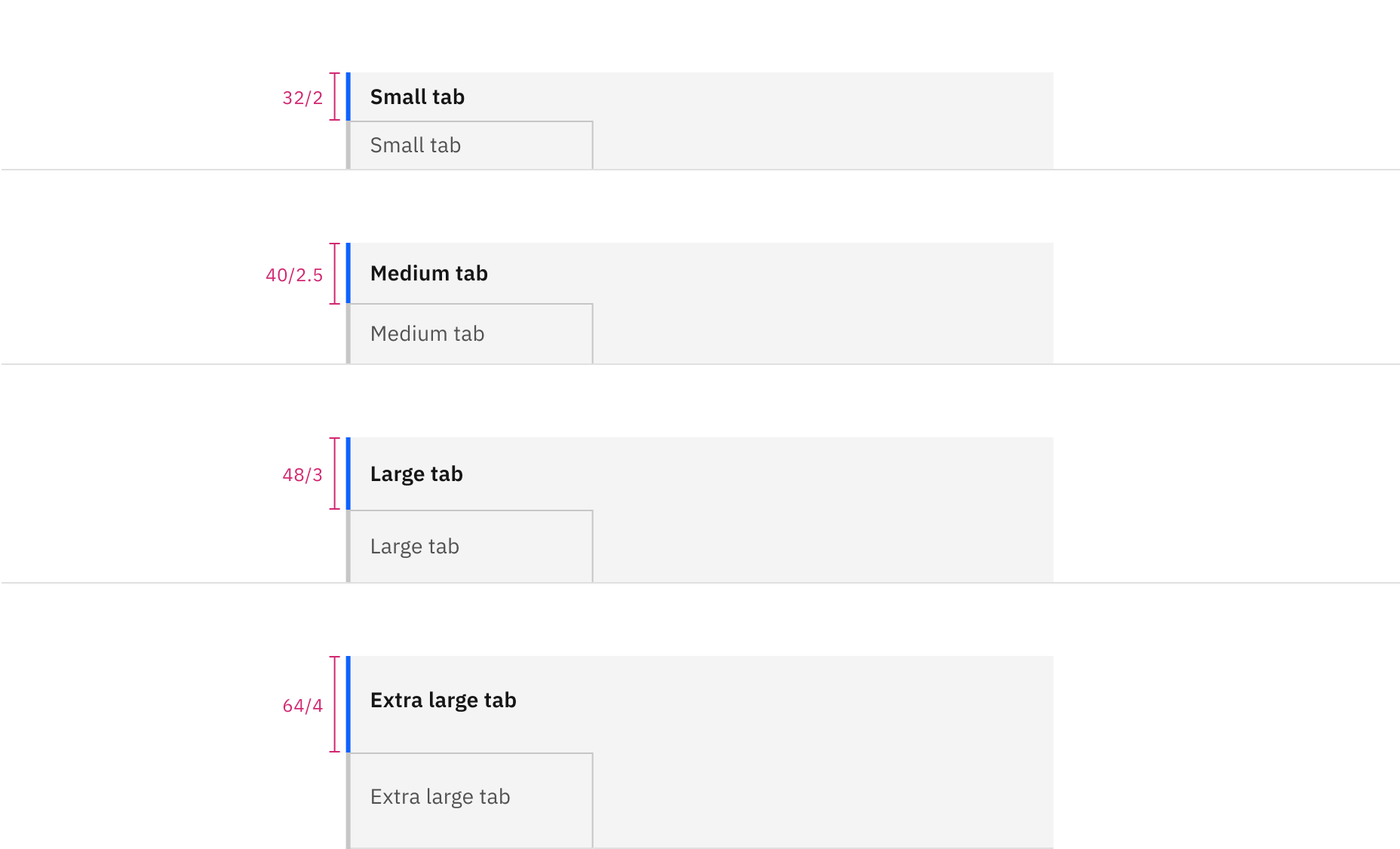
Sizes for vertical tabs: small, medium, large, extra large | px / rem
Feedback
Help us improve by providing feedback, asking questions, requesting features, or leaving any other comments on GitHub.