Element | Property | Color token |
|---|---|---|
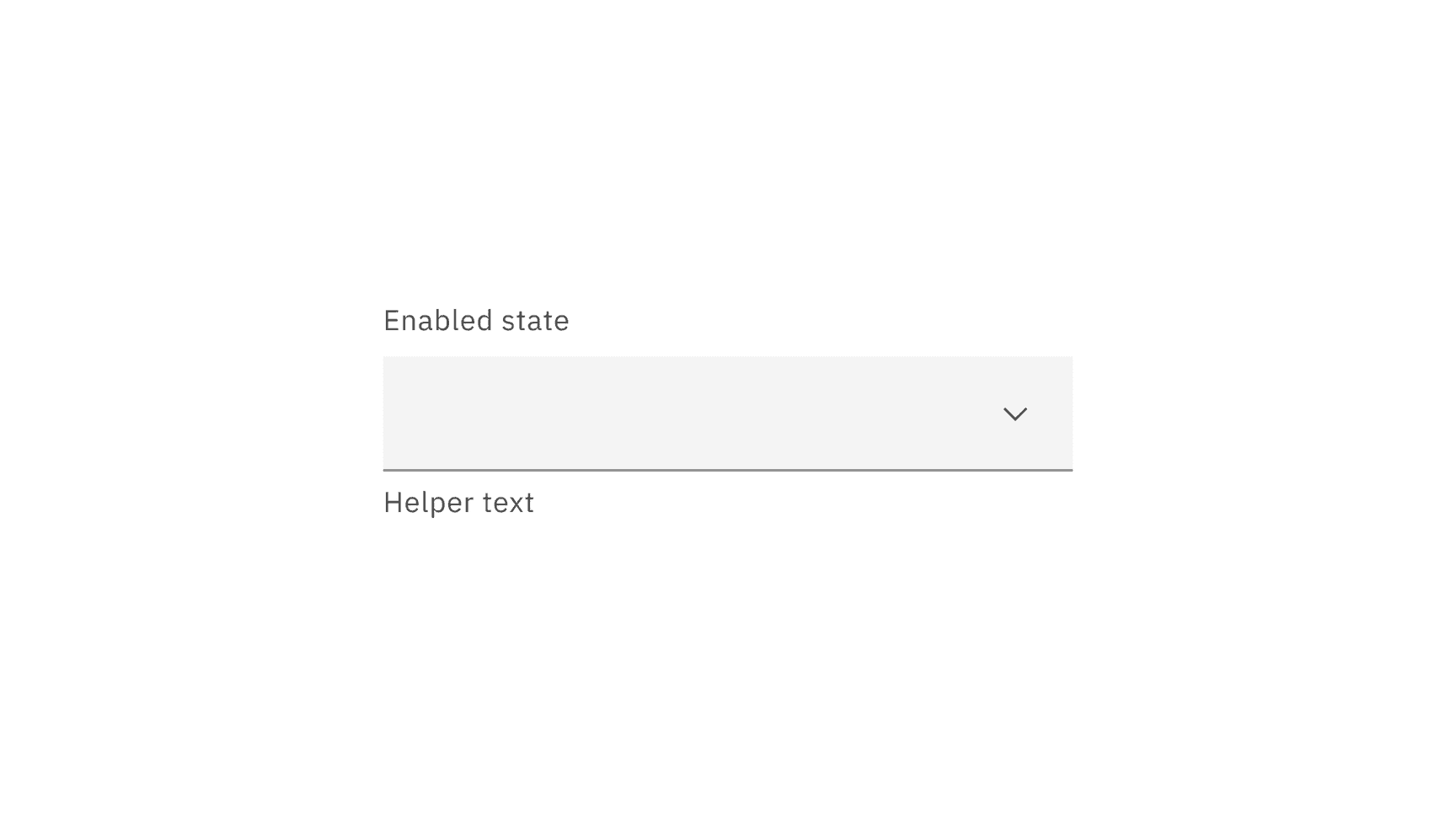
Field | background |
|
border-bottom |
| |
Inline select | background | transparent |
Label | text color |
|
Field text | text color |
|
Helper text | text color |
|
Icon | fill |
|
* Denotes a contextual color token that will change values based on the layer it is placed on
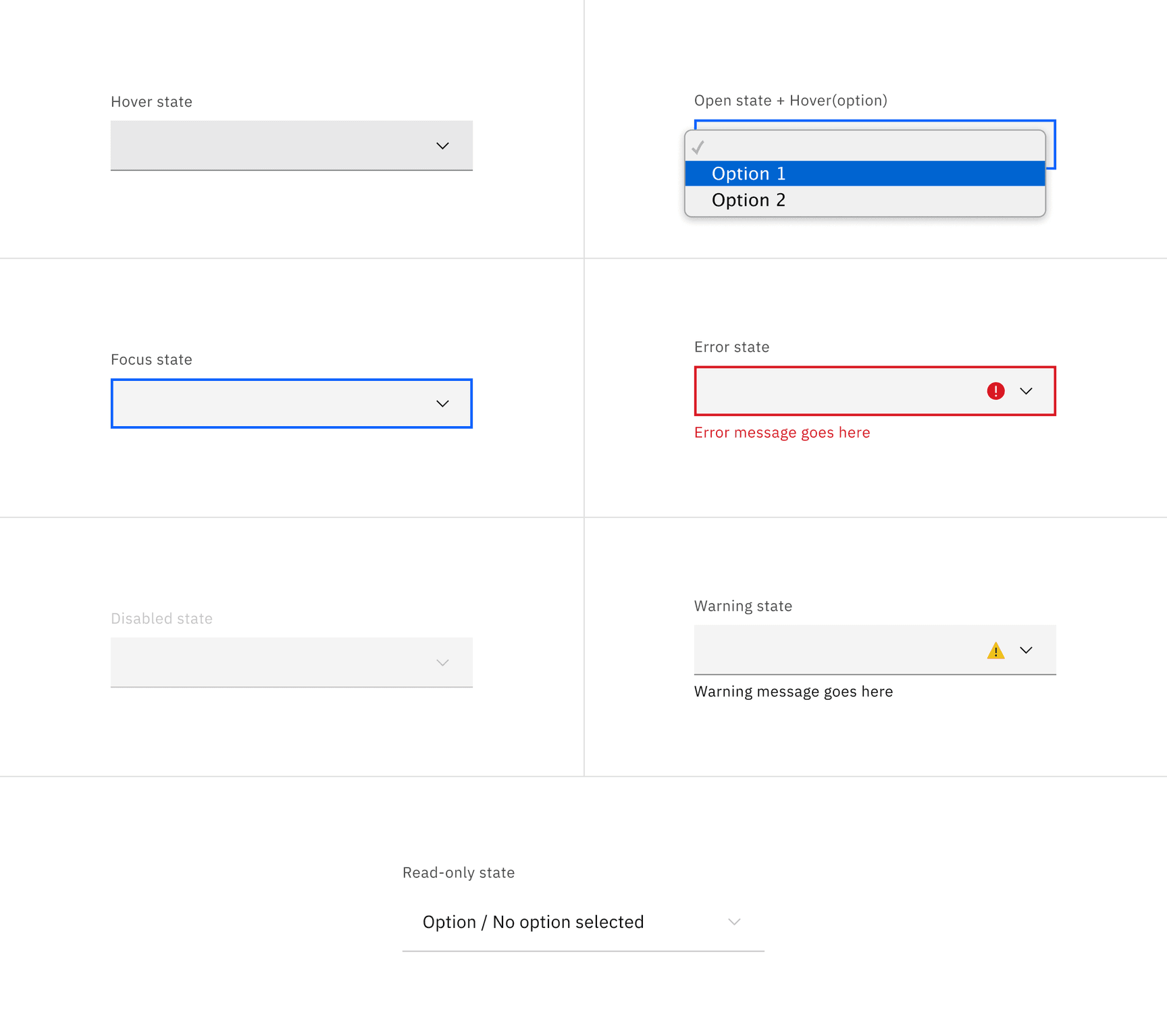
State | Element | Property | Color token |
|---|---|---|---|
Hover | Field | background-color |
|
Focus | Field | border |
|
Invalid | Field | border |
|
Error message | text-color |
| |
Error icon | fill |
| |
Warning | Warning message | text-color |
|
Warning icon | fill |
| |
Disabled | Field | background-color |
|
border-bottom (default) | transparent | ||
border-bottom (fluid) |
| ||
Label | text-color |
| |
Input text | text-color |
| |
Chevron icon | fill |
| |
Read-only | Field | background-color (default) | transparent |
background-color (fluid) |
| ||
border-bottom |
| ||
Label | text-color |
| |
Input text | text-color (default) |
| |
text-color (fluid) |
| ||
Chevron icon | fill |
|
* Denotes a contextual color token that will change values based on the layer it is placed on.
Element | Font-size (px/rem) | Font-weight | Type token |
|---|---|---|---|
Label | 12 / 0.75 | Regular / 400 |
|
Field text | 14 / 0.875 | Regular / 400 |
|
Helper text | 12 / 0.75 | Regular / 400 |
|
Warning message | 12 / 0.75 | Regular / 400 |
|
Error message | 12 / 0.75 | Regular / 400 |
|
Element | Property | px / rem | Spacing token |
|---|---|---|---|
Label | margin-bottom | 8 / 0.5 |
|
Input text | padding-left | 16 / 1 |
|
Helper text | margin-top | 4 / 0.25 |
|
Field | padding-left | 16 / 1 |
|
padding-right | 48 / 3 |
| |
border-bottom | 1px | – | |
Chevron icon | padding-left, padding-right | 16 / 1 |
|
State icon | padding-left, padding-right | 16 / 1 |
|
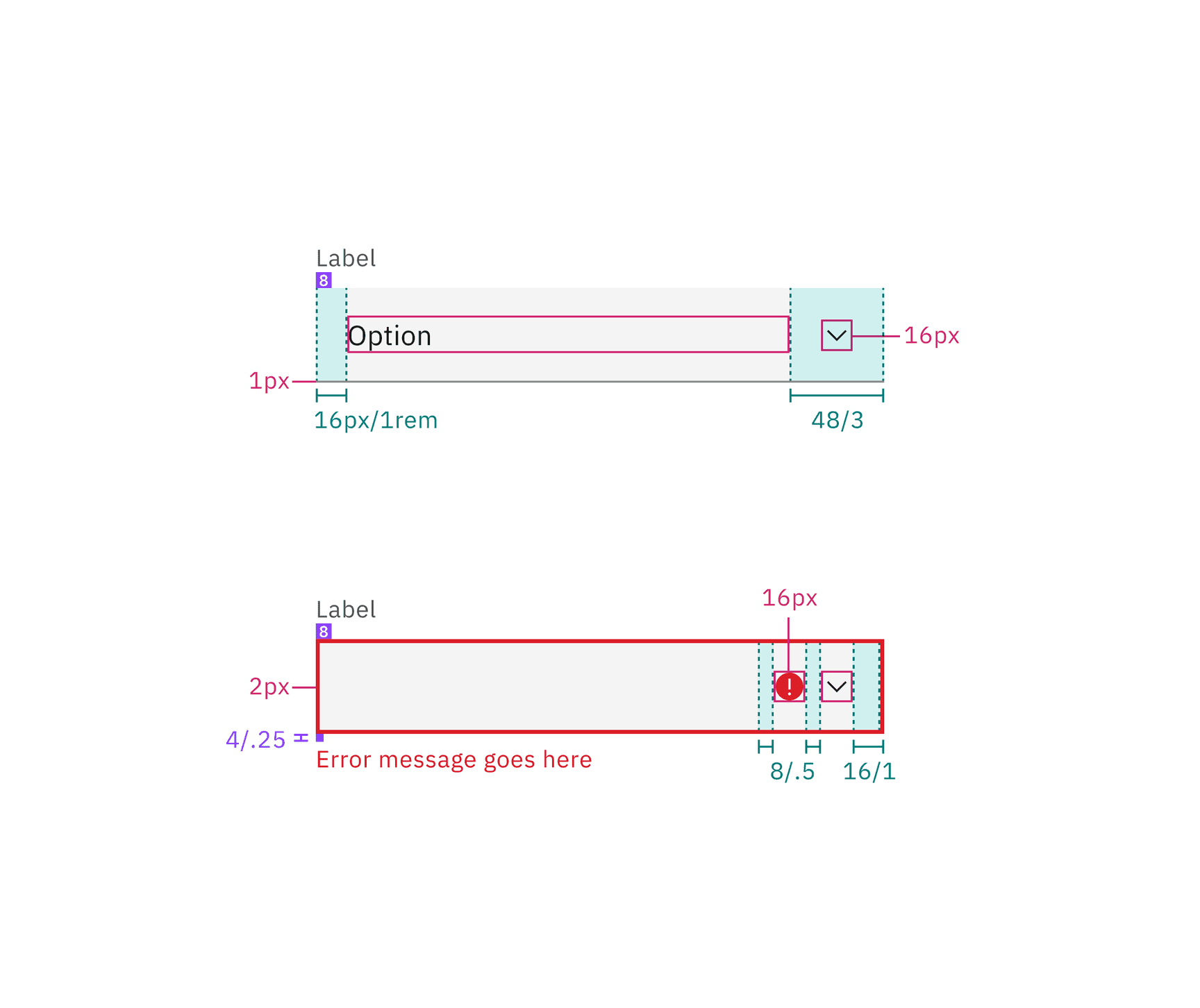
Structure and spacing measurements for default select | px / rem
Element | Property | px / rem | Spacing token |
|---|---|---|---|
Input text | padding-left | 16 / 1 |
|
padding-right | 8 / 0.5 |
| |
Chevron icon | padding-right | 16 / 1 |
|
padding-left | 8 / 0.5 |
|
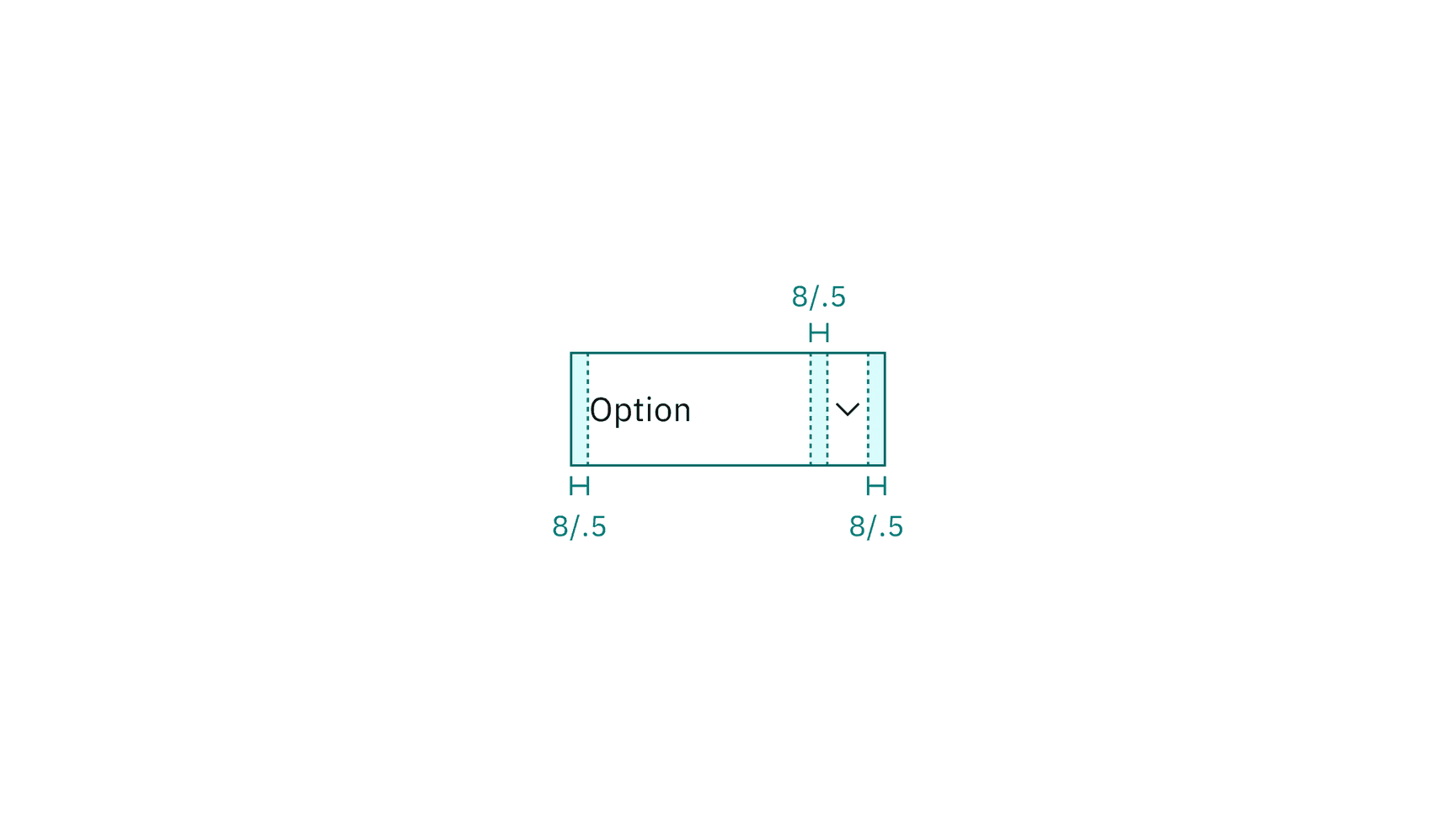
Element | Property | px / rem | Spacing token |
|---|---|---|---|
Label | margin-bottom | 4 / .25 |
|
Input text | padding-left | 16 / 1 |
|
Helper text | margin-top | 4 / .25 |
|
Field | padding-left | 16 / 1 |
|
padding-right | 48 / 3 |
| |
border-bottom | 1px | – | |
Chevron icon | padding-left, padding-right | 16 / 1 |
|
State icon | padding-left, padding-right | 16 / 1 |
|
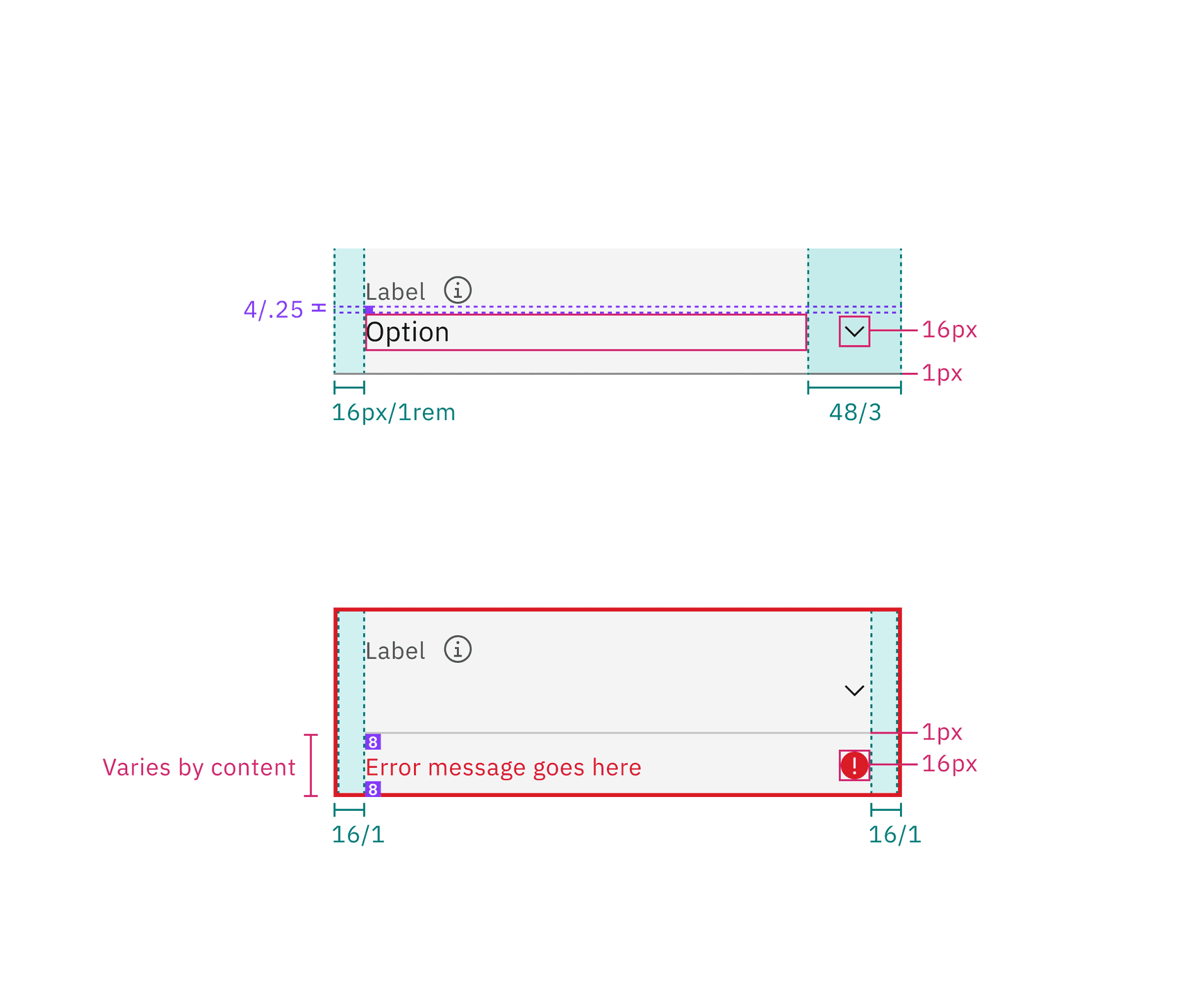
Structure and spacing measurements for fluid select | px / rem
Element | Size | Height (px / rem) |
|---|---|---|
Field | Extra small (xs) | 24 / 1.5 |
Small (sm) | 32 / 2 | |
Medium (md) | 40 / 2.5 | |
Large (lg) | 48 / 3 |
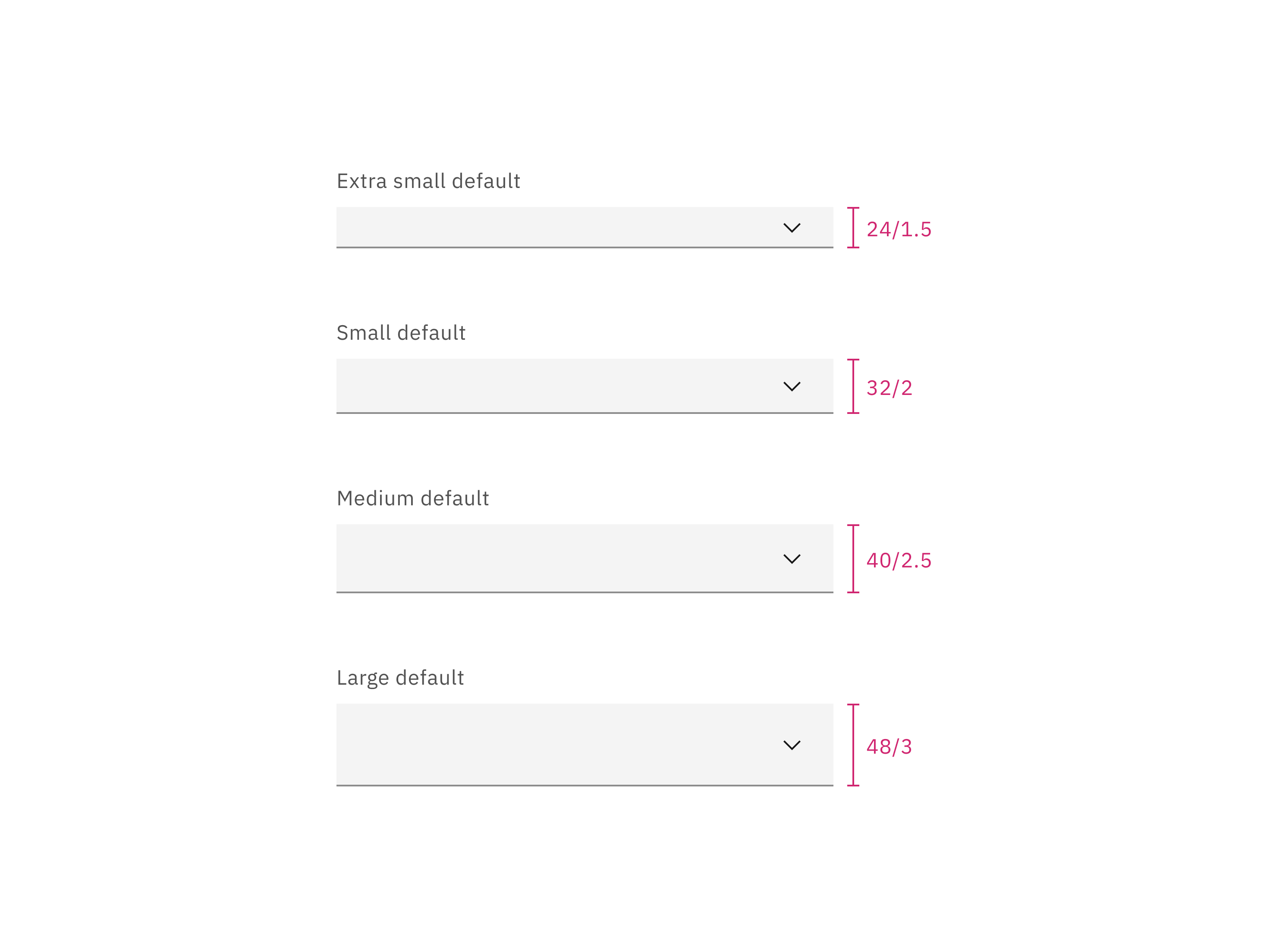
Sizes for default select: extra small, small, medium, and large | px / rem
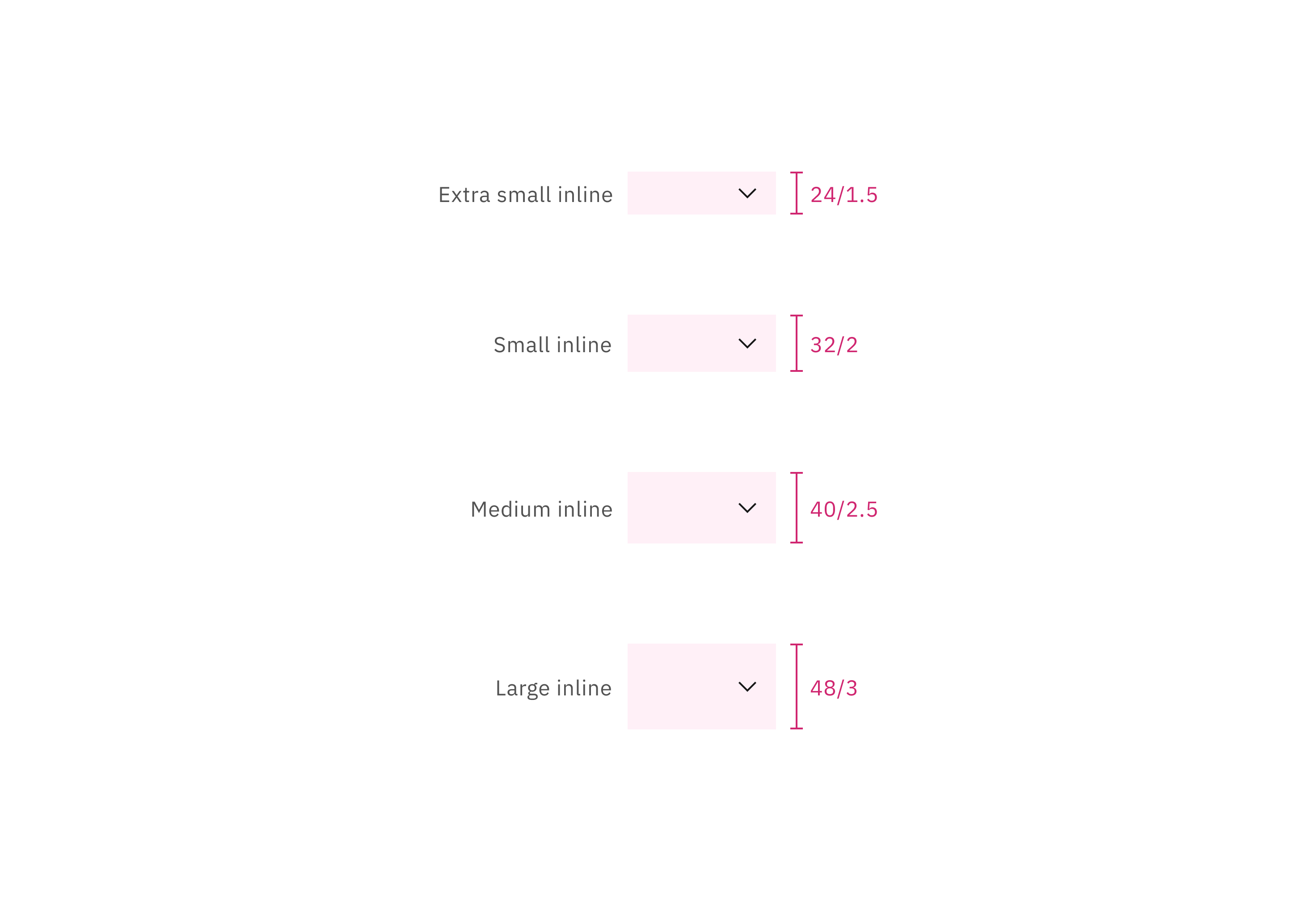
Sizes for default inline select: extra small, small, medium, large | px / rem
Element | Size | Height (px / rem) |
|---|---|---|
Field | Default | 64 / 4 |
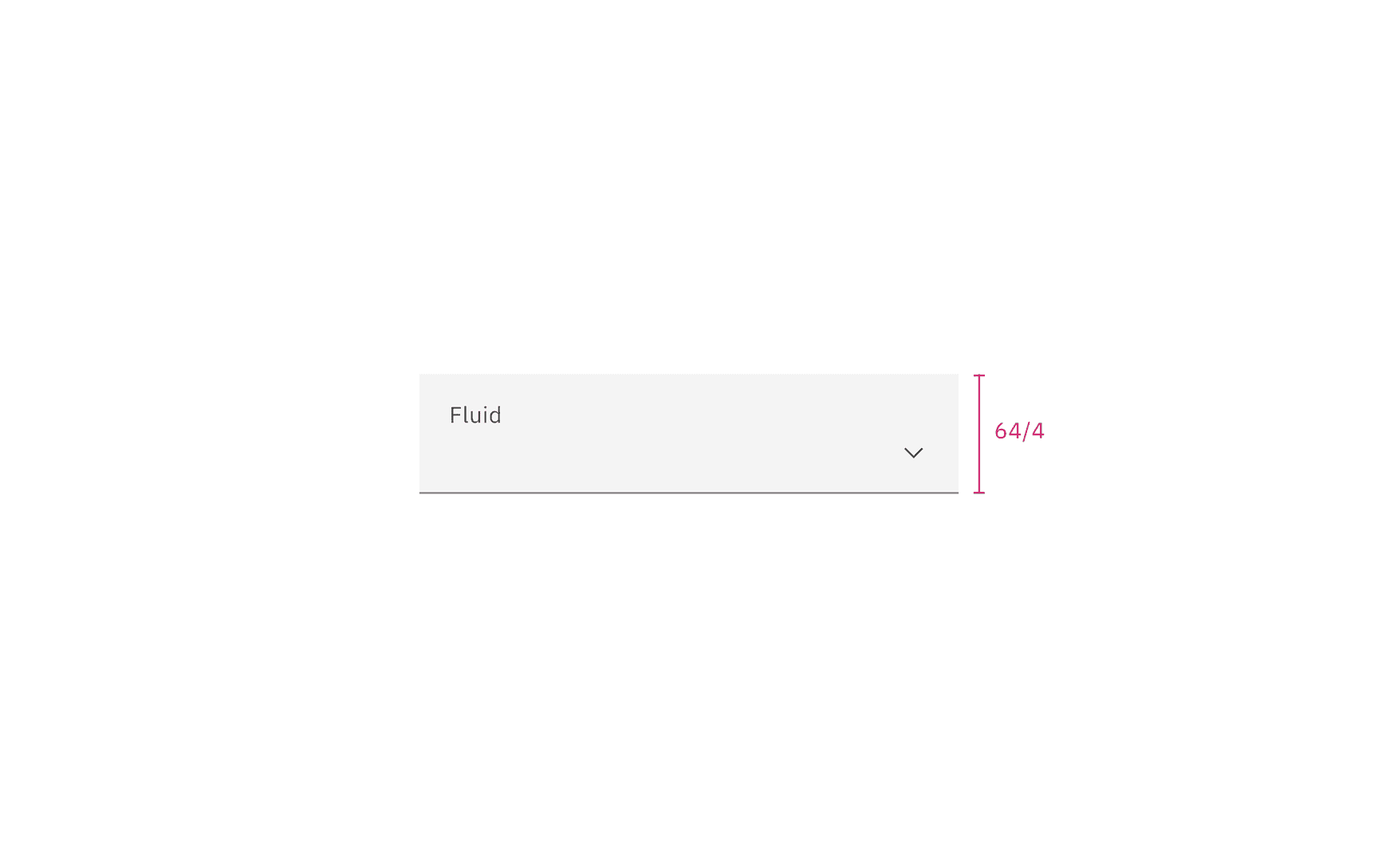
Size for fluid select | px / rem
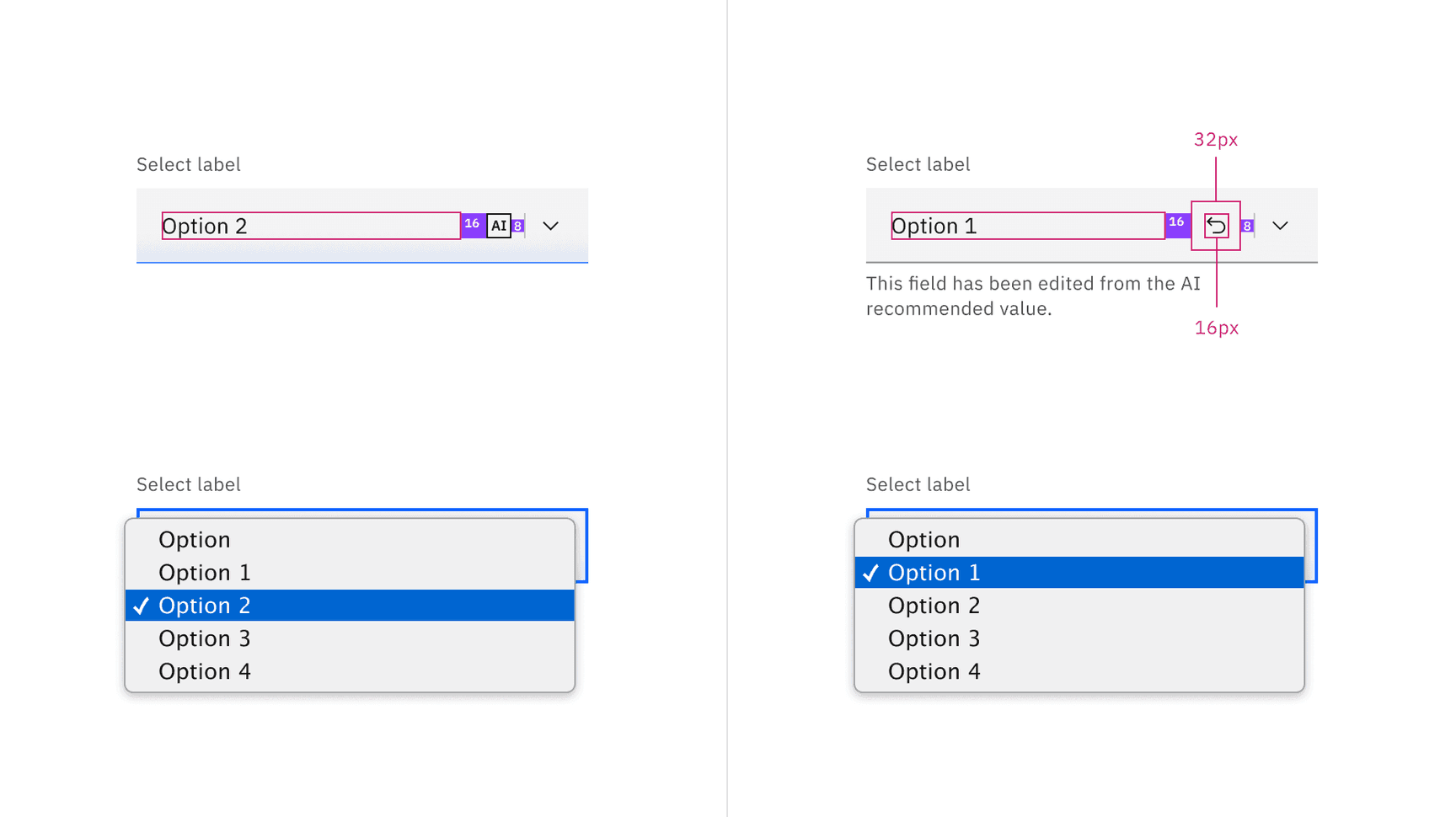
AI presence
The following are the unique styles applied to the components when the AI label is present. Unless specified, all other tokens in the components remain the same as the non-AI variants.
For more information on the AI style elements, see the Carbon for AI guidelines.
Element | Property | Token / Size |
|---|---|---|
Linear-gradient | start |
|
stop |
| |
Field | border-bottom |
|
background color |
| |
AI label | size | mini |
* Denotes a contextual color token that will change values based on the layer it is placed on.
Feedback
Help us improve by providing feedback, asking questions, requesting features, or leaving any other comments on GitHub.