Elements | Property | Color token |
|---|---|---|
Menu option | background-color |
|
text-color |
| |
border-top |
| |
Caret icon | svg |
|
Shortcut icon | svg |
|
Container | box-shadow | 0 2px 6px 0 rgba(0,0,0,.2) |
* Denotes a contextual color token that will change values based on the layer it is placed on.
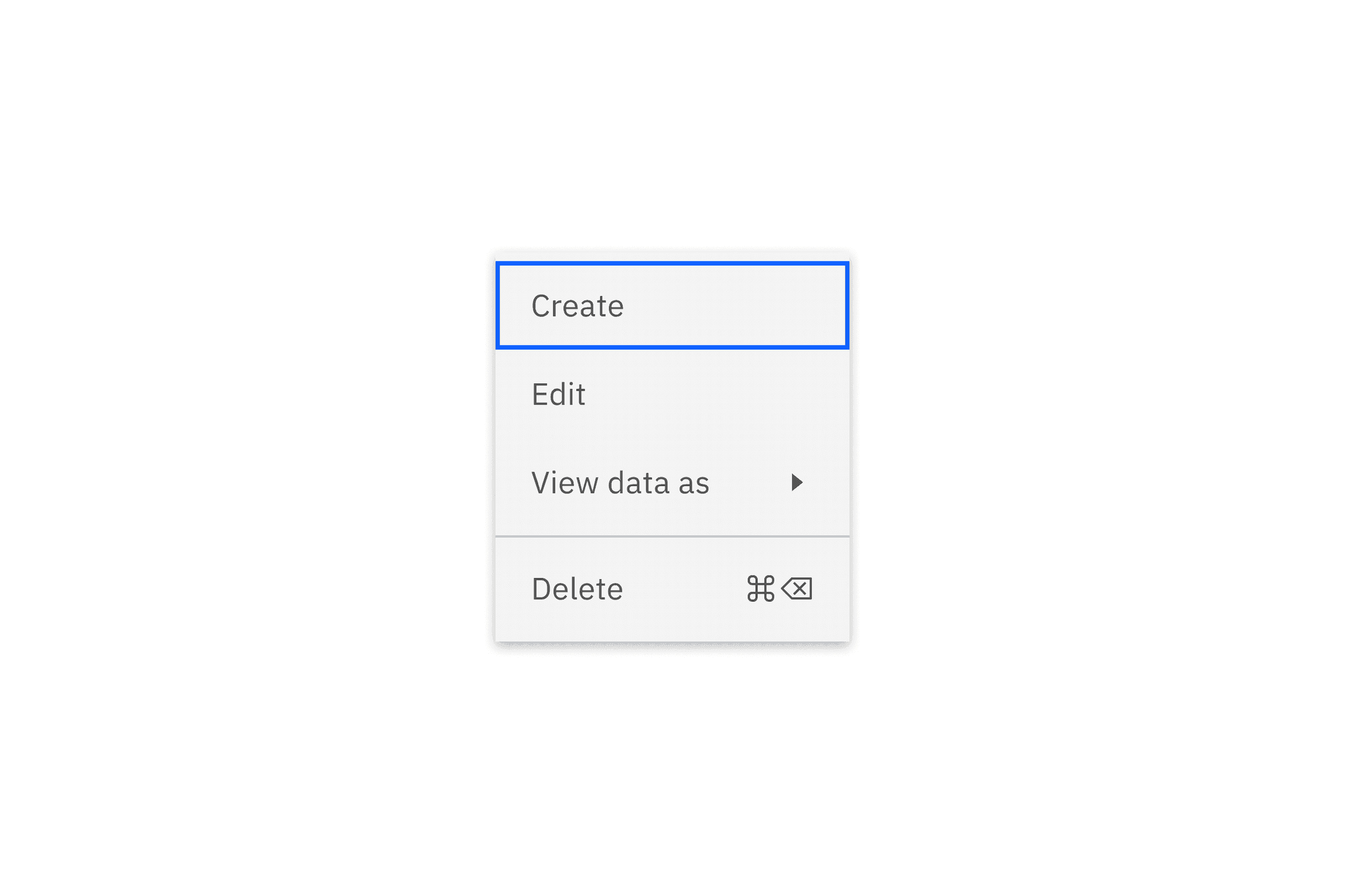
State | Element | Property | Color token |
|---|---|---|---|
Hover | Menu option | background-color |
|
Menu option | text-color |
| |
Icon | svg |
| |
Focus | Menu option | background-color |
|
Menu option | border |
| |
Focus and hover | Menu option | background-color |
|
Menu option | text-color |
| |
Icon | svg |
| |
Menu option | border |
| |
Danger hover | Menu option | background-color |
|
Menu option | text-color |
| |
Icon | svg |
| |
Danger hover and focus | Menu option | background-color |
|
Menu option | text-color |
| |
Menu option | border |
| |
Icon | svg |
| |
Disabled | Menu option | background-color |
|
Menu option | text-color |
| |
Icon | svg |
|
* Denotes a contextual color token that will change values based on the layer it is placed on.
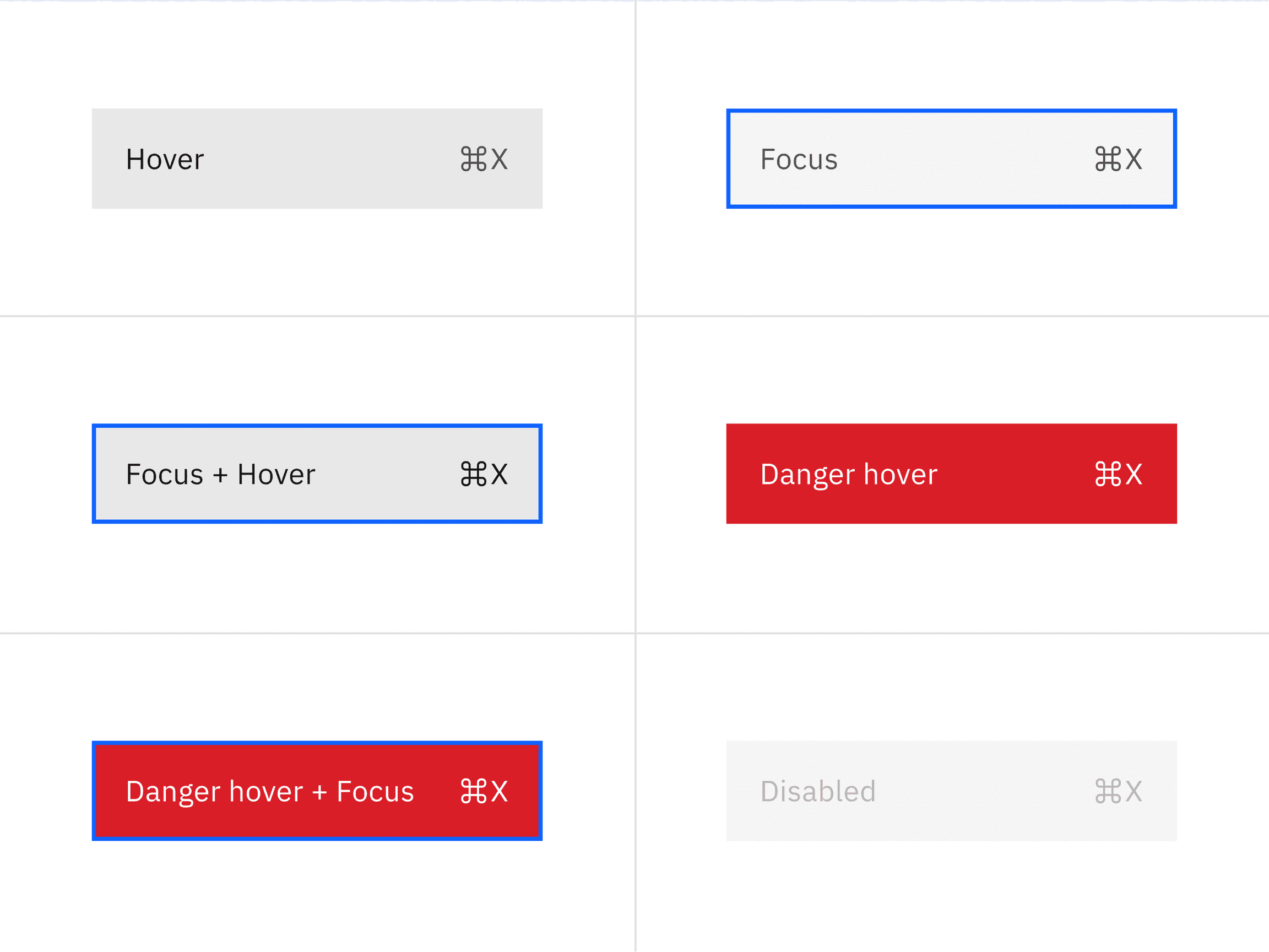
Element | Property | px / rem | Spacing token |
|---|---|---|---|
Icon | icon size | 16 / 1 | – |
Option (default) | padding-right, padding-left | 16 / 1 |
|
Option (selectable but unselected) | padding-right, padding-left | 16 / 1, 40 / 2.5 |
|
Option (selectable and selected) | padding-right, padding-left | 16 / 1 |
|
Option (next to the divider) | margin-top, or margin-bottom | 4 / .25 |
|
Option (first and last) | margin-top, or margin-bottom | 4 / .25 |
|
Divider | margin-top | 1px | – |
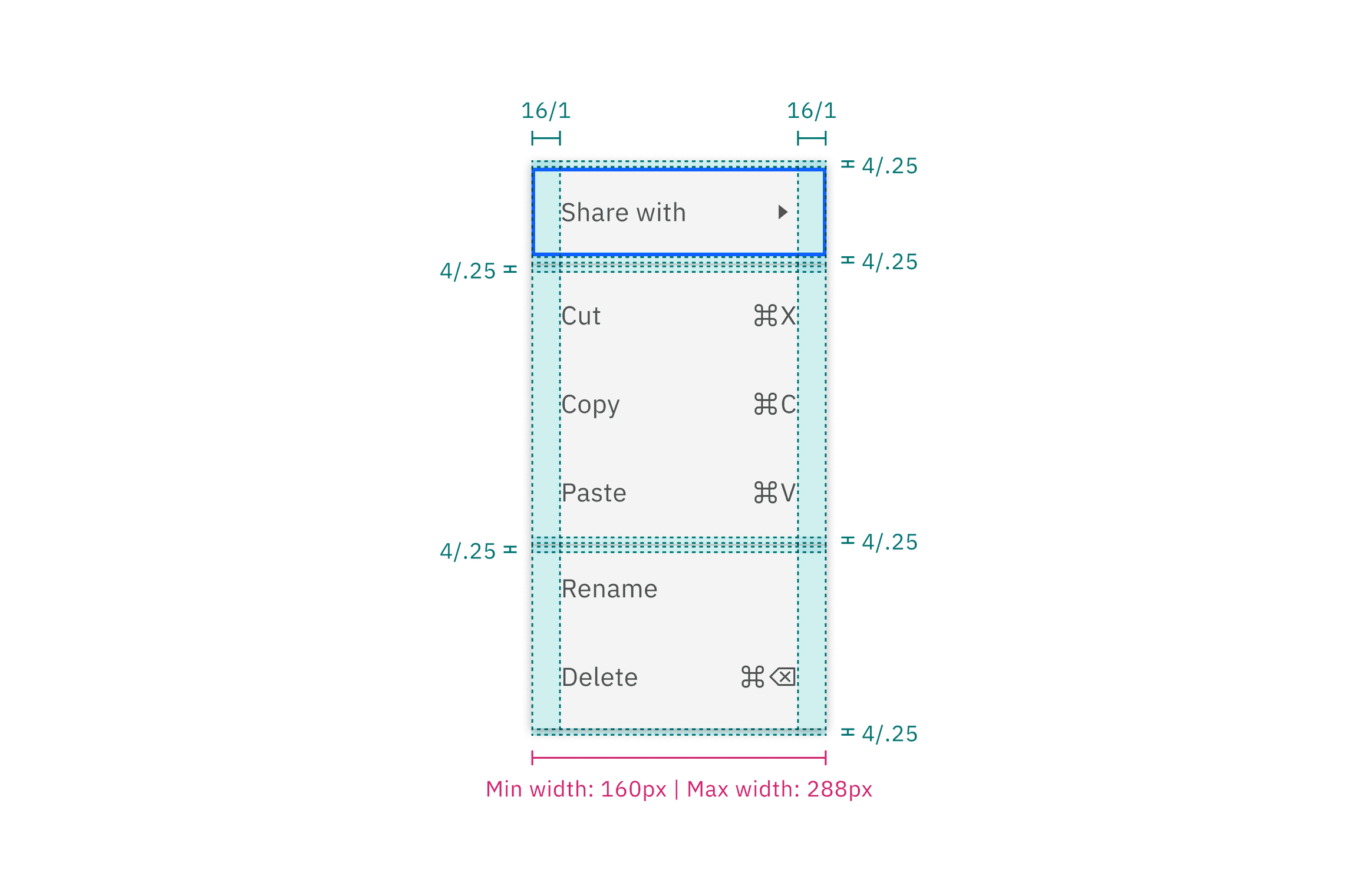
Structure and spacing measurements for main menu
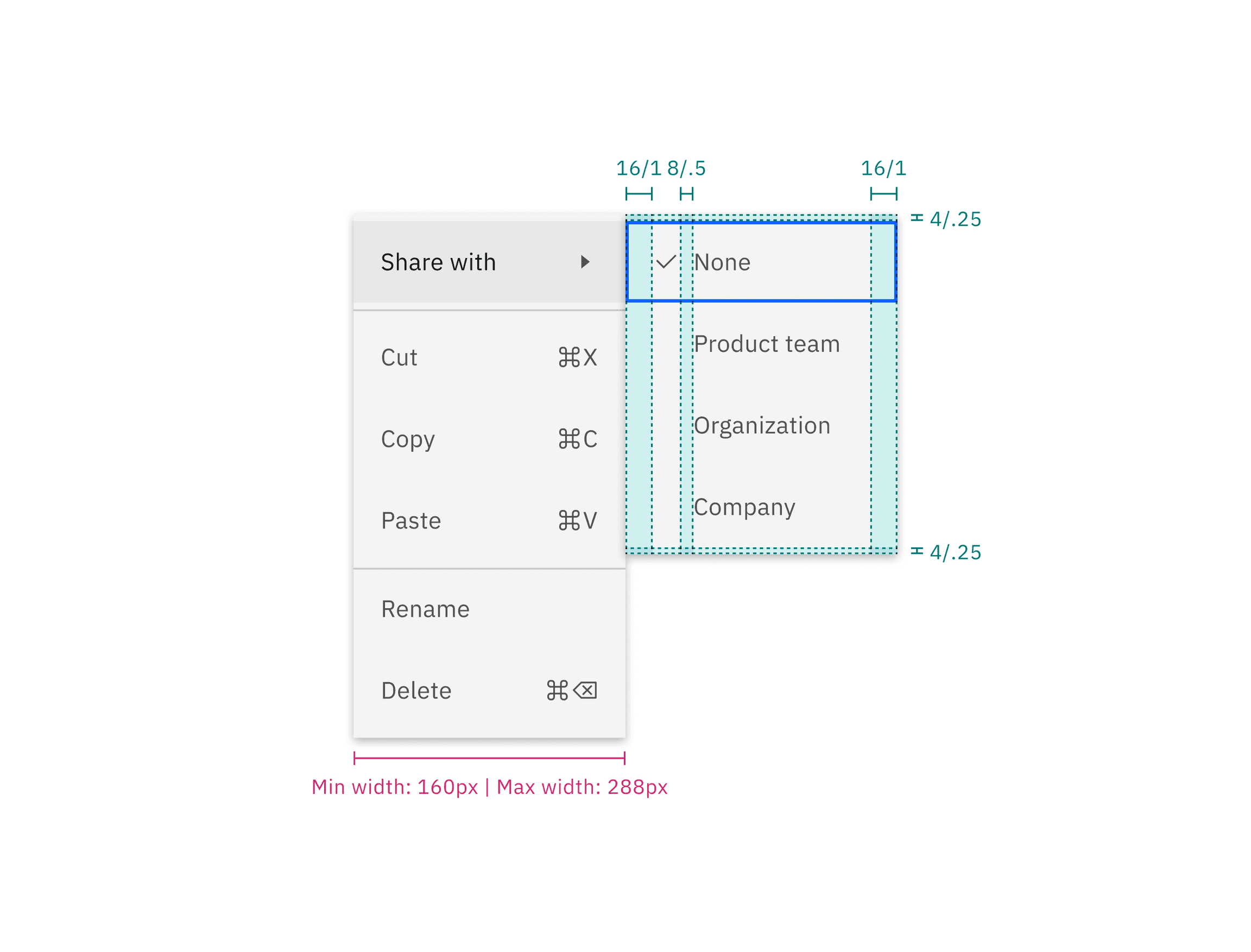
Structure and spacing measurements for submenu
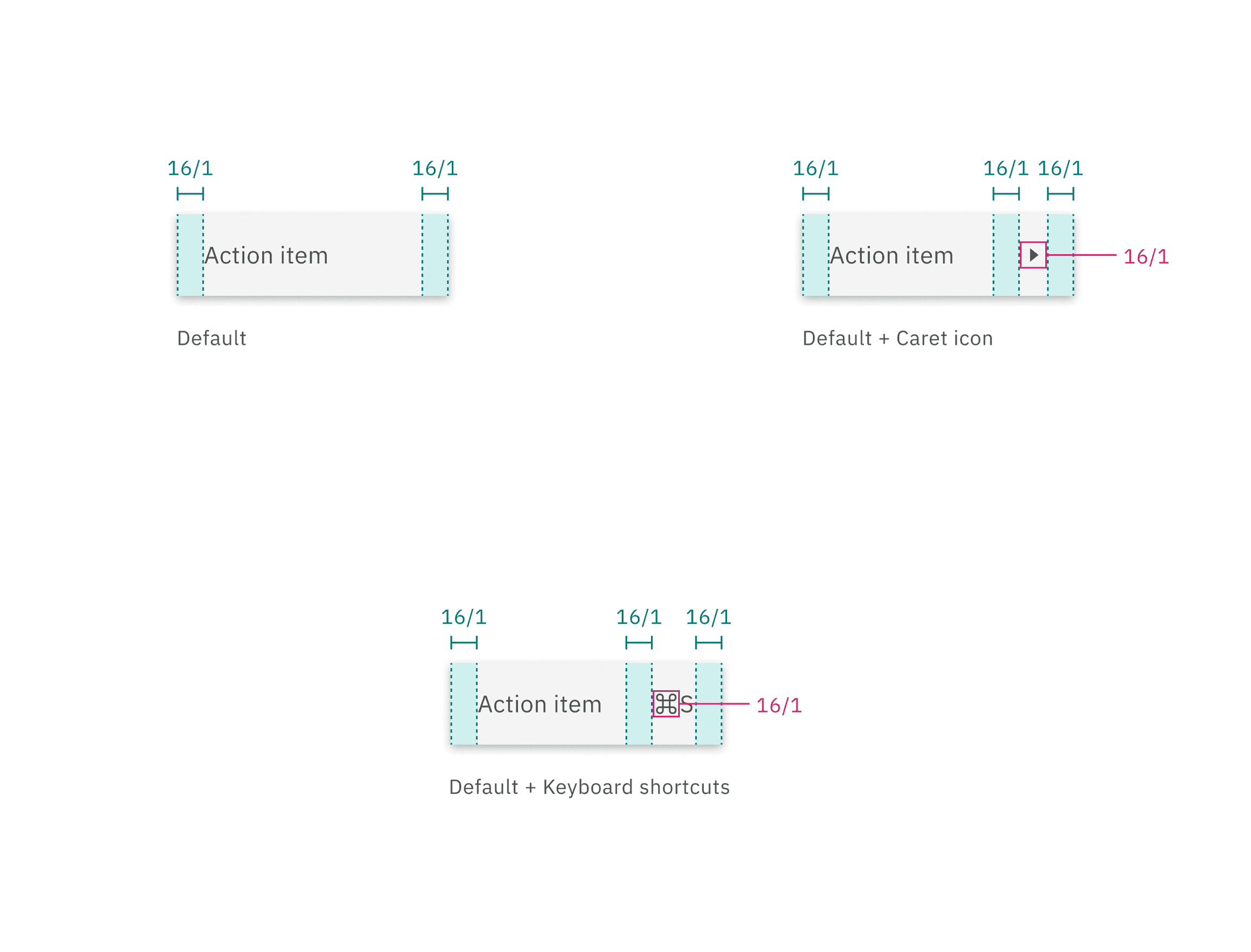
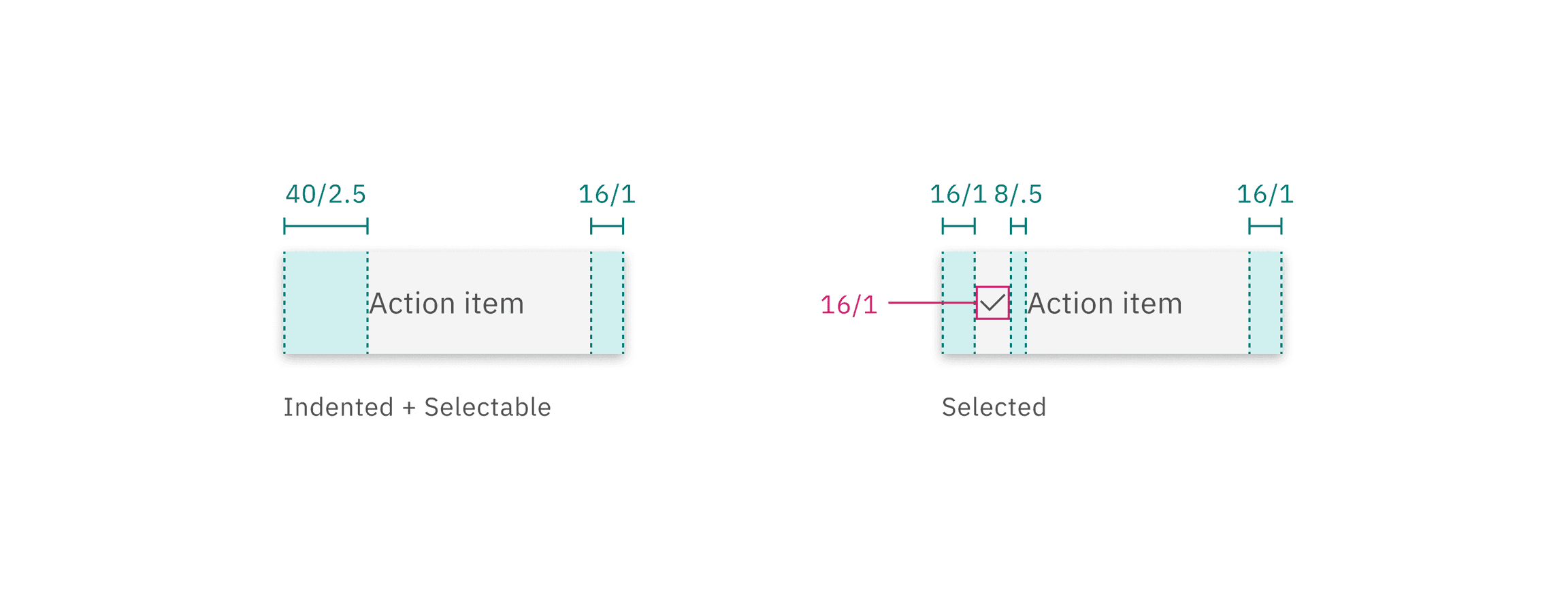
Structure and spacing measurements for individual menu options
Size
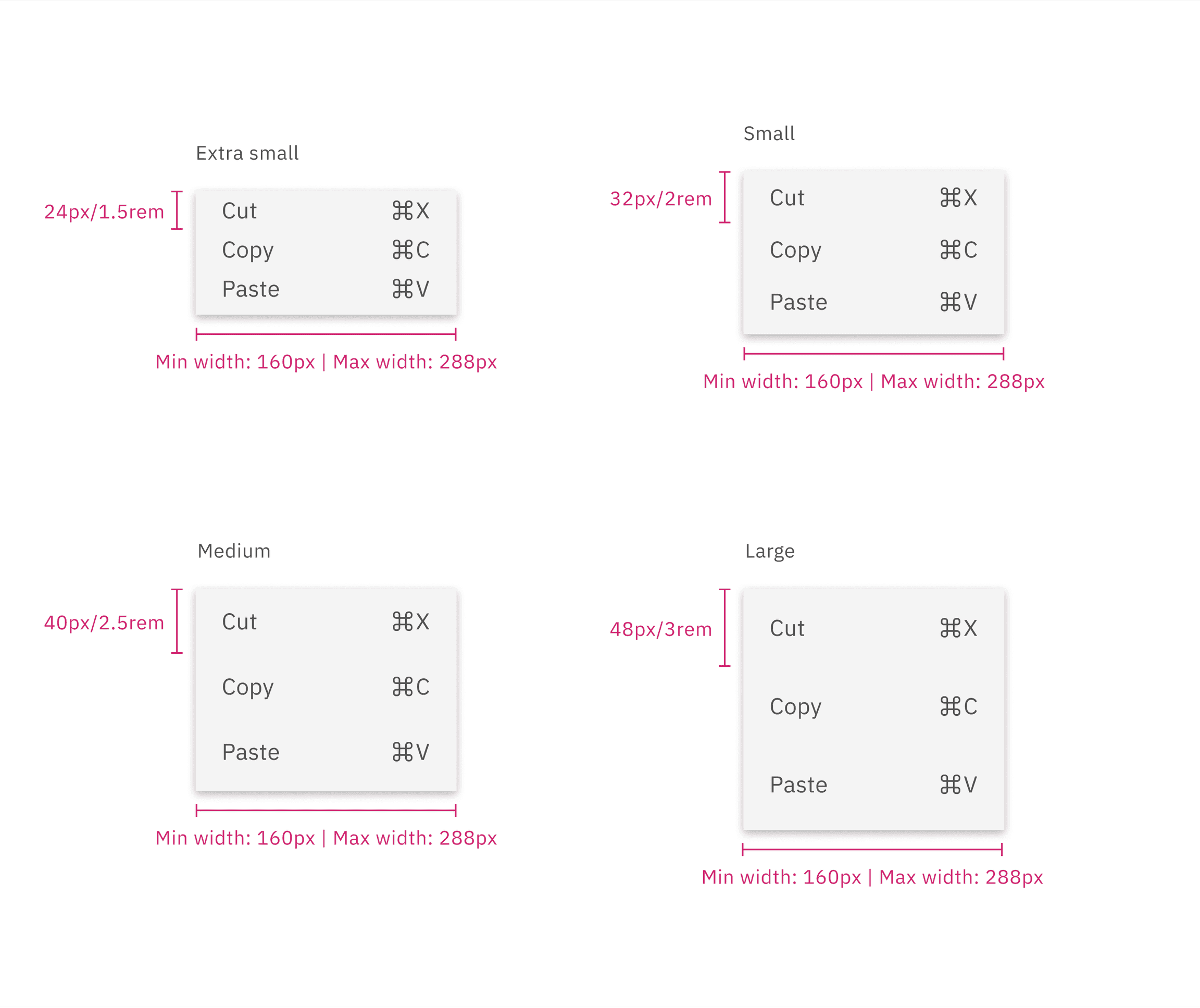
There are four menu option sizes: extra small, small, medium, and large. The height of a menu is determined by a menu button. Menus have a fixed minimum width of 160px (or 10rem), to ensure menu items have sufficient horizontal space, while also having a fixed maximum width of 288px (or 18rem).
Elements | Size | Height (px/rem) |
|---|---|---|
Menu option | Extra small (xs) | 24 / 1.5 |
Small (sm) | 32 / 2 | |
Medium (md) | 40 / 2 .5 | |
Large (lg) | 48 / 3 |
Feedback
Help us improve by providing feedback, asking questions, requesting features, or leaving any other comments on GitHub.