Keyboard interaction
There are three data table variants with different interactions. Optional features like column sorting can appear in any of the variants. Table pagination is treated as a separate component.
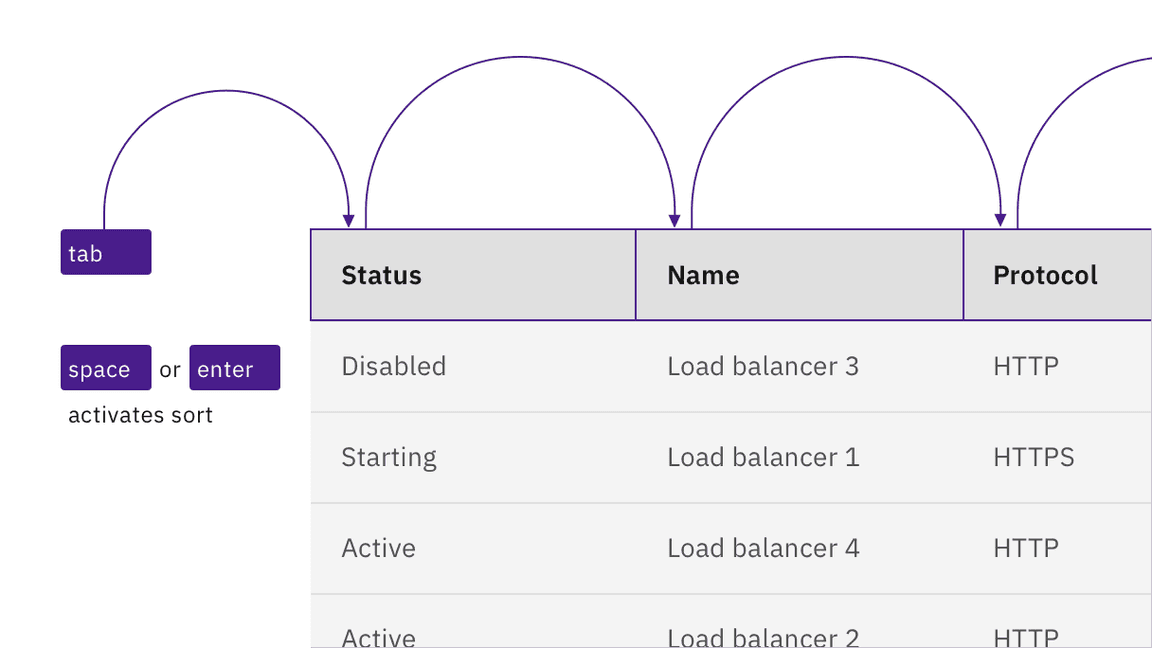
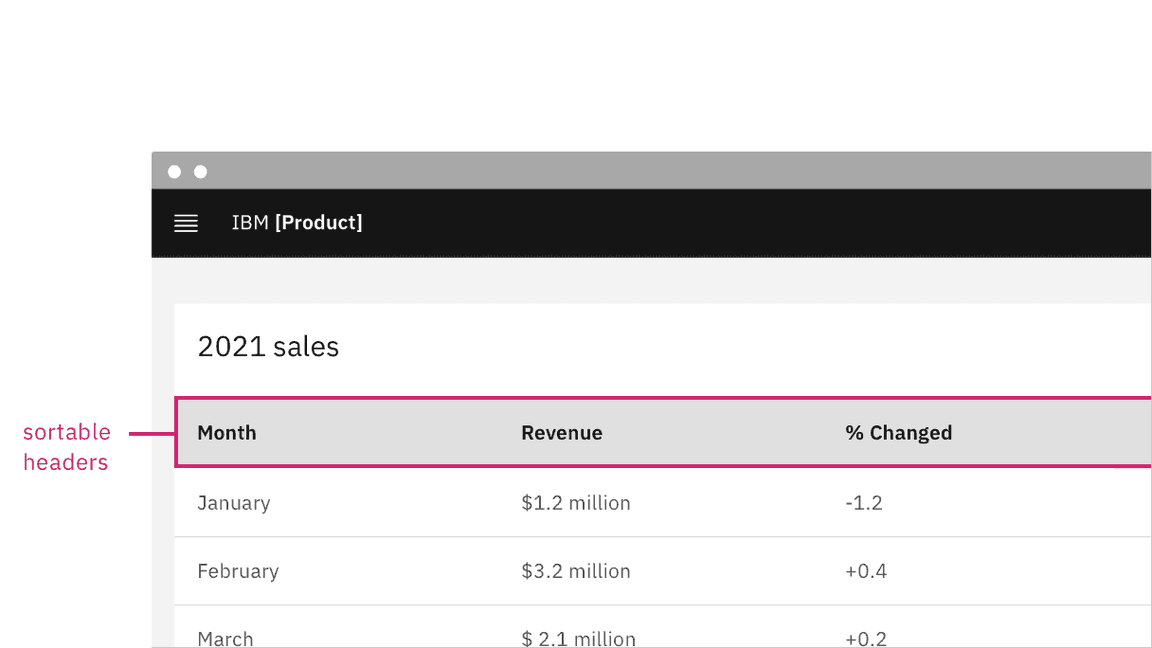
For sortable tables, the column headers are reachable by Tab and sortable with Space or Enter.
Controls inside tables
Any interactive controls in data cells are in the tab order and maintain normal keyboard operation. This also applies to expandable table rows, which operate in the same manner as accordions.
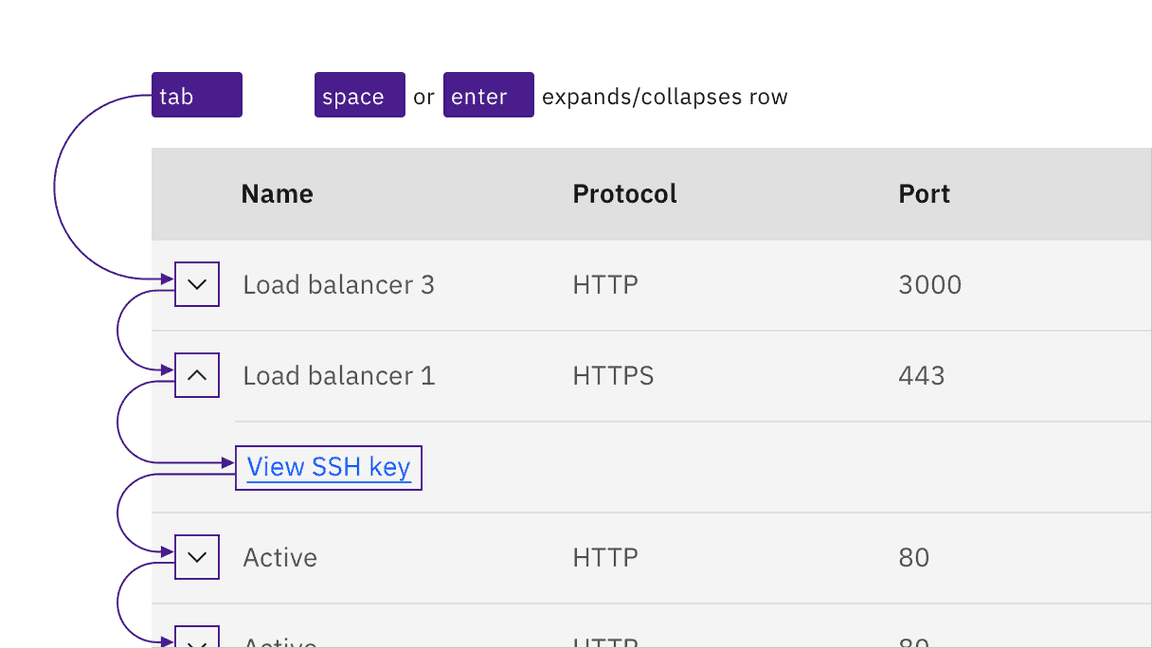
Links, inputs, and other interactive controls inside tables operate by keyboard as normal.
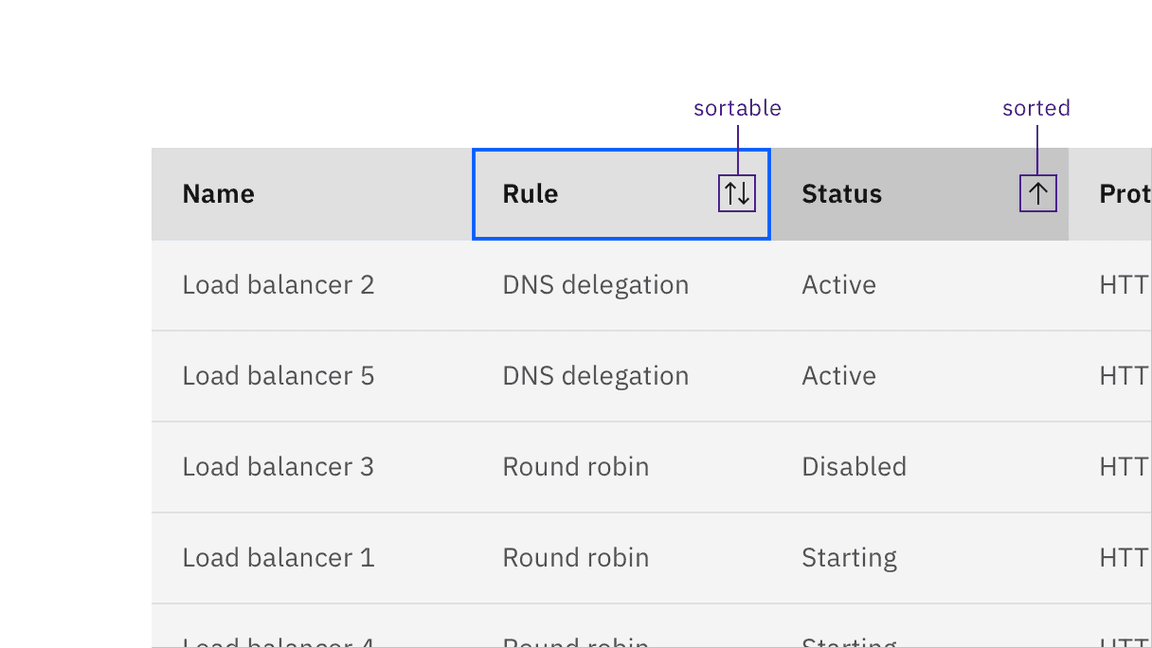
Sort indicators appear on hover and focus. A sorted column is indicated visually.
Development considerations
Keep this in mind if you are modifying Carbon or creating a custom component:
- Column sorting indicators are matched programmatically using
aria-sort - Remember to supply an
aria-label,aria-labelledbyortitleto theTablecomponent to comply with accessible naming - See the ARIA authoring practices for more considerations
Accessibility testing status
Latest version: 1.112.0 | Framework: React (@carbon/react)
| Component | Accessibility test | Status | Link to source code |
|---|---|---|---|
| Data table | Test(s) that ensure the initial render state of a component is accessible. | Passes all automated tests with no reported accessibility violations. | GitHub link |
| Tests that ensure additional states of the component are accessible. This could be interactive states of a component or its multiple variants. | Passes all automated tests with no reported accessibility violations. | ||
| Tests that ensure focus is properly managed, and all interactive functions of a component have a proper keyboard-accessible equivalent. | Passes all automated tests with no reported accessibility violations. | ||
| This manual testing ensures that the visual information on the screen is properly conveyed and read correctly by screen readers such as JAWS, VoiceOver, and NVDA. | A human has manually tested this component, e.g. screen reader testing. |
Feedback
Help us improve by providing feedback, asking questions, requesting features, or leaving any other comments on GitHub.