What Carbon provides
Design annotations are needed for specific instances shown below, but for the standard accordion component, Carbon already incorporates accessibility.
Carbon bakes keyboard operation into its components, improving the experience of blind users and others who operate via the keyboard. Carbon incorporates many other accessibility considerations, some of which are described below.
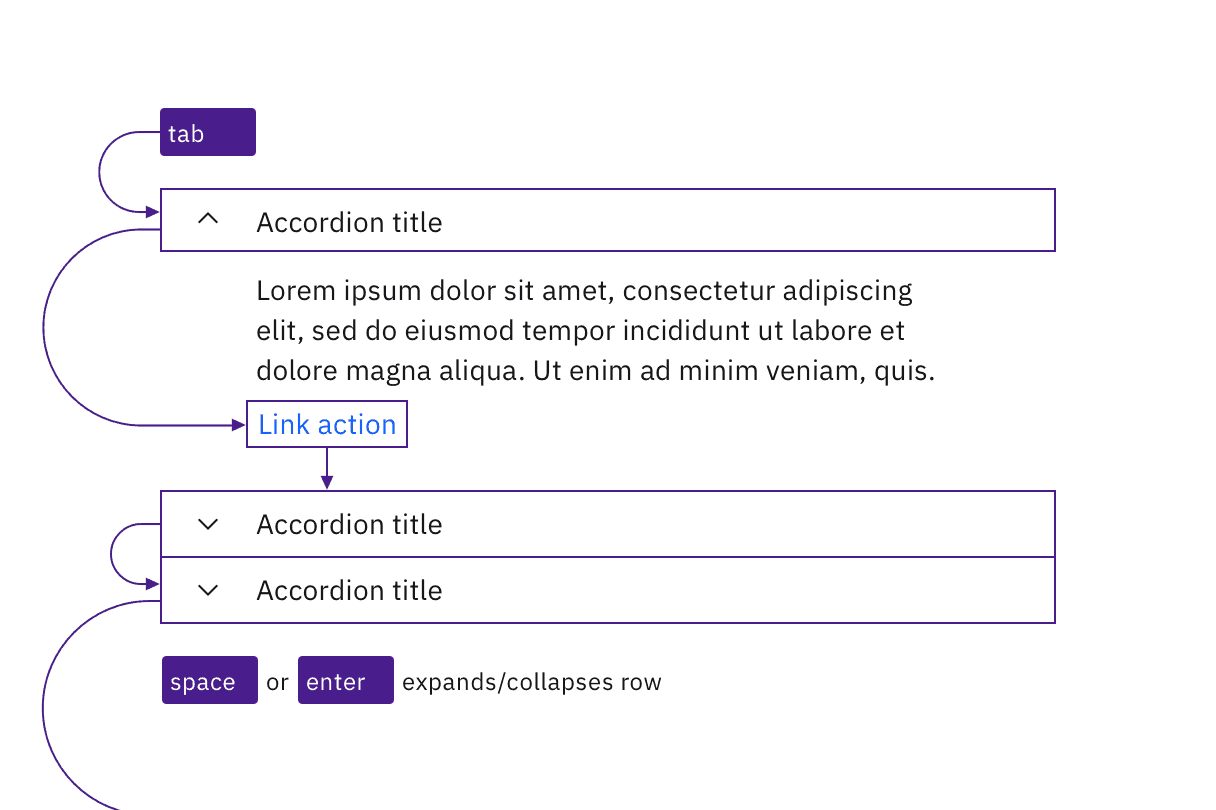
Accordions and interactive elements in the expanded content are in the tab order and keyboard operable.
Labeling and states
The collapsed or expanded state of the accordions is programmatically set by default, eliminating the need for designers to provide text equivalents for the chevron icons.
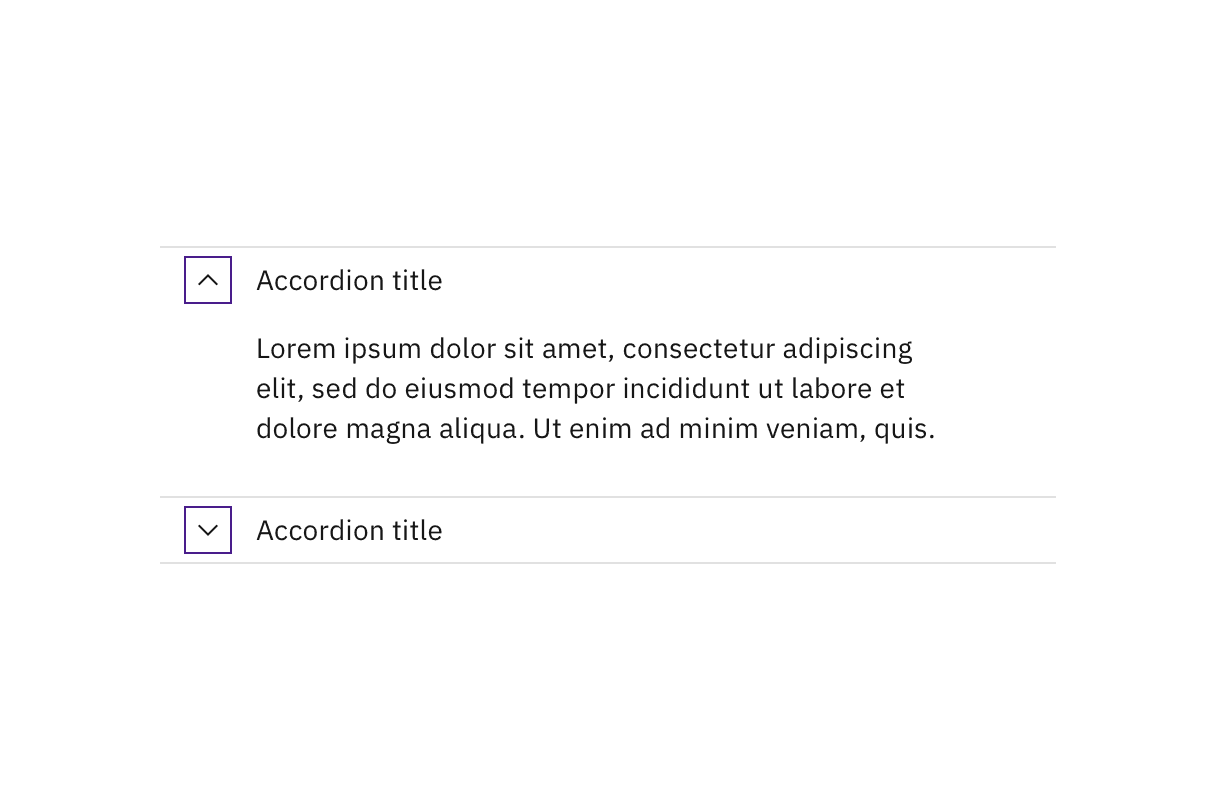
Carbon handles the accessibility of the chevron indicators.
Headings
Carbon accordions are not set as headings by default. For improved accessibility, annotate accordions as headings on the first occurrence in a product. Annotate the heading level of accordions as needed. See Indicate heading levels.
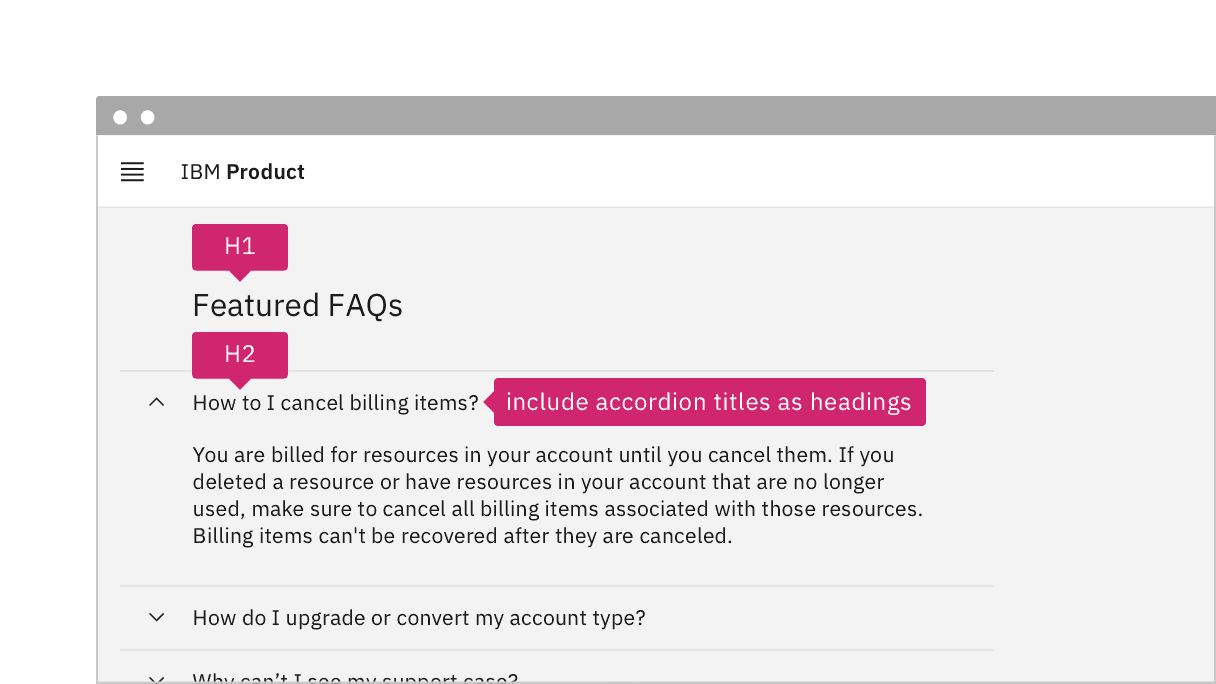
If accordion titles act as headings, annotate for development.
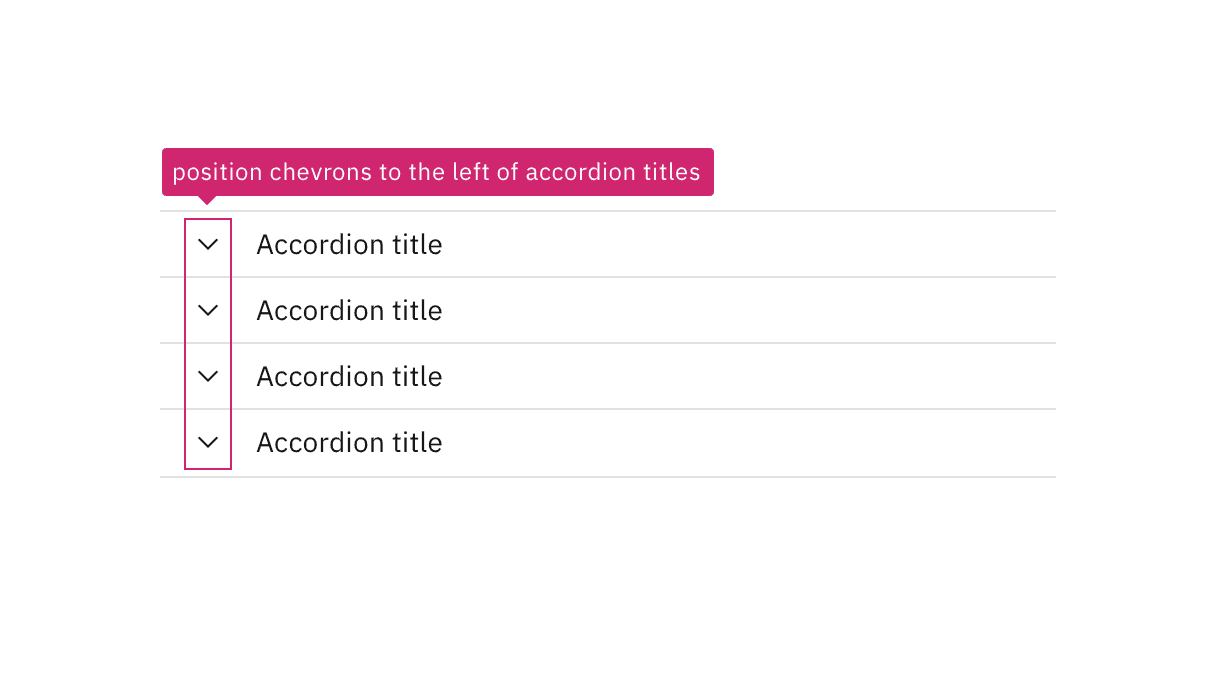
Annotate if the accordion chevrons should be left-aligned.
Development considerations
Keep these considerations in mind if you are modifying Carbon or creating a custom component:
- The accordion header has a role of
<button>, with anaria-expandedattribute set to"true"or"false". - The button has an
aria-controlsproperty set to the unique id of the panel it controls. - Since accordions are typically grouped together, Carbon puts each button inside a list item in an unordered list, which provides additional context to screen reader users; where only one accordion is used, it should not be put in a list.
- When accordion titles are used as headings, the buttons are also wrapped in an element with an appropriate heading level; ARIA can be used to set both the heading role and the level (via
aria-level). - See the ARIA authoring practices for more guidance.
Accessibility testing status
Latest version: 1.112.0 | Framework: React (@carbon/react)
| Component | Accessibility test | Status | Link to source code |
|---|---|---|---|
| Accordion | Test(s) that ensure the initial render state of a component is accessible. | Passes all automated tests with no reported accessibility violations. | GitHub link |
| Tests that ensure additional states of the component are accessible. This could be interactive states of a component or its multiple variants. | Passes all automated tests with no reported accessibility violations. | ||
| Tests that ensure focus is properly managed, and all interactive functions of a component have a proper keyboard-accessible equivalent. | Passes all automated tests with no reported accessibility violations. | ||
| This manual testing ensures that the visual information on the screen is properly conveyed and read correctly by screen readers such as JAWS, VoiceOver, and NVDA. | A human has manually tested this component, e.g. screen reader testing. |
Feedback
Help us improve by providing feedback, asking questions, requesting features, or leaving any other comments on GitHub.