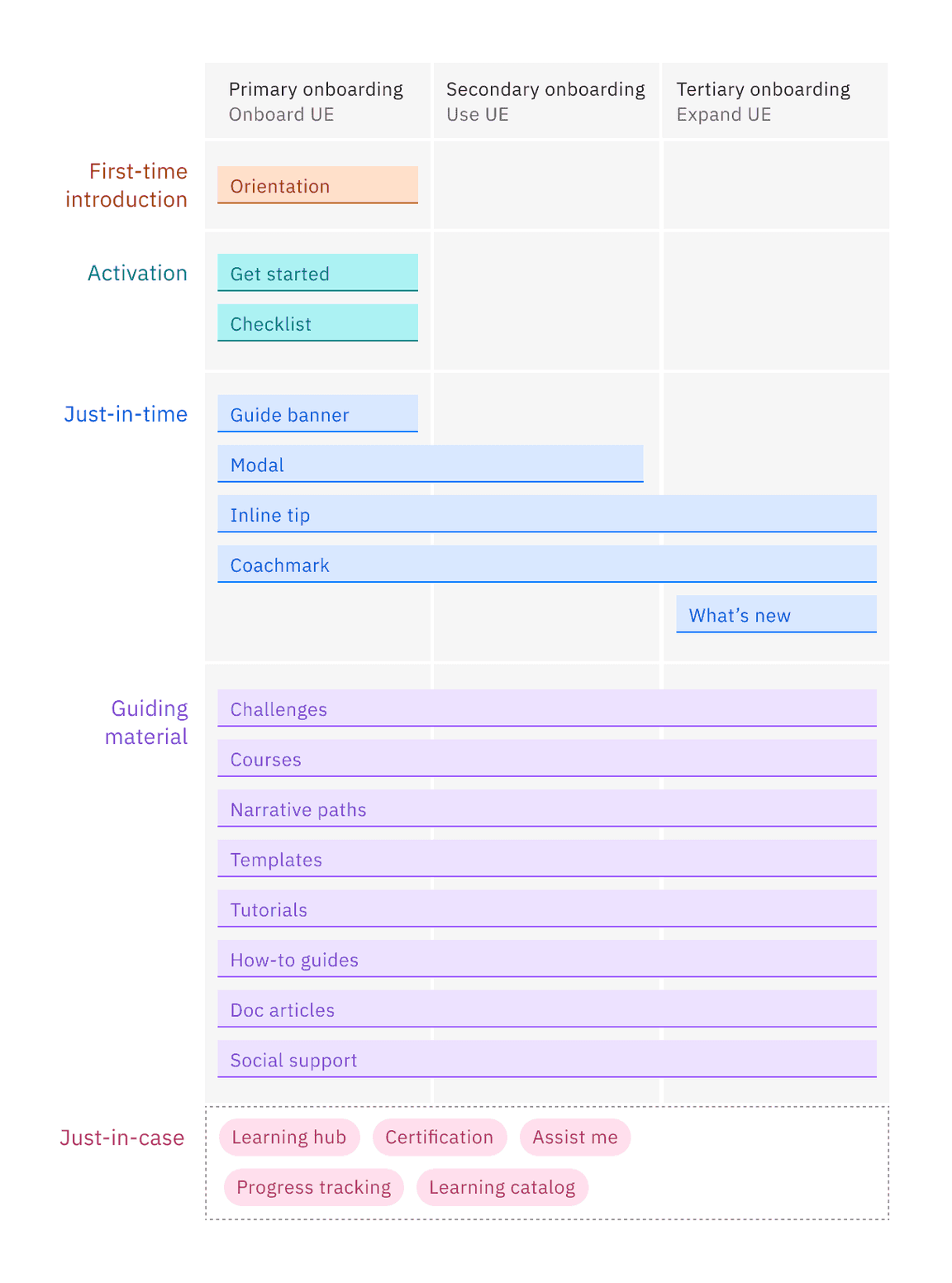
The first-time orientation is designed to provide a comprehensive overview of the product or service to new users during their initial interaction. It aims to familiarize users with the core features, benefits, and functionalities, setting the stage for their future engagement.
Add your cActivation is the first meaningful milestone in onboarding where users realize the product’s value through action. It turns new users into engaged users and lays the foundation for long-term retention. This often involves completing a key action (or set of actions) that aligns with the product’s value proposition, such as creating a project, sending a message, or uploading a file, ultimately leading to the aha moment.ontent here
Just-in-time onboarding delivers information or guidance to users at the moment they need it. This approach is context-sensitive and relies on user actions or triggers to present relevant content. It helps users overcome specific challenges or learn new features as they progress, enhancing their overall experience.
Just-in-case onboarding provides users with a broad range of information and resources, even if they may not need them immediately. This method aims to cover all possible scenarios and ensure users have access to all available features. It can be useful for complex products with many functionalities, as it allows users to explore and discover features at their own pace. However, it may overwhelm users with too much information upfront.
As users progress in their journey, they require guiding materials to help them grow in proficiency, learn about the product, and improve their skills. A variety of methods can be used to support this growth, including narrative paths, challenges, templates, tutorials, how-to guides, courses, documentation articles, and social support.
Choosing the right onboarding approach
To effectively support users, it’s essential to create comprehensive educational materials that cater to their diverse learning needs, enabling them to learn at their own pace and apply their knowledge and skills within the actual product. By providing universally accessible educational content, with just-in-time and just-in-case support, users can easily find the help they need, whenever they need it, and become independent and proficient in using the product.
Takeaways
A well-designed onboarding ecosystem supports users across all levels of experience by offering the right type of guidance at the right time. It ensures:
- Self-directed learners can explore at their own pace with embedded UI guidance, contextual prompts, and reference materials.
- Users who need guidance can access guided walkthroughs, structured tutorials, and progressive learning paths.
- Advanced users seeking mastery have access to in-depth educational materials, hands-on practice, and expert-level support.